Workflow Deployment
Deploy workflows safely and efficiently across environments. This guide covers best practices for moving workflows from development to production while maintaining reliability and enabling quick rollbacks.
Safe Deployments
Test thoroughly before going live and maintain rollback capabilities
Version Control
Track changes, compare versions, and restore previous states
Team Collaboration
Enable multiple team members to work together safely
Why Deployment Matters
Workflow deployment is the process of moving workflows from development to production. A structured approach helps you:
Validate workflows thoroughly before they affect live operations
Keep configurations aligned across all environments
Monitor versions and understand what changed when
Quickly revert if issues occur in production
Allow multiple people to collaborate safely
Deployment Environments
Wakflo supports multiple environments to separate development work from live operations.
- •Build and test new workflows
- •Experiment safely
- •Sandbox integrations
- •No impact on live data
- •Pre-production validation
- •Mirrors production setup
- •Realistic data testing
- •User acceptance testing
- •Live business environment
- •Real system connections
- •Actual business data
- •Strict change control
Environment separation is available on Business and Enterprise plans. Contact sales to enable multiple environments.
Deployment Methods
Choose the deployment method that best fits your team’s workflow and requirements.
Manual Deployment
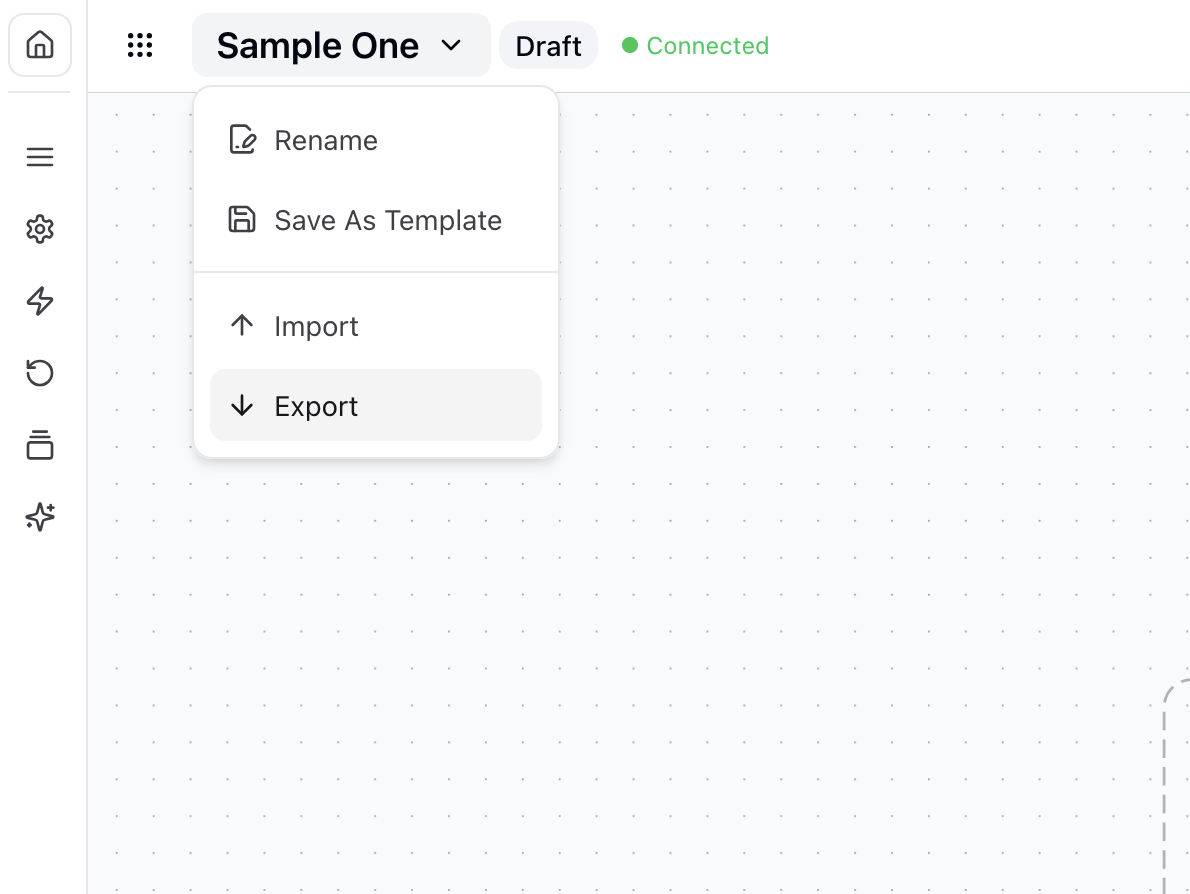
Export workflows from one environment and import them into another—perfect for small teams or simple deployments.
Export workflow
In the source environment, click the workflow menu ⋮ and select “Export”
Save the file
Download the JSON file to your computer
Import workflow
In the target environment, go to Workflows → “Import Workflow”
Upload file
Select your exported file and click “Import”
Configure connections
Update environment-specific settings and connections
Git integration enables infrastructure-as-code approaches to workflow management—ideal for teams with DevOps practices.
Version Management
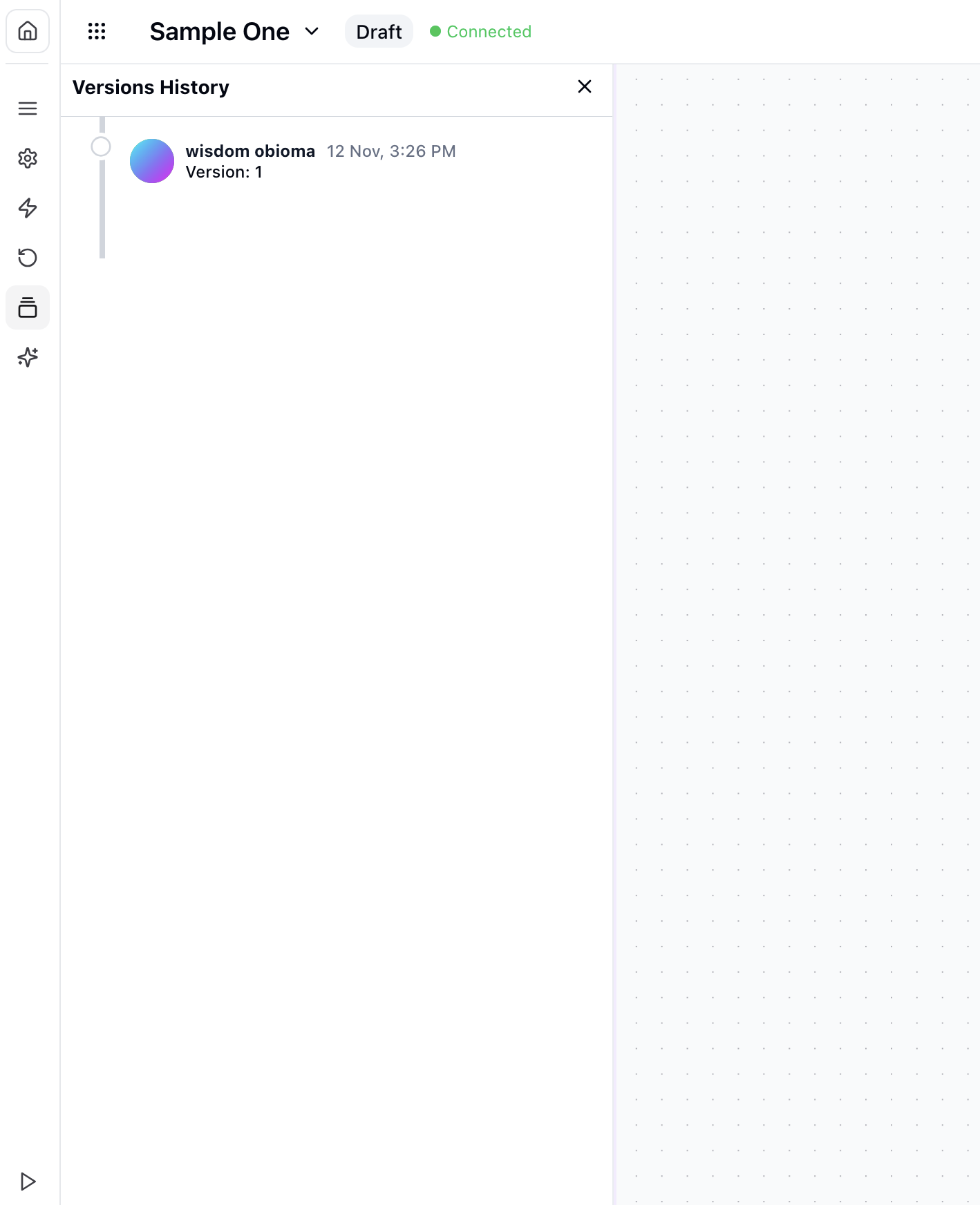
Every workflow change creates a new version, giving you complete history and the ability to restore previous states.
Configuration Management
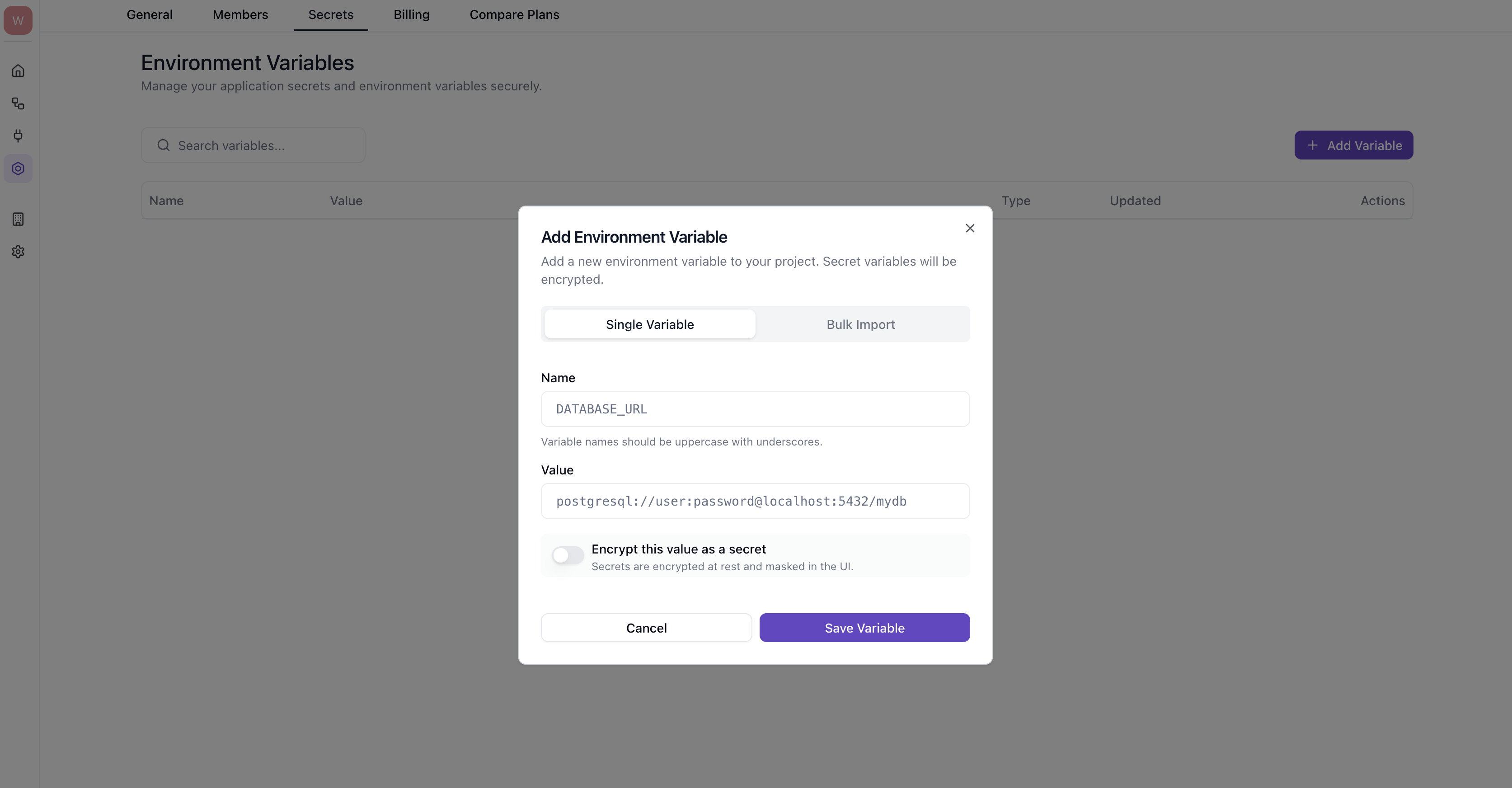
Manage environment-specific settings effectively to ensure smooth deployments.
Store environment-specific values
Separate configurations per environment
Securely manage credentials
Auto-map during deployment
Environment Variables
| Variable | Development | Staging | Production |
|---|---|---|---|
API_ENDPOINT | dev-api.example.com | staging-api.example.com | api.example.com |
NOTIFICATION_EMAIL | dev-team@example.com | test-team@example.com | support@example.com |
INVENTORY_THRESHOLD | 5 | 10 | 25 |
Post-Deployment Validation
After deployment, validate that everything is working correctly before considering it complete.
Rollback Procedures
Sometimes deployments don’t go as planned. Know when and how to roll back quickly.
- •Workflow failures affecting operations
- •Data integrity issues
- •Security vulnerabilities
- •Performance degradation
- •Minor bugs not affecting core functions
- •UI or formatting issues
- •Non-essential features not working
- •Issues with easy workarounds
Assess impact
Determine severity and whether rollback is necessary
Disable if critical
Immediately disable the workflow if the issue is severe
Notify stakeholders
Inform team members and affected users
Restore previous version
Roll back through version history
Verify rollback
Confirm previous version works correctly
Document the issue
Record what happened and root cause
Always have a tested rollback plan ready before deploying major changes. Don’t wait until you need it to figure out how it works.
Best Practices
Validate in staging before production deployment
Use blue/green or canary deployments
Watch for issues during and after deployment
Maintain clear deployment documentation
Reduce manual deployment steps
Tag and version all deployments
Common Challenges
Environment Configuration Differences
Workflows behave differently across environments due to configuration differences
- •Use environment variables for all environment-specific values
- •Document configurations for each environment
- •Implement configuration validation during deployment
Dependency Management
Managing dependencies between workflows during deployment
- •Document workflow dependencies clearly
- •Deploy related workflows together as a unit
- •Use versioned references between workflows
In-Progress Executions
Handling in-progress workflow executions during deployment
- •Schedule deployments during low-activity periods
- •Let in-progress executions complete on old version
- •Use blue/green deployment for smooth transitions
Keep Learning
Explore related topics to build a complete deployment strategy.