Gemini Integration
Connect Google's Gemini AI to Wakflo and leverage powerful AI automation for text analysis, image understanding, embeddings, function calling, and conversational workflows. Build intelligent applications with Gemini's multimodal capabilities.
Authentication
API Key
Features
6 Actions
Available Actions
Gemini Actions
Available Actions
Available Actions
- •Chat Gemini: Have a conversational interaction with Gemini AI
- •Summarize Text Gemini: Generate concise summaries of long text content
- •Translate Text Gemini: Translate text between different languages
- •Analyze Image Gemini: Extract information and insights from images
- •Embeddings Gemini: Generate vector embeddings for text content
- •Function Calling Gemini: Use Gemini's function calling capabilities for structured outputs
Setup Guide
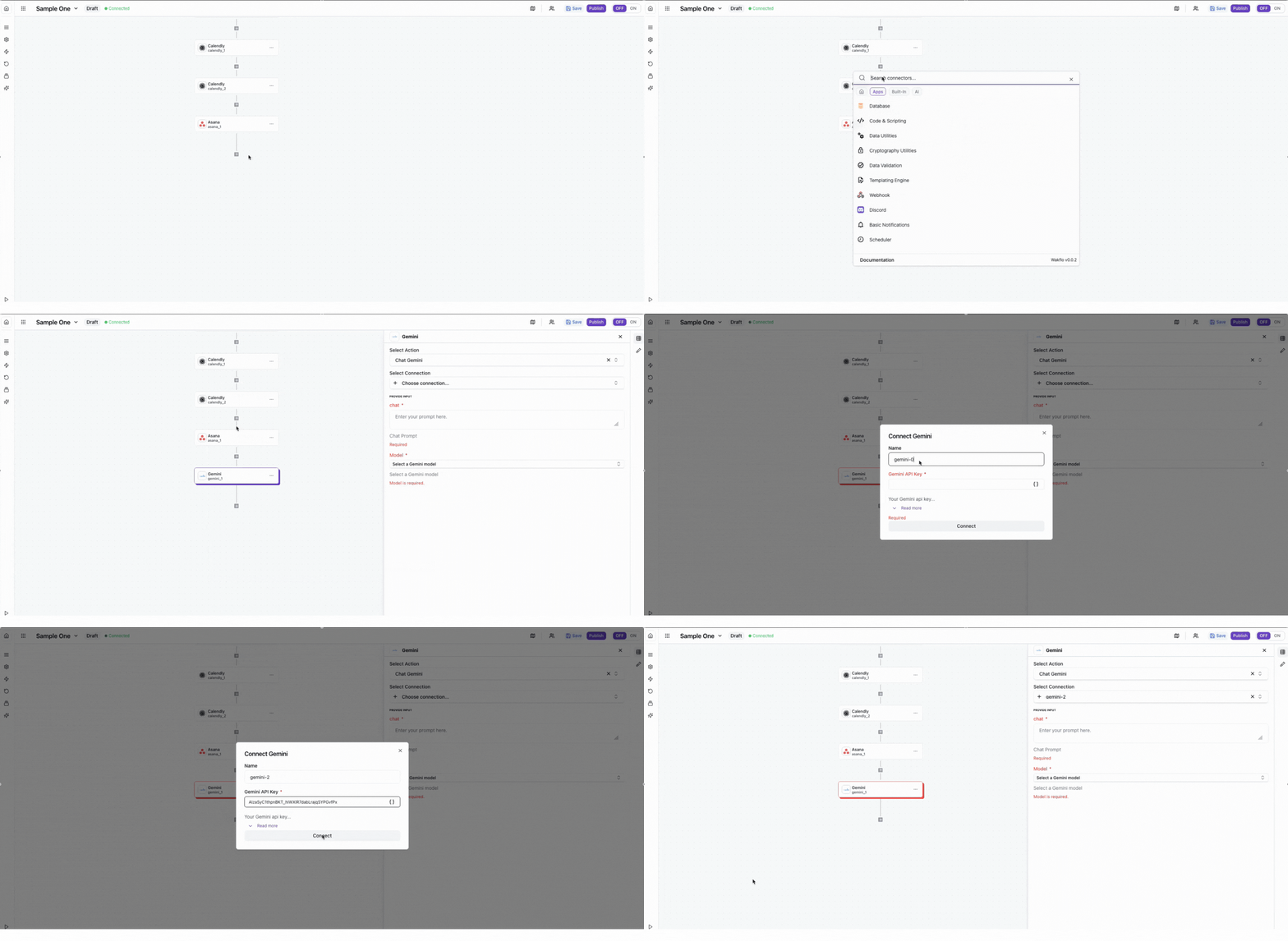
Connect to Wakflo
In Wakflo, select Gemini integration and enter your API key to establish the connection. You can get your API key from Google AI Studio at ai.google.dev.
Keep your API key secure and never share it publicly. API usage is charged based on the number of tokens processed and model used.
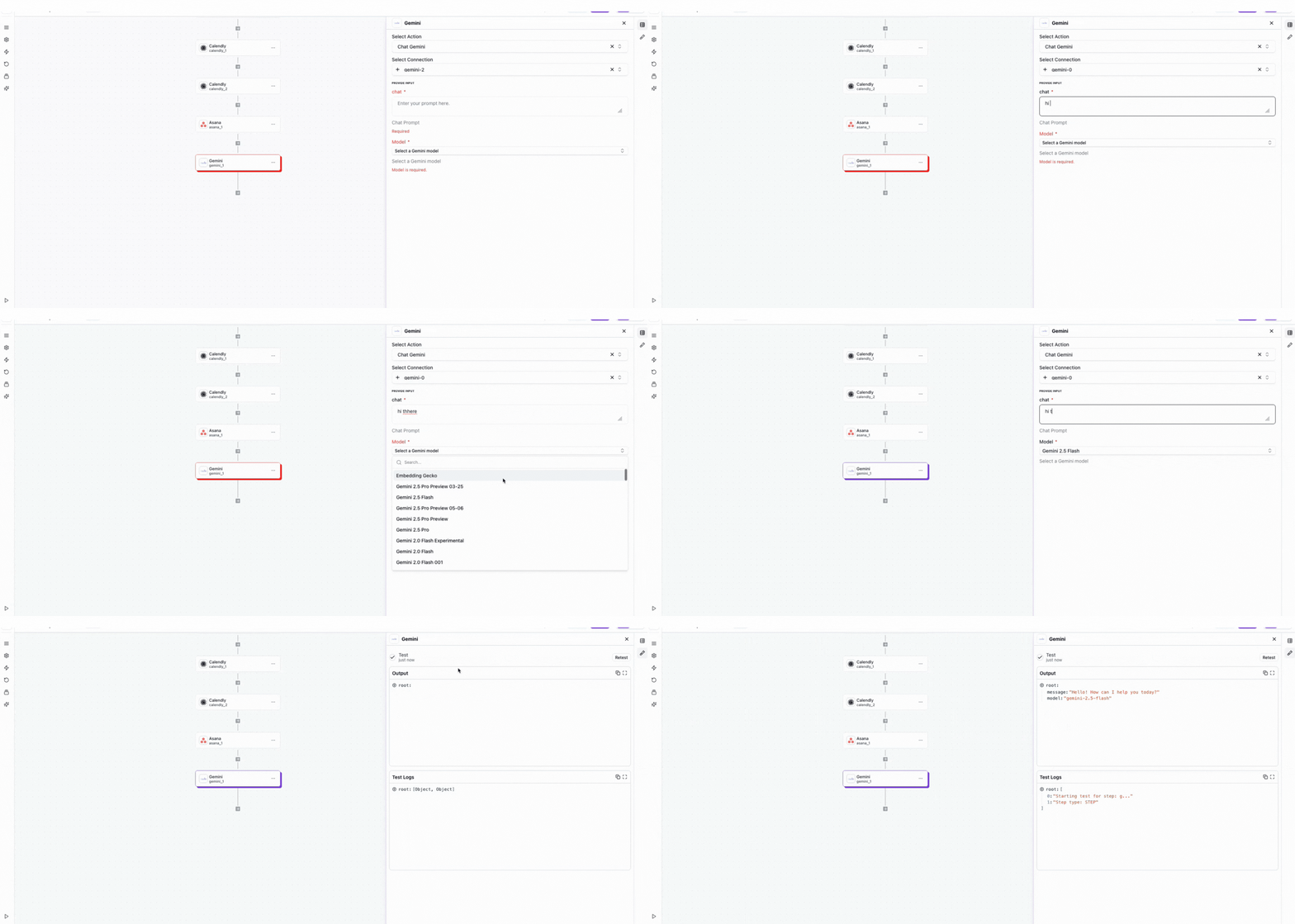
Test Connection
Verify the connection by sending a test message to ensure everything is working properly.
The Gemini integration requires an active Google Cloud account with Gemini API access. API usage is charged based on the number of tokens processed and model used. Make sure to monitor your usage in Google Cloud Console.
Best Practices
Working with Gemini AI
- •Leverage Gemini's multimodal capabilities for combined text and image analysis
- •Use function calling for structured data extraction and API integration
- •Monitor token usage to optimize costs across different Gemini models
- •Use embeddings for semantic search and content similarity matching
- •Implement error handling for API timeouts and quota limits
Troubleshooting
Authentication Issues
- •Verify that your API key is valid and hasn't been revoked
- •Ensure the Gemini API is enabled in your Google Cloud project
- •Check that billing is enabled for your Google Cloud account
Quota & Rate Limits
- •Gemini enforces rate limits based on your Google Cloud project tier
- •Implement exponential backoff for retry logic when rate limited
- •Monitor API usage through the Google Cloud Console
Response Quality Issues
- •Ensure prompts are clear and provide sufficient context for better results
- •Choose the appropriate Gemini model for your use case (Pro, Flash, etc.)
- •Adjust temperature and safety settings for optimal responses
Additional Resources
Last updated on