Zoom Integration
Connect your Zoom account to Wakflo and automate meeting creation, registration management, and video conferencing workflows. Build powerful integrations that streamline your virtual collaboration.
Authentication
OAuth 2.0
Features
2 Actions
Available Actions
Zoom Actions
Available Actions
- •Create Meeting: Schedule a new Zoom meeting
- •Create Meeting Registration: Create a registration for a Zoom meeting
Setup Guide
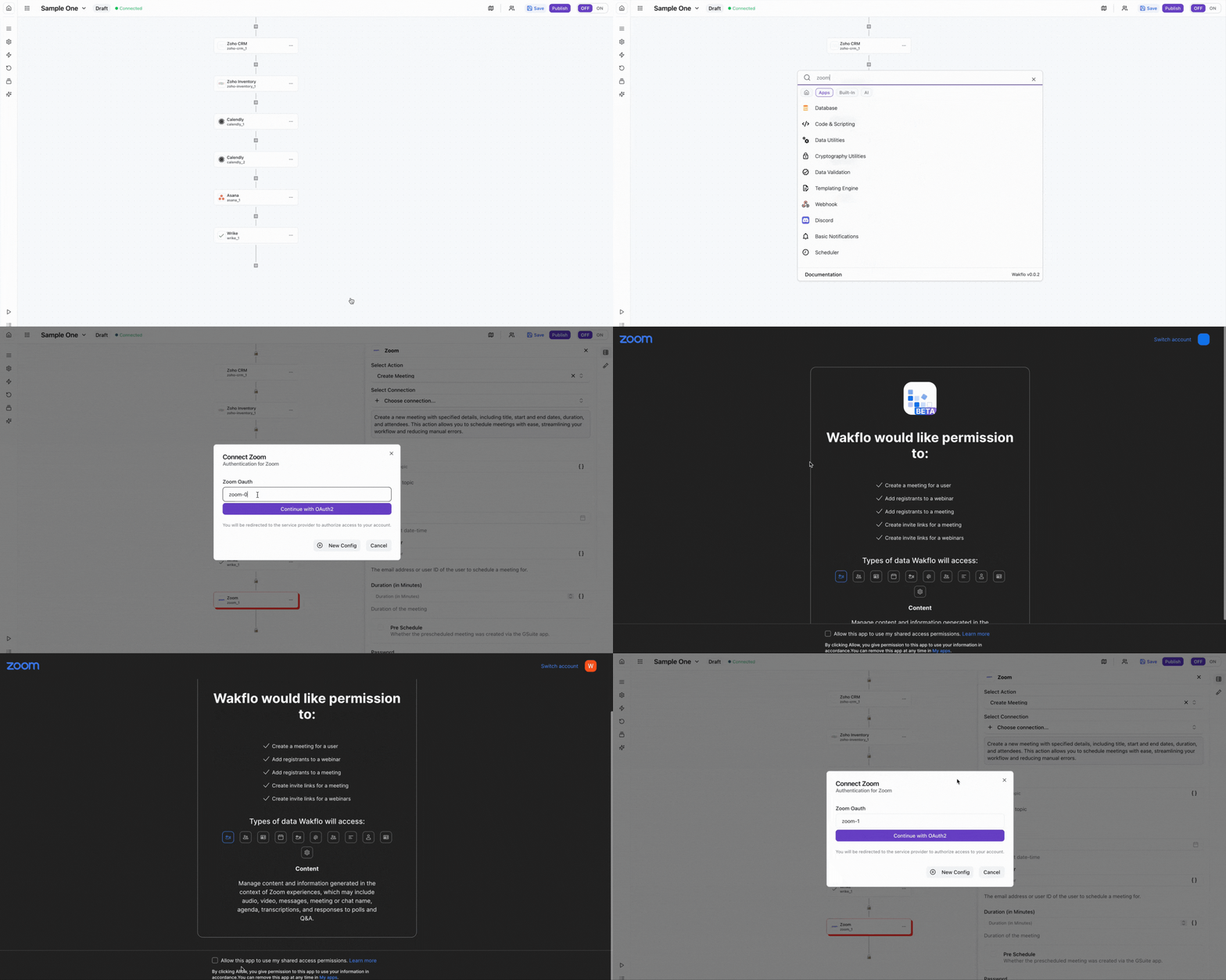
Connect to Wakflo
In Wakflo, select Zoom integration and complete the OAuth authorization flow. You'll be redirected to Zoom to authorize access to your meetings and account.
The Zoom integration uses OAuth 2.0 for secure authentication. If you're setting up a custom Zoom app, you'll need to create an app in the Zoom Marketplace and configure the required OAuth scopes including meeting:write and meeting:read. OAuth 2.0 is recommended for user-level apps, while JWT is suitable for account-level apps.
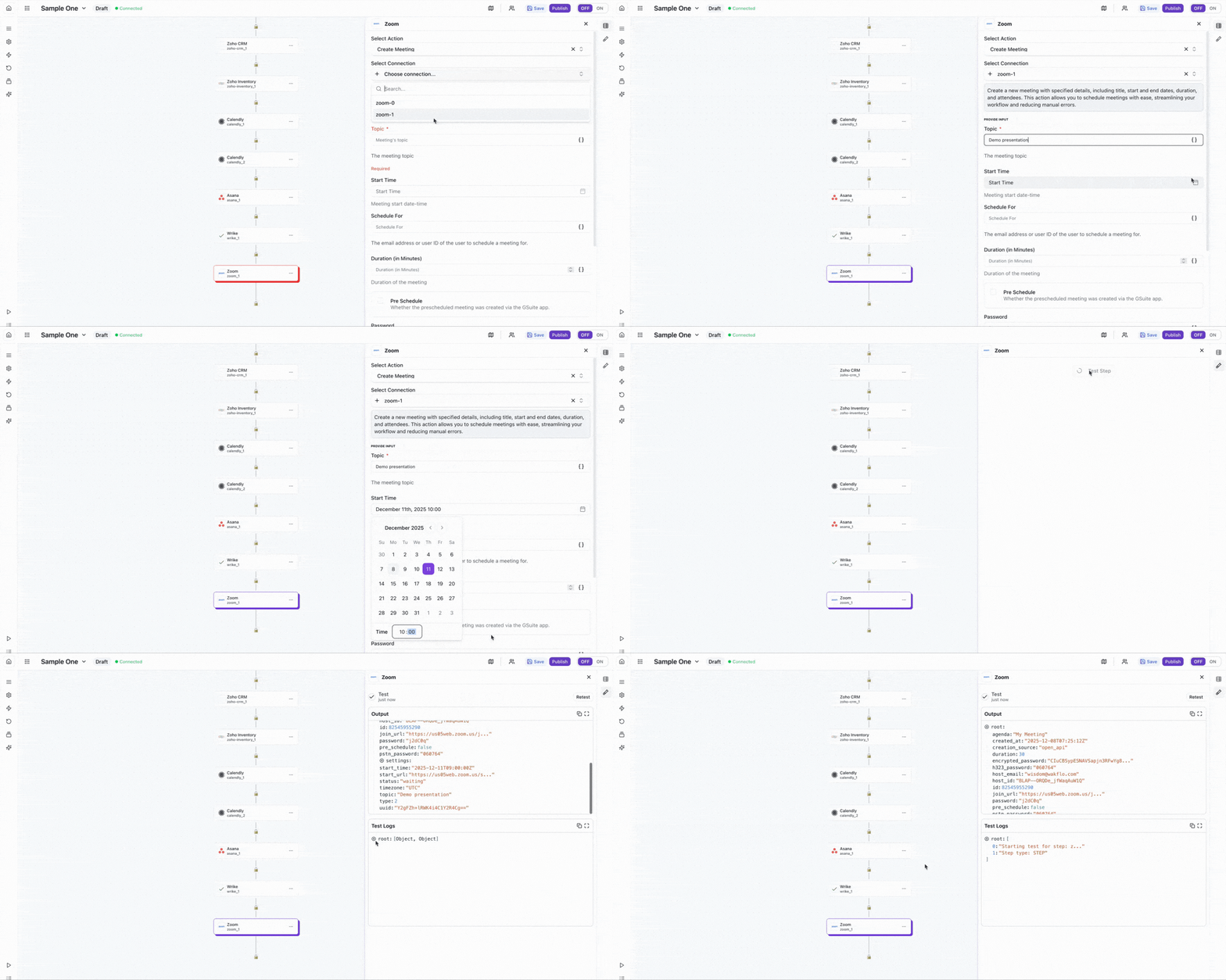
Test Connection
Verify the connection by retrieving test data to ensure everything is working properly.
Best Practices
Working with Zoom Meetings
- •Use meeting settings to configure waiting rooms and security features
- •Set up meeting reminders to improve attendance rates
- •Leverage registration features for tracking and managing attendees
- •Keep your OAuth credentials secure and rotate them periodically
- •Use consistent timezone settings across your workflows
Troubleshooting
Authentication Issues
- •Verify that your OAuth credentials or JWT token are valid
- •Ensure your Zoom app has the required scopes enabled
- •Check that your Zoom account has API access enabled
Meeting Creation Issues
- •Ensure meeting dates and times are properly formatted
- •Verify that timezone settings are correct
- •Check that required meeting parameters are provided
Rate Limiting
- •Zoom API has rate limits based on your account type
- •Implement delays between bulk meeting creation operations
- •Monitor API usage through your Zoom app dashboard