ConvertKit Integration
Connect your ConvertKit account to Wakflo and automate email marketing campaigns, subscriber management, and tag-based workflows. Build powerful automations that keep your creator business running smoothly.
Authentication
API Key & Secret
Features
2 Triggers • 4 Actions
Available Triggers & Actions
ConvertKit Triggers
Available Triggers
Available Triggers
- •Subscriber Created: Triggered when a new subscriber is added to your ConvertKit account
- •Tag Created: Triggered when a new tag is created in your ConvertKit account
ConvertKit Actions
Available Actions
Available Actions
- •Get Subscriber: Retrieve a specific subscriber from your ConvertKit account
- •List Subscribers: Retrieve all subscribers from your ConvertKit account
- •Tag Subscriber: Apply a tag to a subscriber
- •Create Tag: Create a new tag in your ConvertKit account
Setup Guide
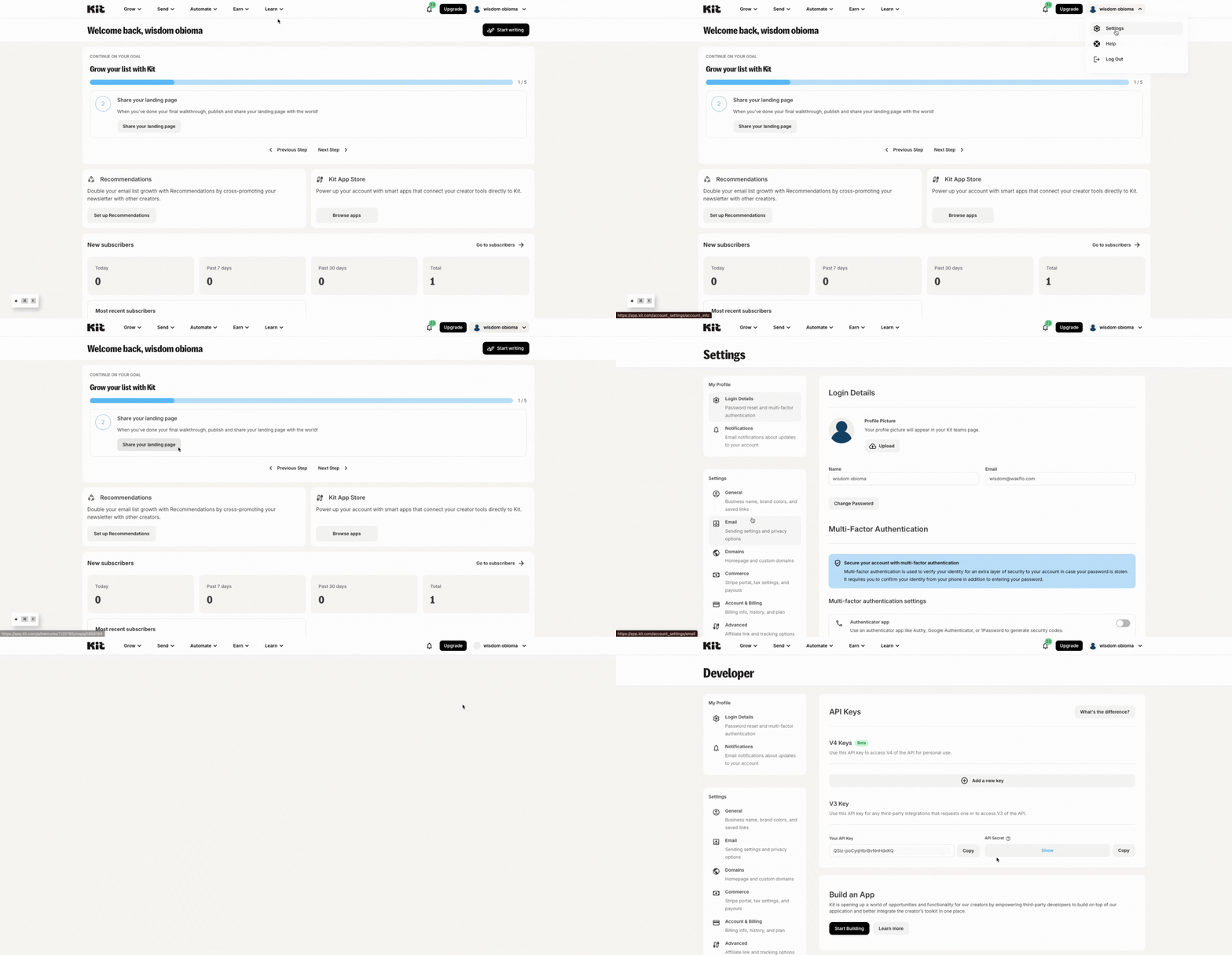
Generate API Credentials
In your ConvertKit account, go to Settings > Advanced and copy your API Key and API Secret.
Connect to Wakflo
In Wakflo, select the ConvertKit integration and enter your API Key and API Secret to establish the connection.
Both API Key and API Secret are required for authentication. Keep these credentials secure and never share them publicly.
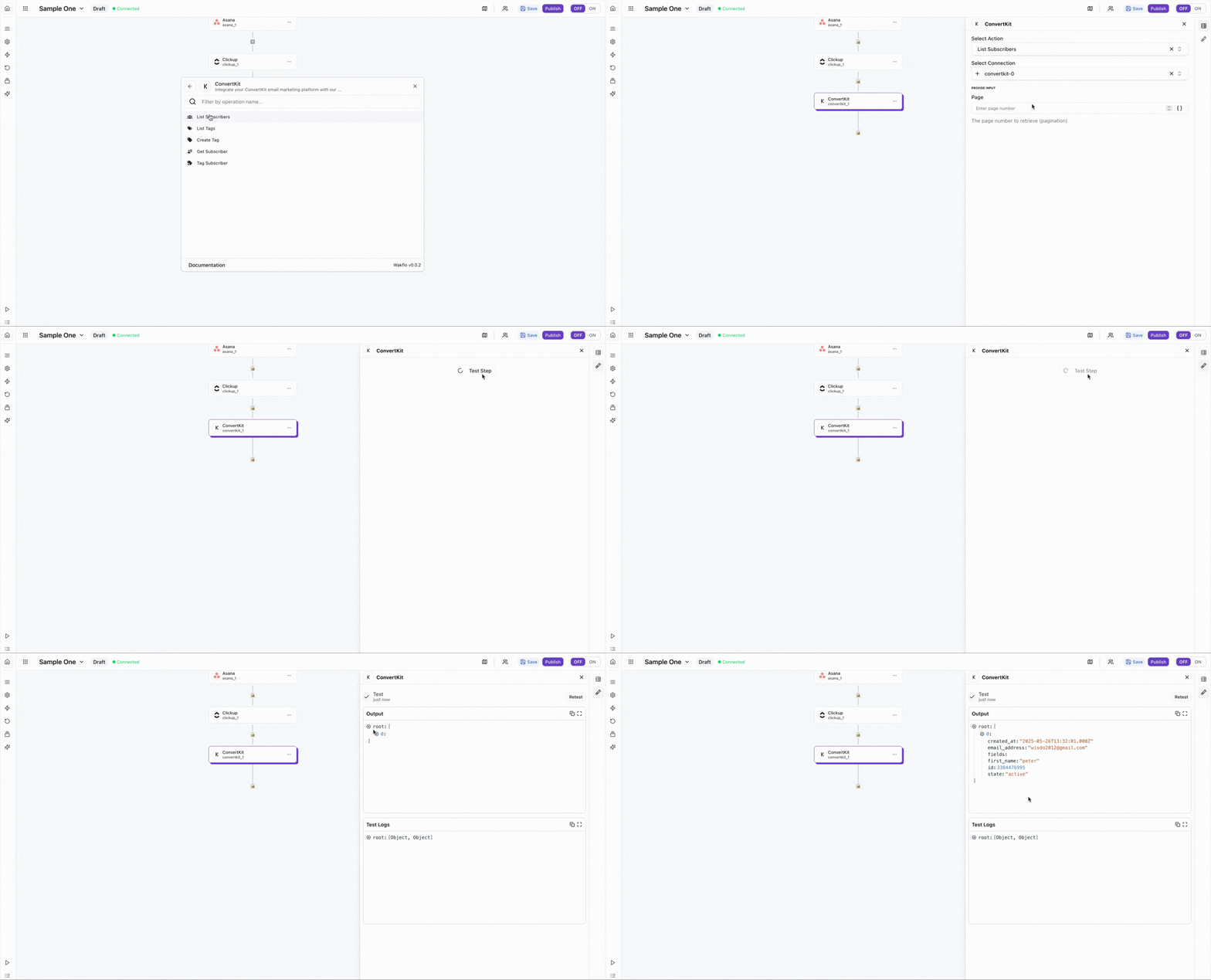
Test Connection
Verify the connection by retrieving test data to ensure everything is working properly.
The ConvertKit integration uses API Key and API Secret for authentication. Make sure you have the appropriate permissions to access subscriber and tag data in your ConvertKit account.
Best Practices
Working with ConvertKit Data
- •Use tags to segment your audience for more targeted email campaigns
- •Implement double opt-in workflows to ensure high-quality subscriber lists
- •Monitor webhook events for real-time subscriber updates and tag changes
- •Keep your API credentials secure and rotate them periodically
- •Use meaningful tag names to make automation workflows easier to manage
Troubleshooting
Authentication Issues
- •Verify that both your API Key and API Secret are correct and haven't been revoked
- •Ensure your ConvertKit account is active and in good standing
- •Check that API access is enabled in your ConvertKit account settings
Rate Limiting
- •ConvertKit enforces rate limits on API requests based on your plan
- •Implement delays between batch operations to avoid hitting rate limits
- •Monitor your API usage to stay within your plan's limits
Subscriber & Tag Issues
- •Handle duplicate subscriber errors gracefully by checking existing subscribers first
- •Verify email addresses are valid before adding subscribers to avoid bounces
- •Ensure tag IDs are correctly formatted when applying tags to subscribers
Additional Resources
Last updated on