Harvest Integration
Connect your Harvest time tracking and invoicing platform to Wakflo and automate invoice management and billing workflows. Build powerful integrations that streamline your financial operations.
Authentication
OAuth 2.0
Features
1 Trigger • 2 Actions
Available Triggers & Actions
Harvest Triggers
Invoice Triggers
Invoice Triggers
- •Invoice Updated: Triggered when an invoice is modified or its status changes
Harvest Actions
Available Actions
Available Actions
- •Get Invoice: Retrieve a specific invoice from your Harvest account
- •List Invoices: Retrieve all invoices from your Harvest account
Setup Guide
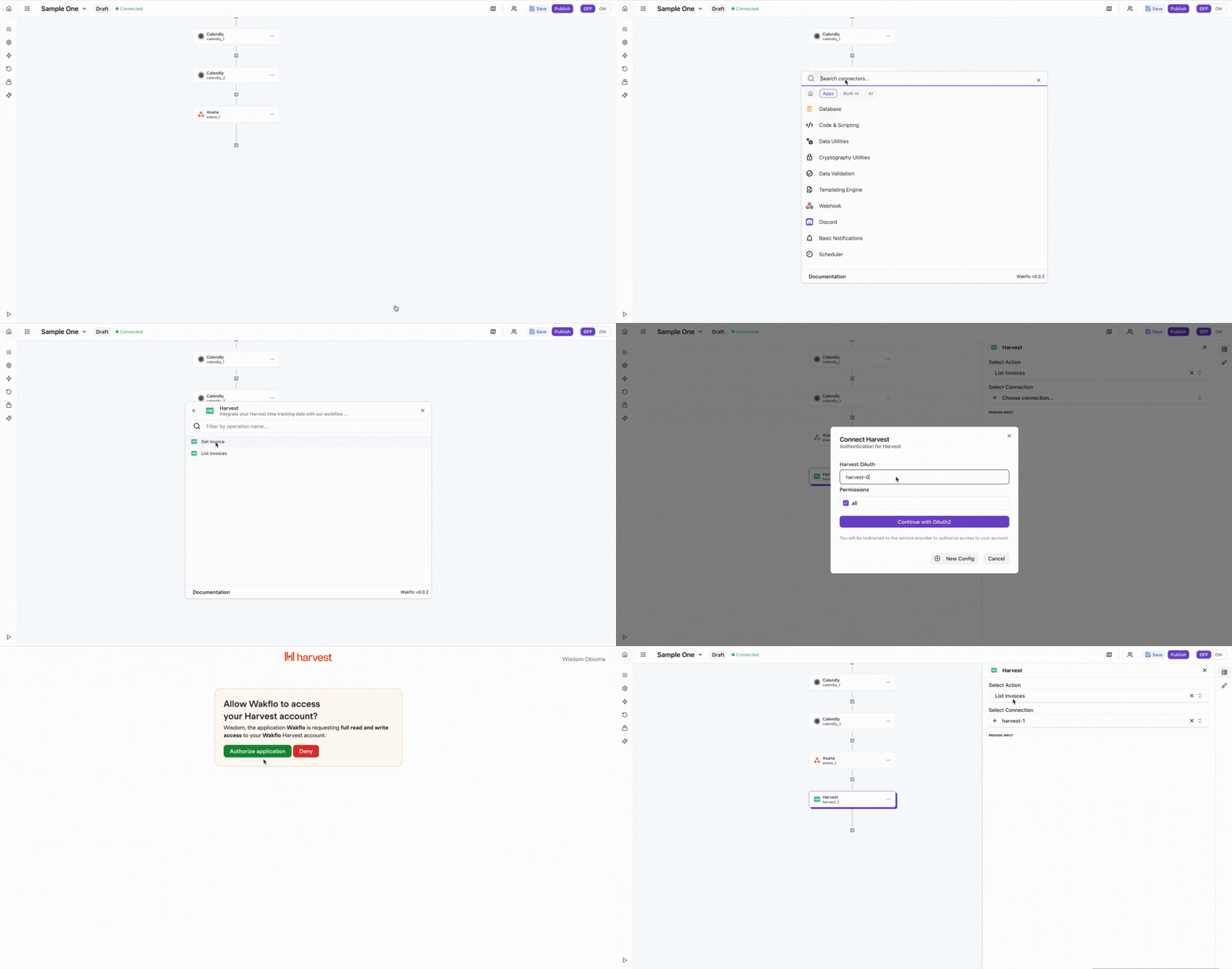
Connect to Wakflo
In Wakflo, select Harvest integration and complete the OAuth authorization flow to connect your Harvest account.
The integration uses OAuth 2.0 for secure authentication. Make sure to grant the required permissions to access invoice data during the authorization process.
Test Connection
Verify the connection by retrieving test data to ensure everything is working properly.
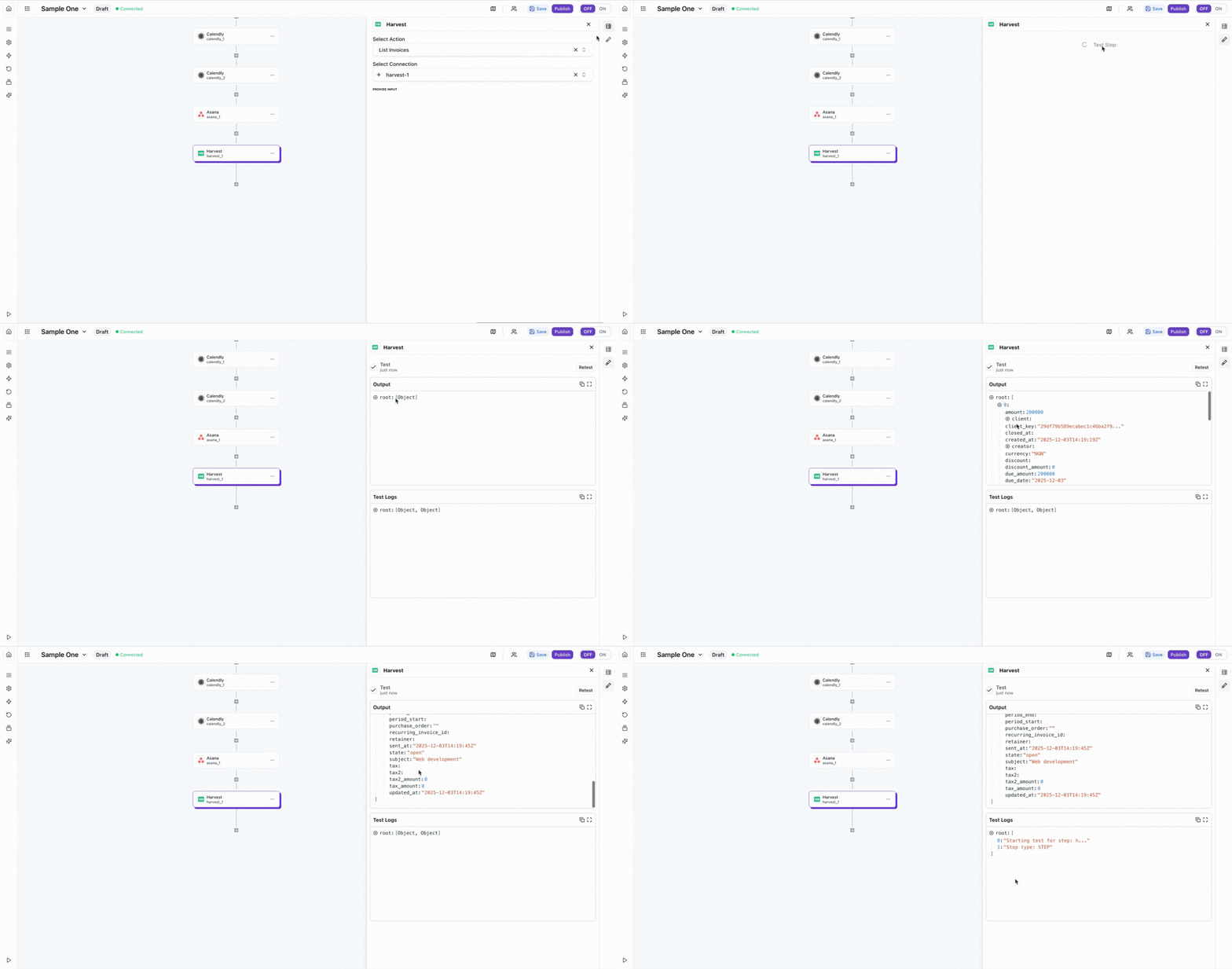
The Harvest integration uses OAuth 2.0 for secure authentication. You can connect directly using Wakflo's existing integration. Make sure to grant the appropriate permissions to access invoice data during the authorization process.
Best Practices
Working with Harvest Data
- •Monitor invoice status changes to trigger payment reminders automatically
- •Sync invoice data with your accounting systems for accurate bookkeeping
- •Use filters when listing invoices to reduce API calls and improve performance
- •Keep your OAuth credentials secure and refresh tokens regularly
- •Implement error handling for API timeouts and network issues
Troubleshooting
Authentication Issues
- •Verify that you've completed the OAuth authorization flow
- •Ensure you granted all required permissions during setup
- •Check that your Harvest account has the necessary access rights
Invoice Retrieval Issues
- •Ensure invoice IDs are correctly formatted when retrieving specific invoices
- •Verify that you have permission to access the invoices you're querying
- •Check date ranges and filters when listing invoices
Rate Limiting
- •Harvest enforces rate limits of 100 requests per 15 seconds
- •Implement delays between bulk operations to avoid rate limits
- •Monitor your API usage through Harvest's developer dashboard
Additional Resources
Last updated on