Calculator Integration
A powerful built-in tool for performing mathematical operations, unit conversions, and statistical analysis within your workflows. No setup or authentication required - just add it to your workflow and start calculating.
Authentication
None Required
Type
Built-in Tool
Available Actions
Calculator Actions
Arithmetic Operations
- •Add: Adds one or more numeric values together
- •Subtract: Subtracts one or more values from another value
- •Multiply: Multiplies two input values together and returns the result
- •Divide: Divides one value by another and returns the result
- •Modulo: Performs modulo operation to find the remainder of division
Advanced Operations
- •Unit Conversion: Convert between different units of measurement (length, weight, temperature, etc.)
- •Statistical Functions: Calculate mean, median, mode, and standard deviation
- •Mathematical Functions: Perform trigonometry, logarithms, and exponential calculations
Getting Started
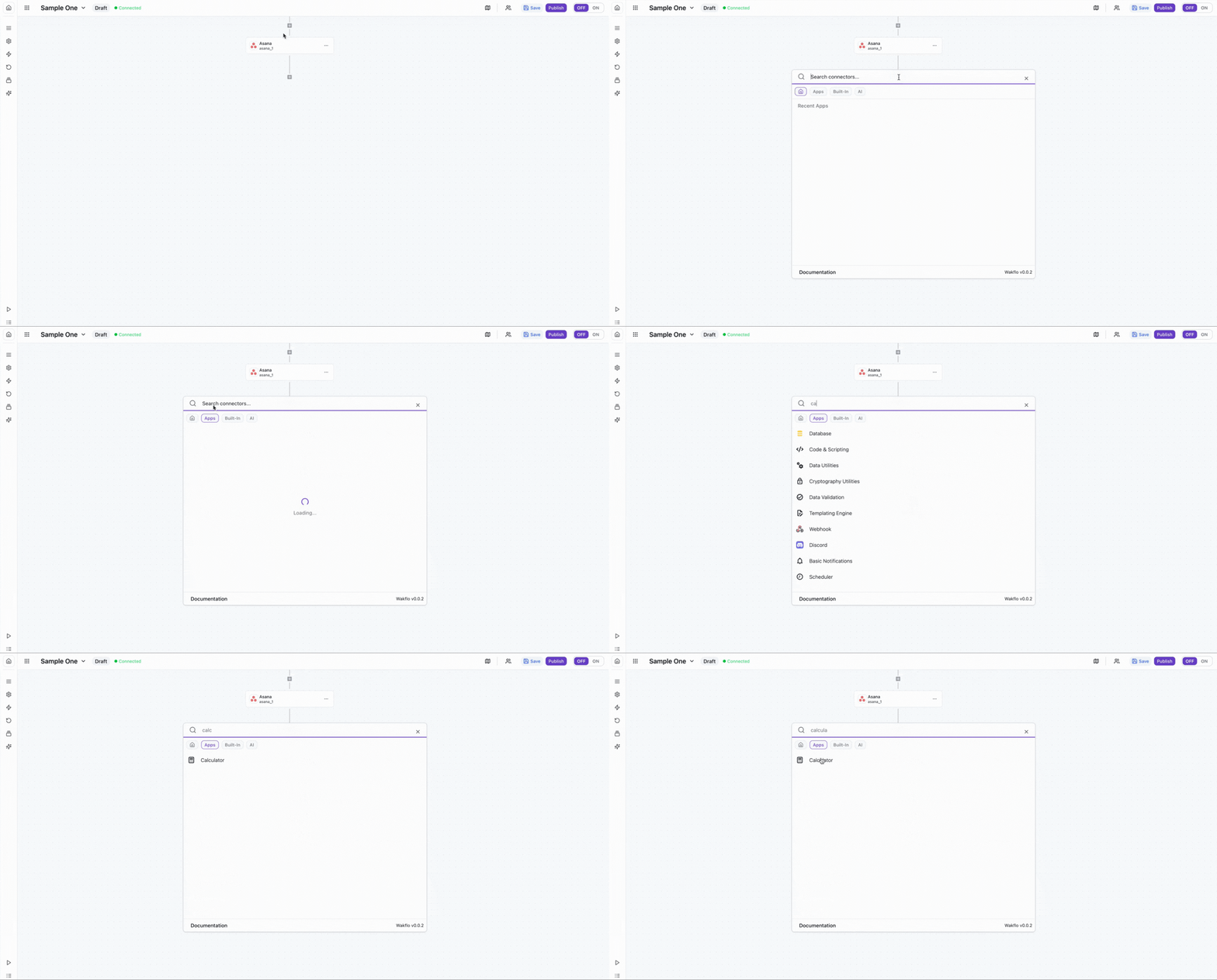
Add Calculator to Workflow
Drag and drop the Calculator action into your workflow canvas to begin using it.
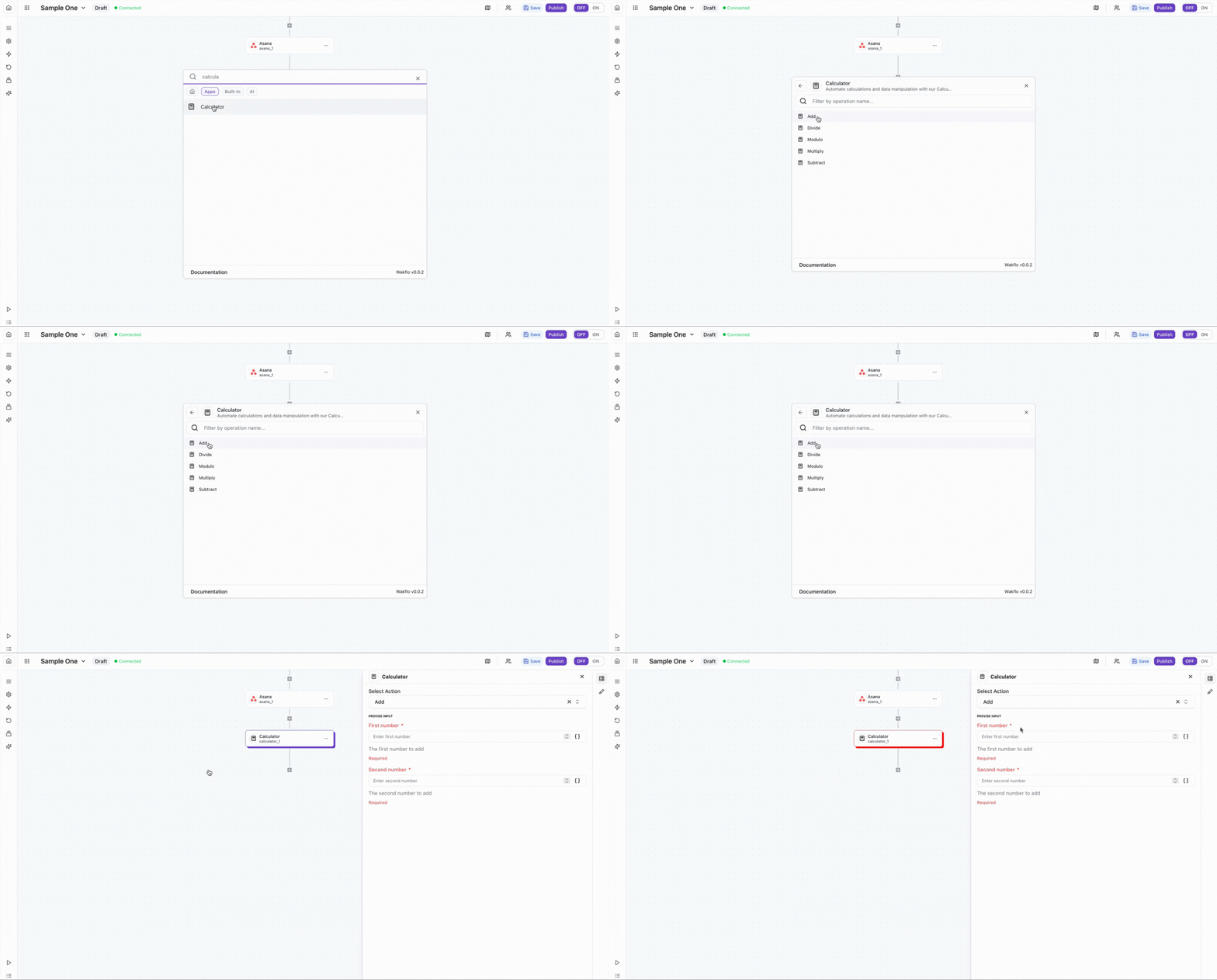
Select Operation
Choose the mathematical operation you want to perform (Add, Subtract, Multiply, Divide, or Modulo).
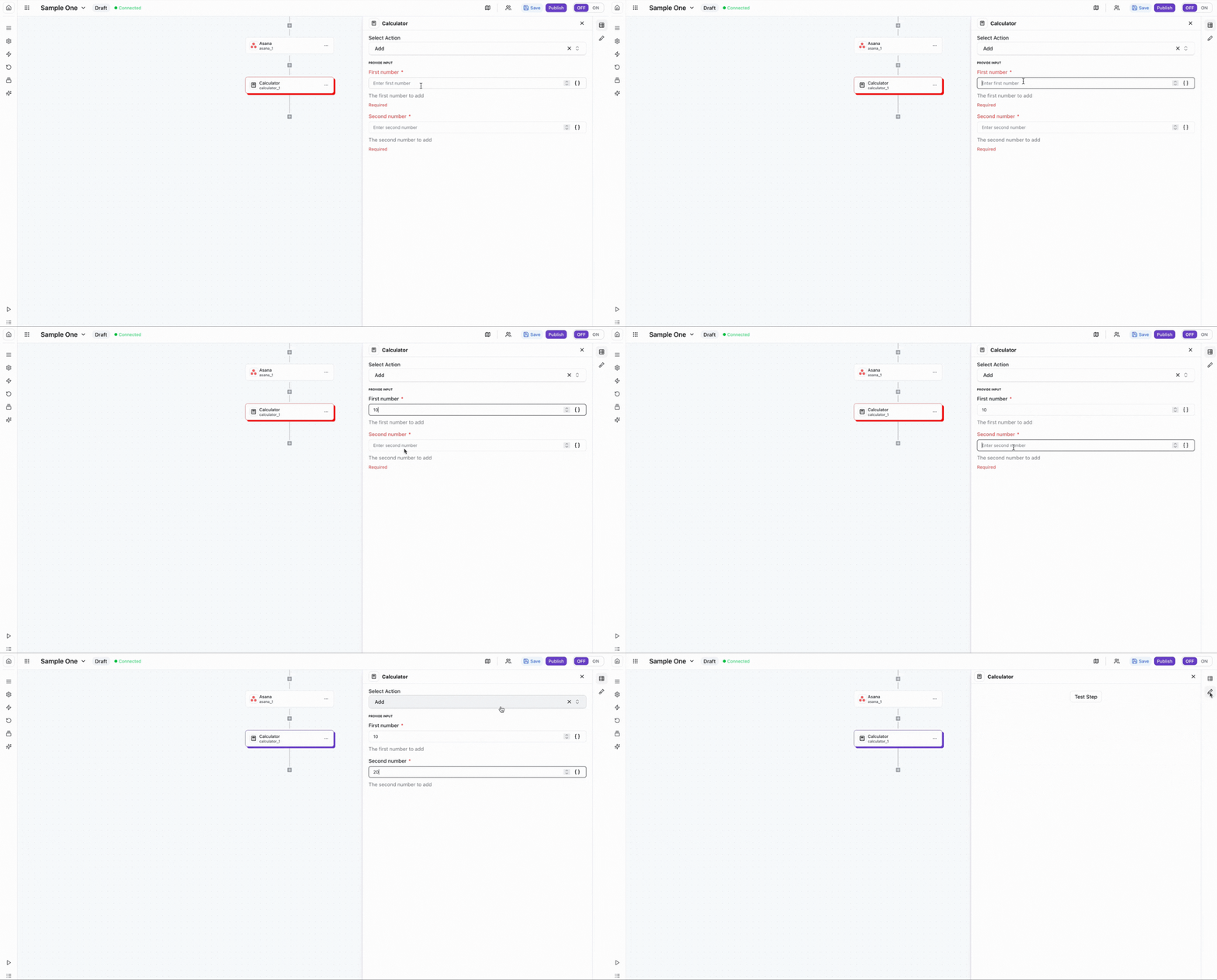
Input Values
Enter or map values from previous workflow steps as inputs for your calculation.
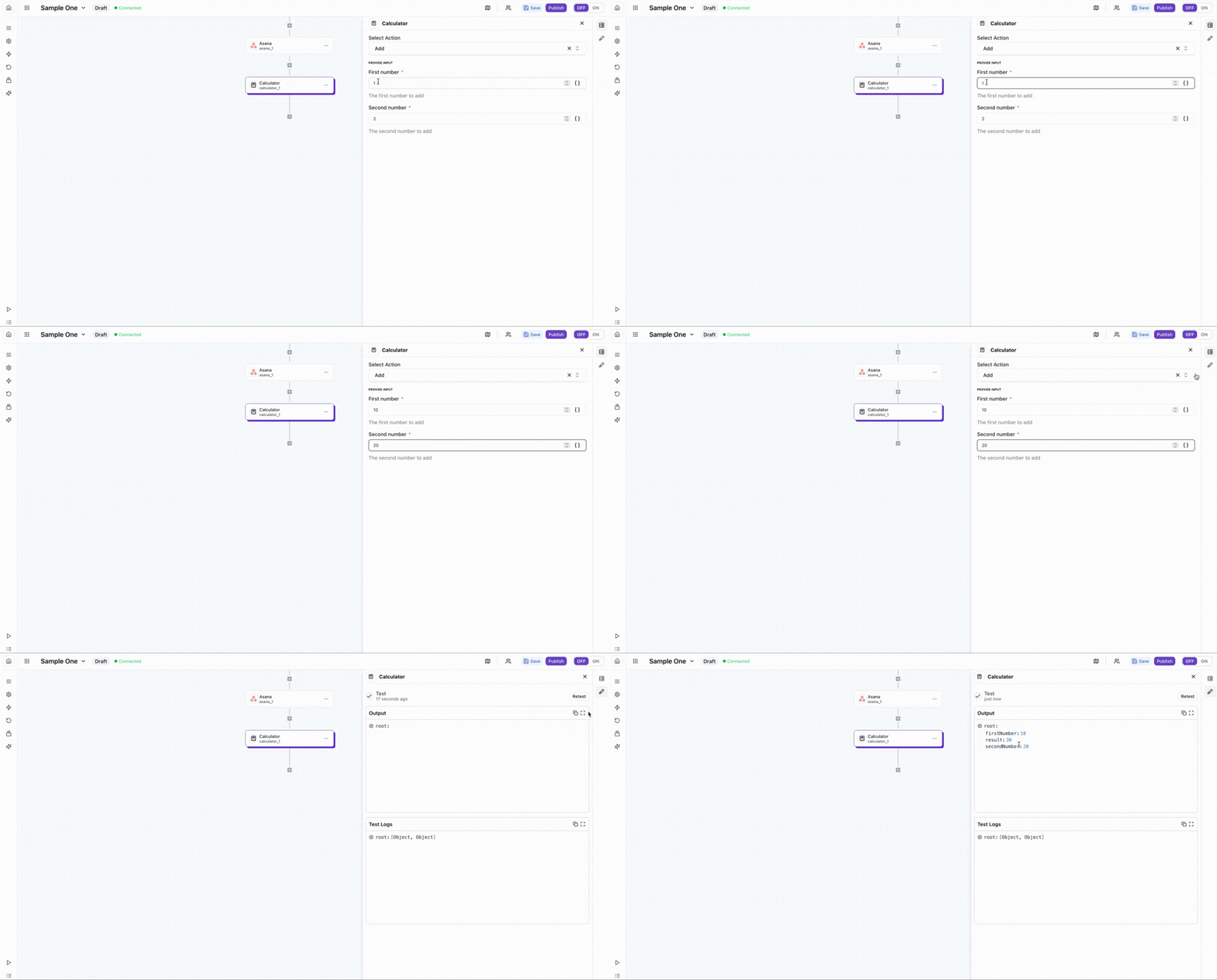
Test Operation
Run the calculator operation to verify the result and ensure it's working as expected.
Common Use Cases
Data Aggregation
Sum values from multiple data sources to calculate totals
Unit Conversion
Convert measurements between different units automatically
Statistical Analysis
Calculate averages, medians, and other statistical measures
Financial Calculations
Perform pricing calculations, discounts, and tax computations
Example Workflows
Calculate Total Revenue
// Add monthly sales figures
Calculator.add(15000, 18500, 22000, 19800)
// Result: 75300
Calculate Discount Price
// Original price: $100
// Discount: 20%
Calculator.subtract(100, Calculator.multiply(100, 0.20))
// Result: 80
Convert Temperature
// Convert Fahrenheit to Celsius
Calculator.convert("fahrenheit", "celsius", 98.6)
// Result: 37
Calculate Average
// Find mean of response times
Calculator.mean([120, 150, 135, 142, 128])
// Result: 135
Calculate Tax Amount
// Calculate 8.5% sales tax on $250
Calculator.multiply(250, 0.085)
// Result: 21.25Best Practices
Working with Calculator
- •Chain multiple Calculator actions to perform complex multi-step calculations
- •Store intermediate results in variables for reuse in later workflow steps
- •Use conditional nodes before Calculator actions to validate input data
- •Round or format calculation results before displaying or storing them
- •Add error handling for edge cases like division by zero or invalid inputs
Limitations
- •Complex calculations involving multiple variables or equations require chaining multiple Calculator actions
- •Some advanced mathematical functions may need specific input formats
- •Division by zero will return an error
Troubleshooting
Common Issues
- •Invalid Input Error: Check that all input values are numeric and properly formatted
- •Conversion Failed: Verify that unit names are spelled correctly and supported
- •Unexpected Results: Review the calculation type and ensure parameters are in the correct order
- •Null Output: Check workflow logs to identify if input variables are undefined or not mapped correctly
- •Division by Zero: Ensure the divisor is never zero; add conditional logic if needed