Wrike Integration
Connect your Wrike workspace to Wakflo and automate task management, project tracking, and team collaboration workflows. Build powerful integrations that keep your projects on track.
Authentication
OAuth 2.0
Features
2 Triggers • 4 Actions
Available Triggers & Actions
Wrike Triggers
Task Triggers
Task Triggers
- •Task Created: Triggered when a new task is created in Wrike
- •Task Updated: Triggered when a task's information is modified
Wrike Actions
Available Actions
Available Actions
- •Create Task: Add a new task to your Wrike workspace
- •Get Task: Retrieve details of a specific task
- •List Tasks: Retrieve all tasks from your Wrike workspace
- •Update Task: Modify an existing task's information
Setup Guide
Connect to Wakflo
In Wakflo, select Wrike integration and complete the OAuth authorization flow. You'll be redirected to Wrike to authorize access to your workspace, tasks, and projects.
The Wrike integration uses OAuth 2.0 for secure authentication. Make sure your Wrike account is active and you have access to the workspaces and tasks you want to automate.
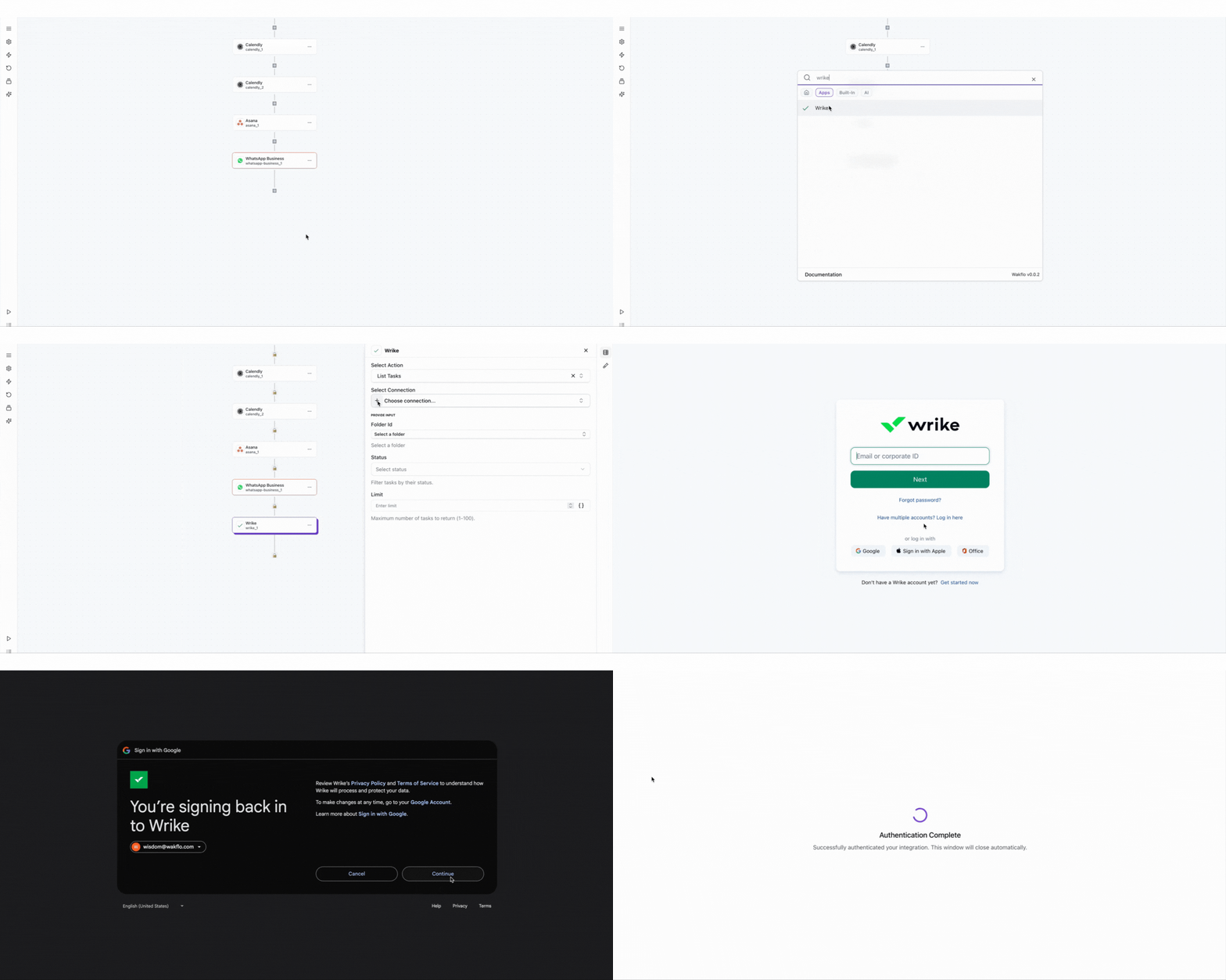
Test Connection
Verify the connection by retrieving test data to ensure everything is working properly.
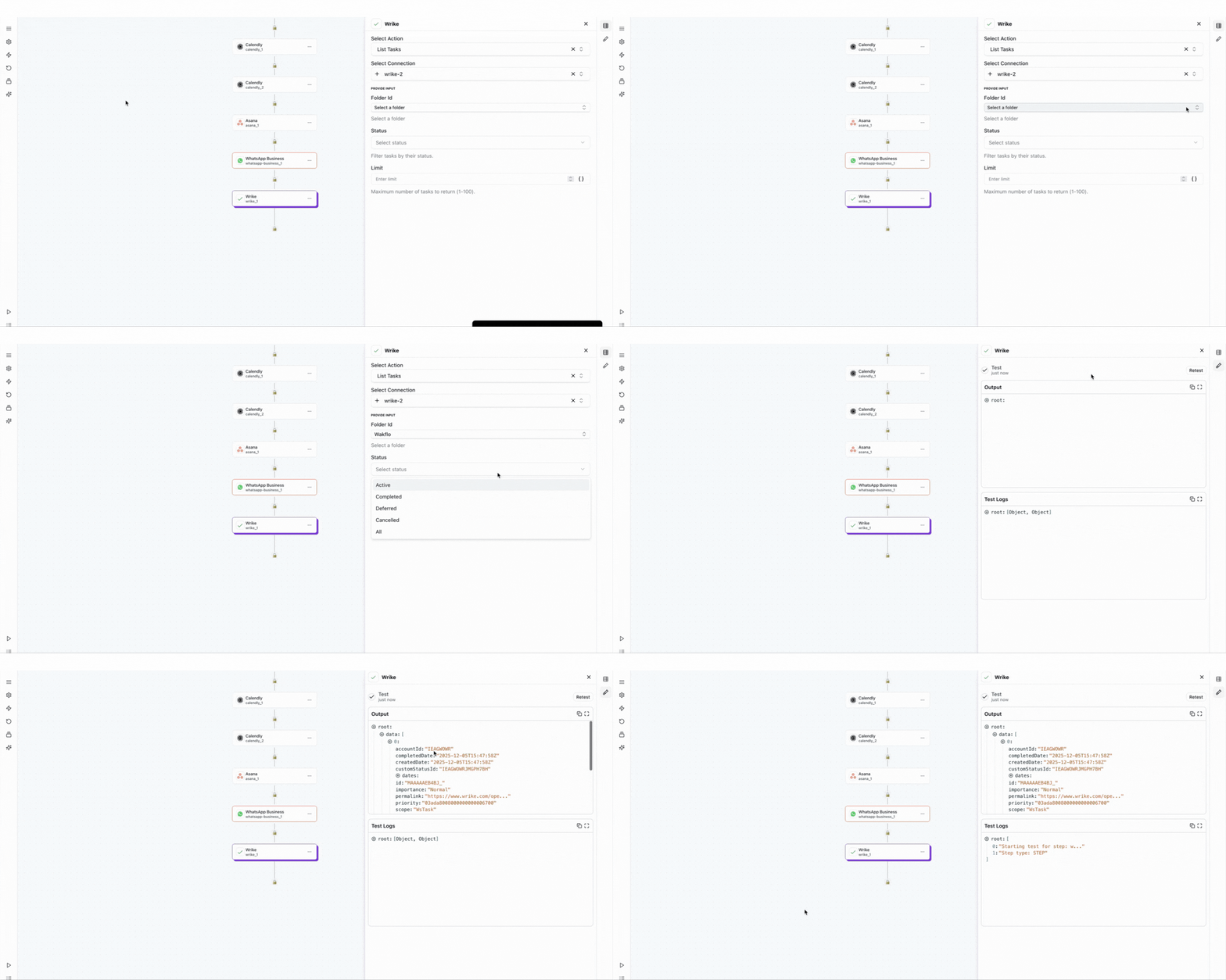
The Wrike integration uses OAuth 2.0 for secure authentication. You'll be able to access all workspaces and tasks in your Wrike account once connected.
Best Practices
Working with Wrike Data
- •Use custom fields to track project-specific information across tasks
- •Leverage task statuses and workflows for automated project tracking
- •Organize tasks into folders and projects for better structure
- •Implement error handling for task creation to avoid duplicates
- •Monitor integration health and reconnect if authentication issues occur
Troubleshooting
Authentication Issues
- •Verify that you've completed the OAuth authorization flow successfully
- •Check if your access token has expired and needs to be refreshed
- •Ensure your Wrike account is active and in good standing
- •Try disconnecting and reconnecting the integration if issues persist
Task Operation Issues
- •Ensure folder IDs and task IDs are correctly formatted
- •Verify that required fields are populated when creating tasks
- •Check that custom fields match the configuration in your workspace
Rate Limiting
- •Wrike enforces rate limits based on your account plan
- •Implement delays between bulk operations to avoid rate limits
- •Monitor your API usage through Wrike's admin console
Additional Resources
Last updated on