Linear Integration
Connect your Linear workspace to Wakflo and automate issue tracking and project management workflows. Build powerful integrations that streamline your team's productivity and project delivery.
Authentication
API Key
Features
2 Triggers
Available Triggers
Linear Triggers
Issue Triggers
Issue Triggers
- •Issue Created: Triggered when a new issue is created in Linear
- •Issue Updated: Triggered when an issue's information is modified
Setup Guide
Generate API Key
In your Linear account, go to Settings > API and create a new personal API key.
Configure API Permissions
Ensure your API key has the necessary permissions to access issues and webhooks.
The API key requires webhook access for triggers to work. Keep your API key secure and never share it publicly.
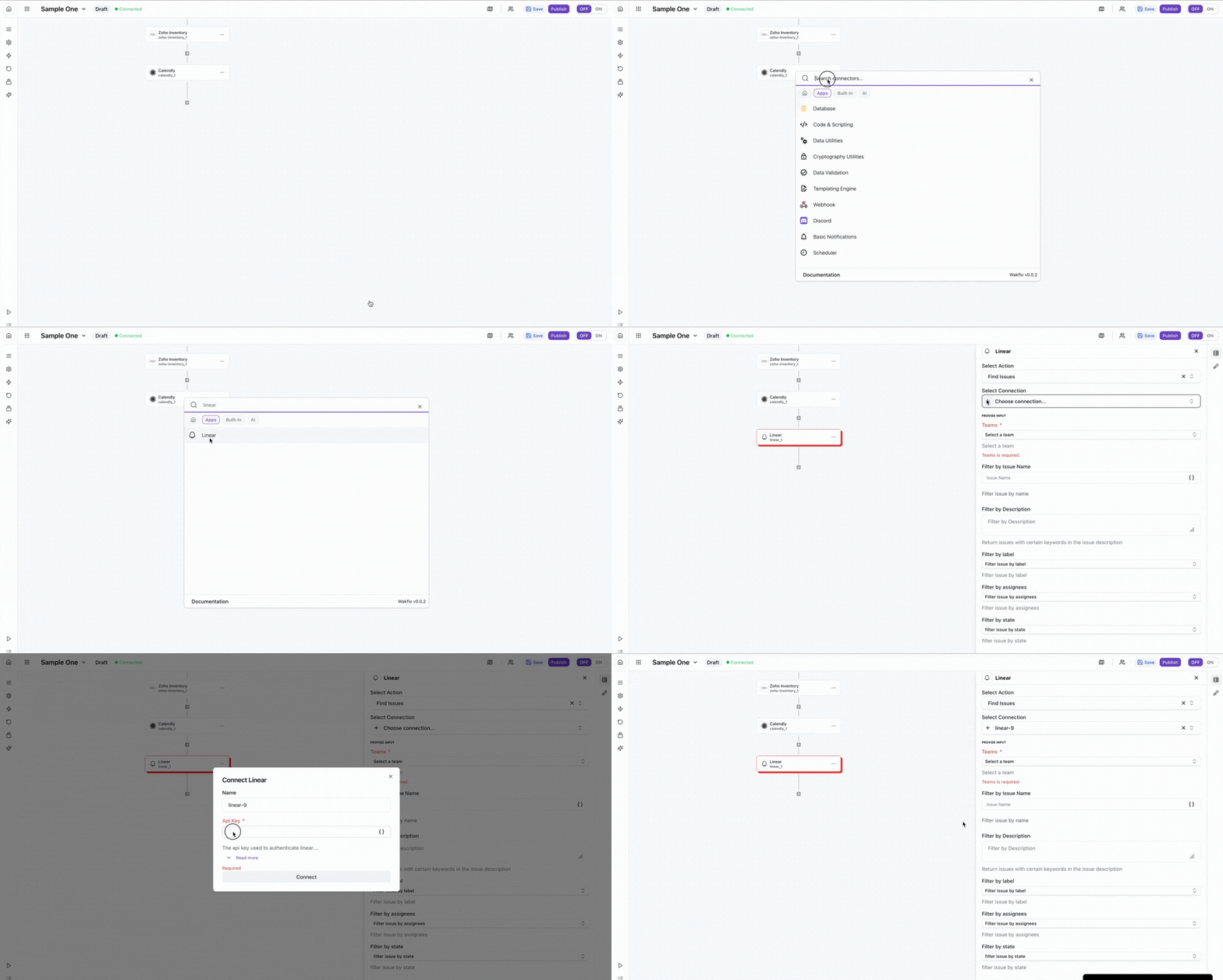
Connect to Wakflo
In Wakflo, select Linear integration and enter your API key to establish the connection.
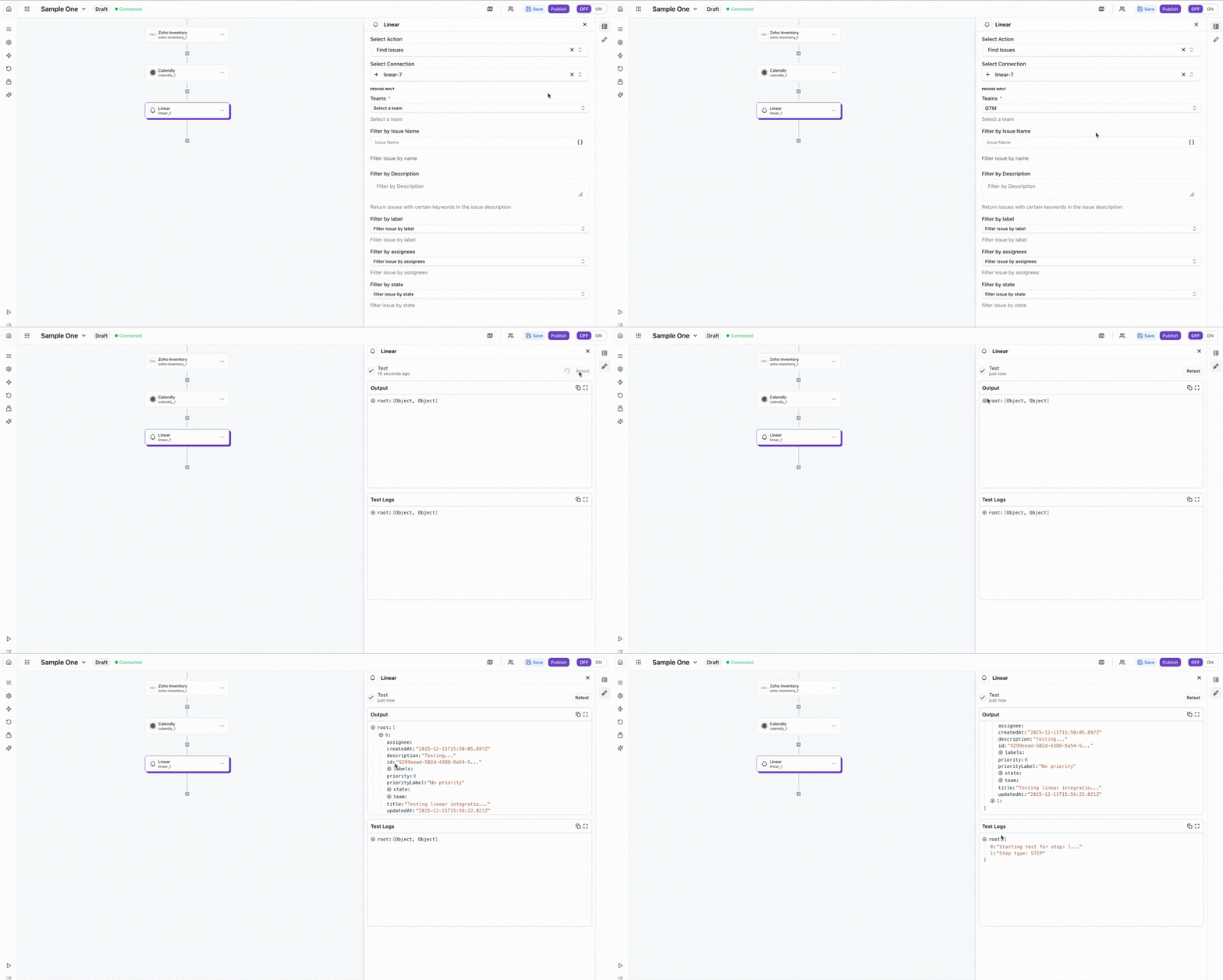
Test Connection
Verify the connection by retrieving test data to ensure everything is working properly.
The Linear integration requires an API key with webhook access for triggers to work. Make sure you have the appropriate permissions to access issues in your Linear workspace.
Best Practices
Working with Linear Data
- •Use labels and projects to organize issues effectively
- •Leverage Linear's status workflows for automated issue tracking
- •Set up webhooks to receive real-time updates on issue changes
- •Use cycles and milestones to track sprint progress
- •Rotate your API key periodically for security
Troubleshooting
Authentication Issues
- •Verify that your API key is valid and hasn't been revoked
- •Ensure your API key has webhook permissions enabled
- •Check that you have access to the workspace you're trying to connect
Webhook Issues
- •Ensure webhook URLs are publicly accessible and properly configured
- •Verify that webhook signatures are being validated correctly
- •Check Linear's webhook logs for delivery failures or errors
Rate Limiting
- •Linear enforces rate limits based on your account plan
- •Implement exponential backoff when receiving rate limit errors
- •Monitor your API usage through Linear's API settings page
Additional Resources
Last updated on