Asana Integration
Connect your Asana workspace to Wakflo and automate task management, project tracking, and team collaboration workflows. Build powerful automations that streamline your project management processes.
Authentication
OAuth 2.0
Features
3 Triggers • 4 Actions
Available Triggers & Actions
Asana Triggers
Task Triggers
- •Task Completed: Triggered when a task is marked as complete
- •Task Created: Triggered when a new task is created in your Asana workspace
- •Task Updated: Triggered when a task's information is modified
Asana Actions
Available Actions
- •Create Task: Add a new task to your Asana workspace
- •Get Task: Retrieve a specific task from your Asana workspace
- •List Tasks: Retrieve all tasks from your Asana workspace
- •Update Task: Modify an existing task's information
Setup Guide
Connect to Wakflo
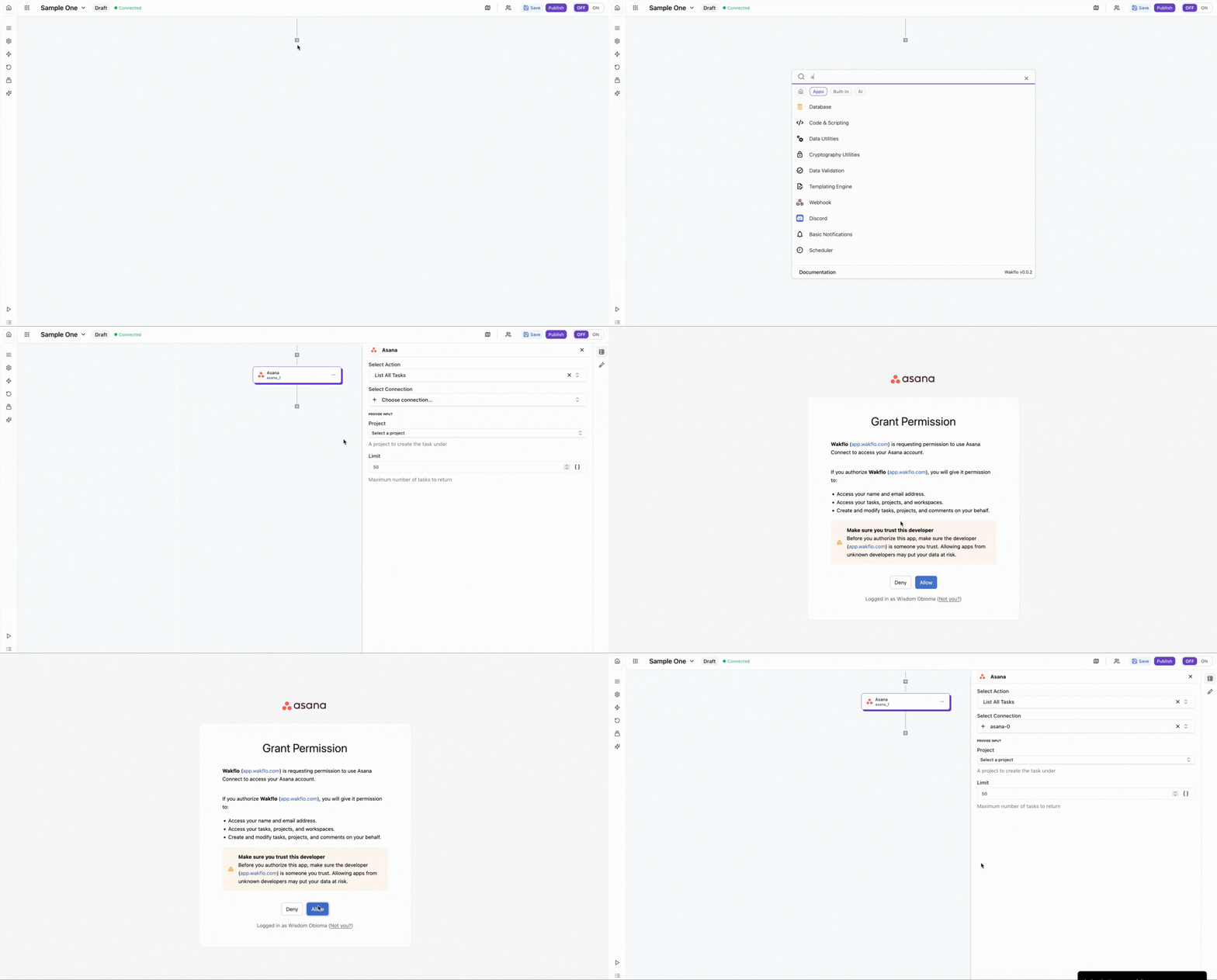
In Wakflo, navigate to the Asana integration and click connect. You'll be redirected to Asana to authorize Wakflo to access your workspace.
Authorize Permissions
Grant Wakflo full access to your Asana workspace. You'll need to authorize all permissions for the integration to work properly.
Make sure to grant full permissions when prompted. Do not deselect any permissions as this may prevent the integration from functioning correctly.
Test Connection
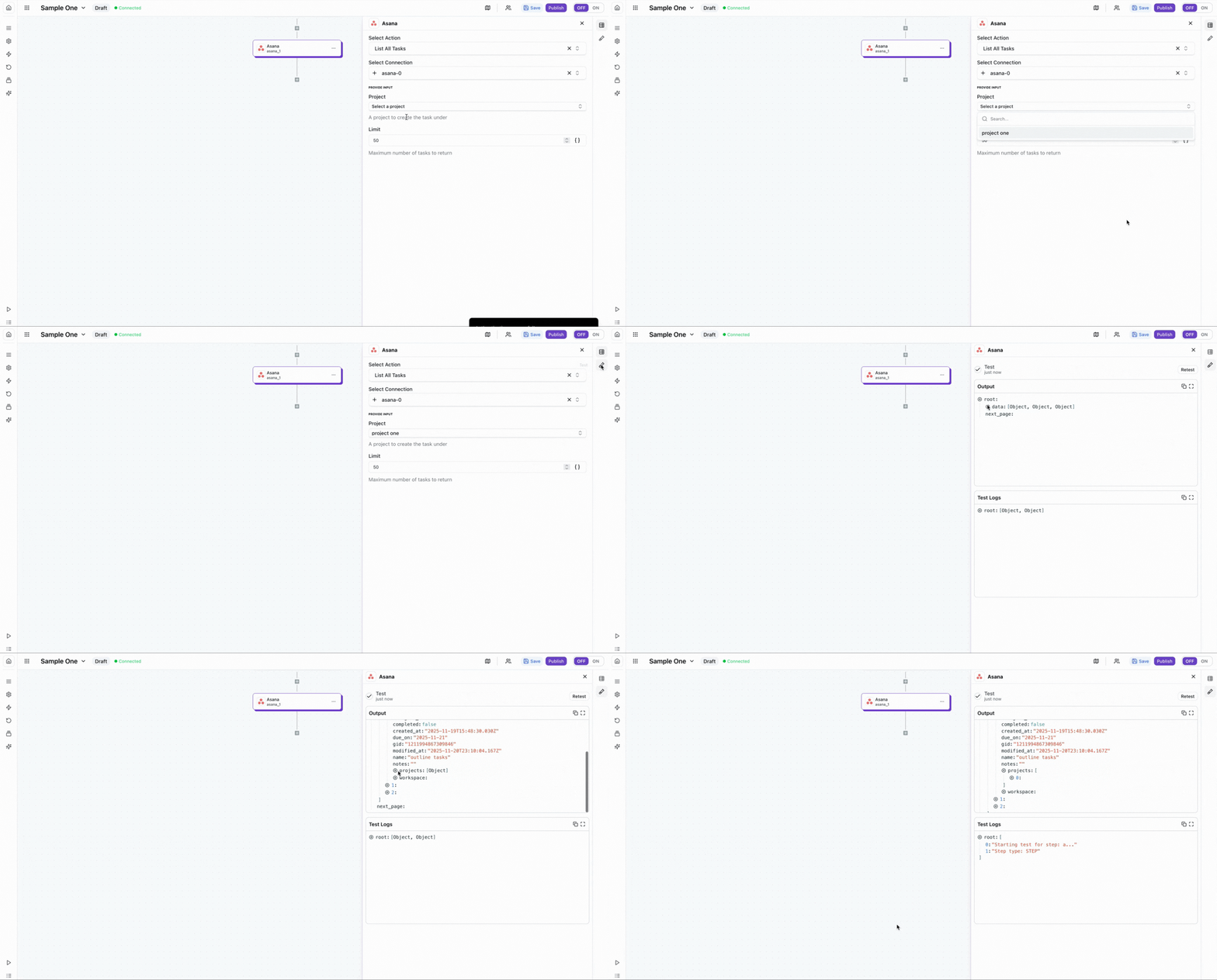
Verify the connection by retrieving test data to ensure everything is working properly.
Best Practices
Working with Asana Data
- •Use task templates to maintain consistency across automated workflows
- •Set clear task descriptions and due dates when creating automated tasks
- •Implement error handling for task creation to avoid duplicate entries
- •Monitor webhook events for real-time task updates and changes
- •Use custom fields to track additional metadata in your automated tasks
Troubleshooting
Authentication Issues
- •Ensure your Asana account has access to the workspace you're trying to connect
- •Check if your OAuth token has expired and reconnect if needed
- •Verify that you have the necessary permissions in your Asana workspace
Rate Limiting
- •Asana enforces a rate limit of 1,500 requests per minute per user
- •Implement delays between bulk operations to avoid hitting rate limits
- •Use batch endpoints when updating multiple tasks at once
Task & Project Issues
- •Ensure task IDs are correctly formatted when retrieving or updating tasks
- •Verify that the user has permission to access the requested projects and tasks
- •Check that required fields are provided when creating new tasks