Airtable Integration
Automate your Airtable bases with Wakflo. Create, update, find, and delete records automatically, sync data across platforms, and build powerful database-driven workflows.
API Key
Personal access token authentication
Real-Time Triggers
Respond to new records
Full CRUD Operations
Complete database control
Requirements
- •Airtable account with API access
- •Administrator access to your Airtable workspace
- •Personal access token generated in Airtable account settings
Available Triggers
Start workflows automatically when records are created in your Airtable bases.
Record Triggers
- •New Record: Triggered when a new record is created in your Airtable base
Available Actions
Manage your Airtable records programmatically through your workflows.
Record Operations
- •Delete Record: Remove a record from your Airtable base
- •Find Record: Search for a specific record in your Airtable base
- •Update Record: Modify an existing record in your Airtable base
Setup Guide
Follow these steps to connect your Airtable workspace to Wakflo and start automating.
Generate API Key
In your Airtable account, go to Account > Developer hub > Personal access tokens and create a new token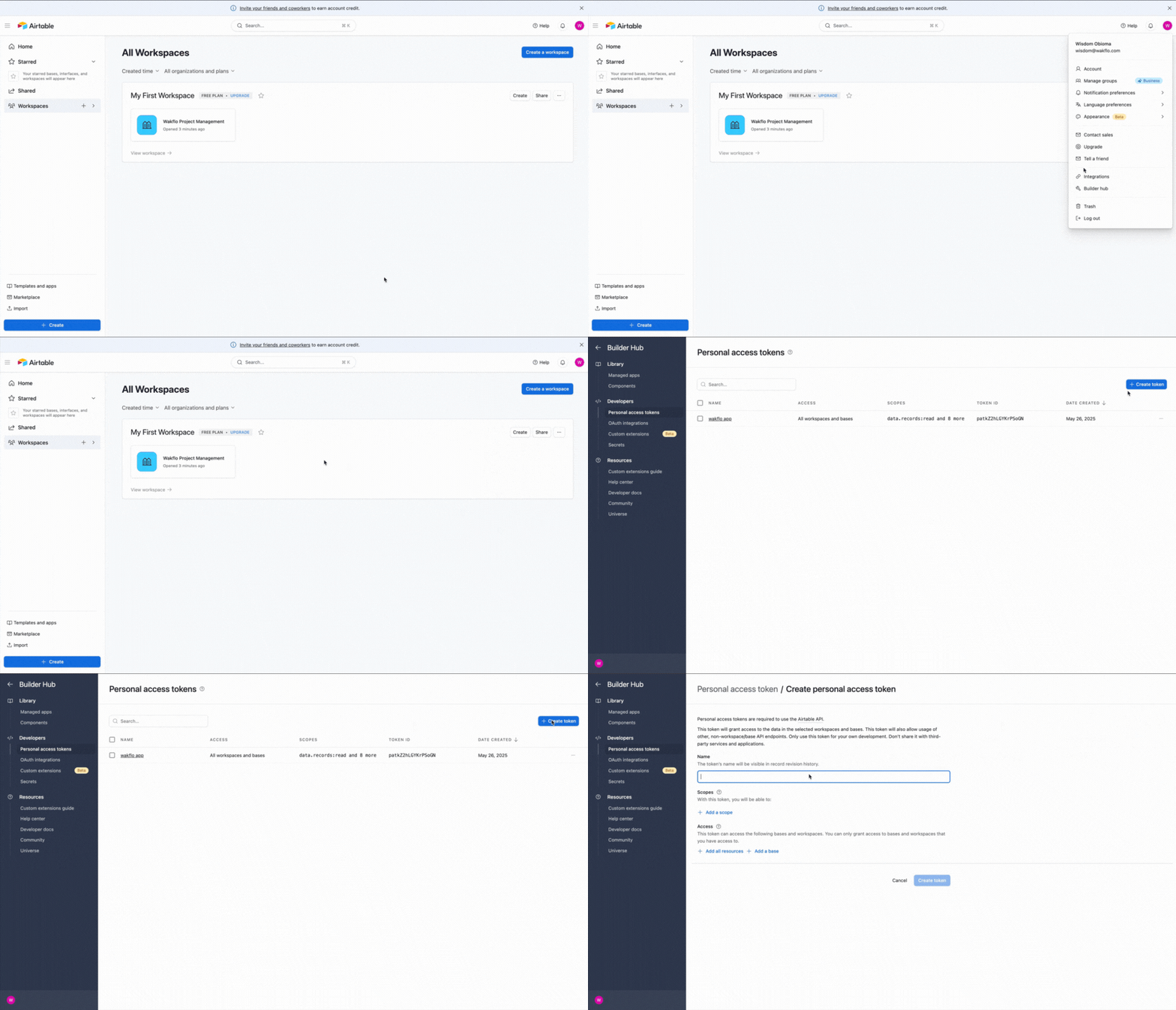
Configure Base Permissions
Ensure your API key has access to the bases you want to automate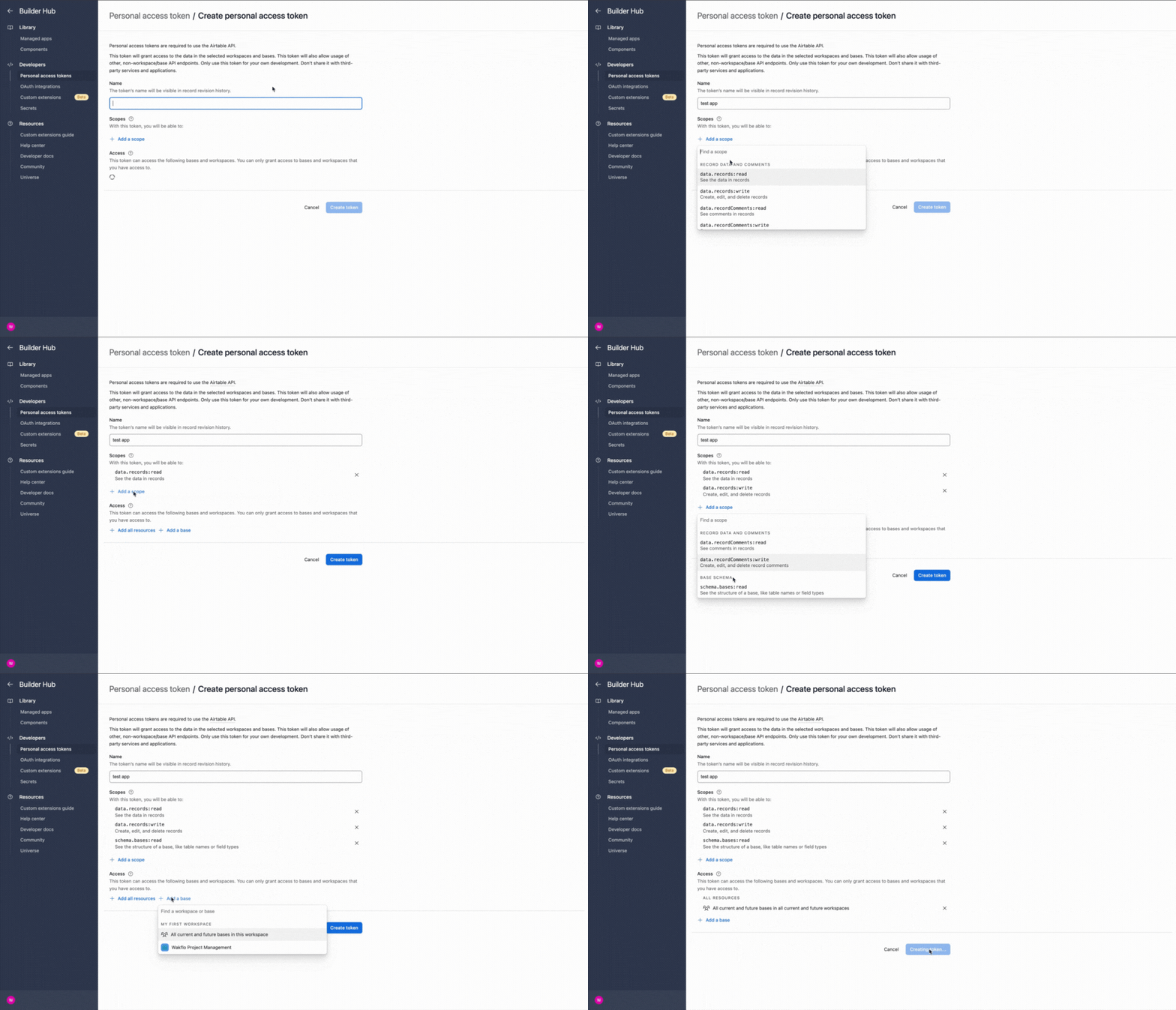
Connect to Wakflo
In Wakflo, select Airtable integration and enter your API key and base ID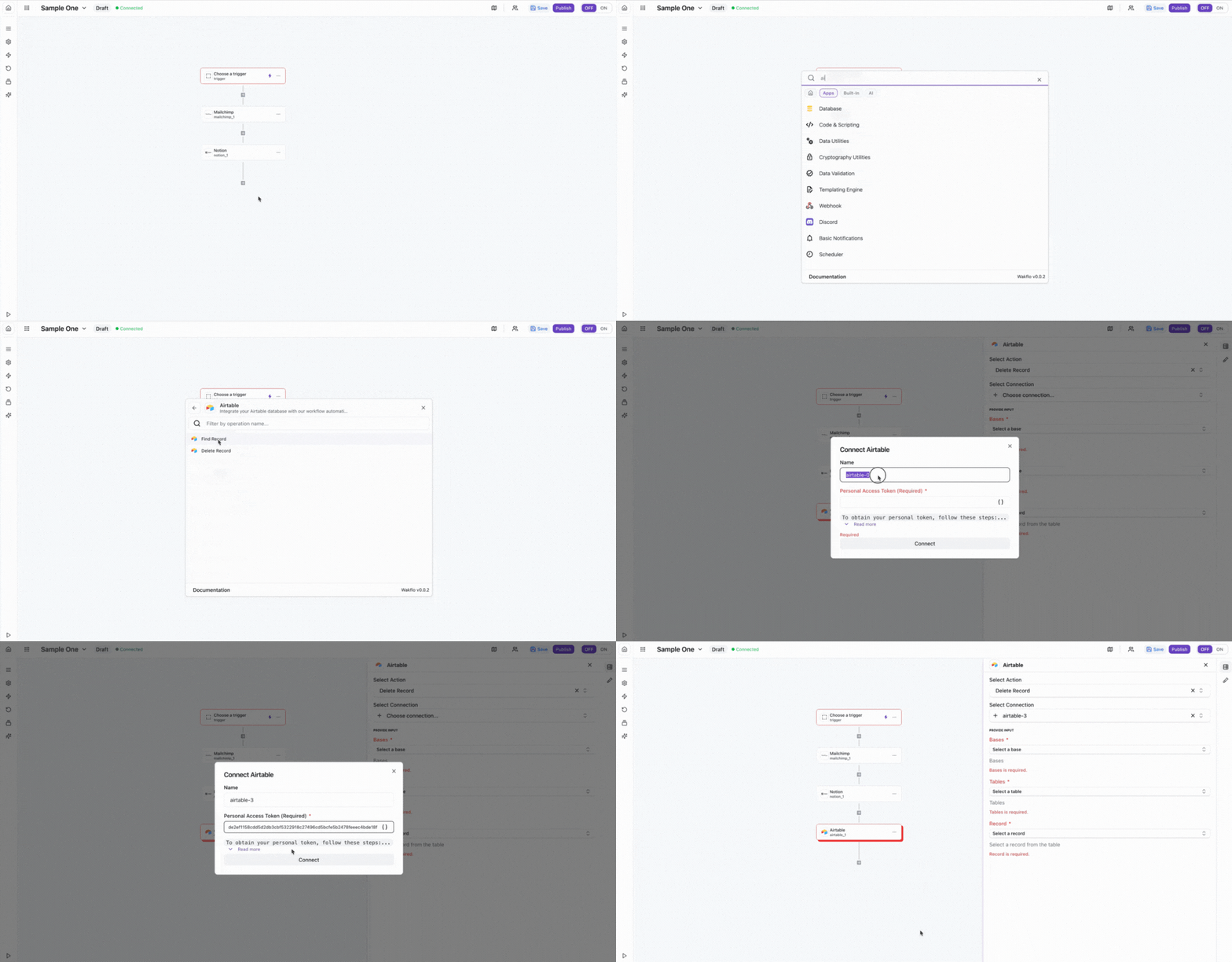
Test Connection
Verify the connection by retrieving test data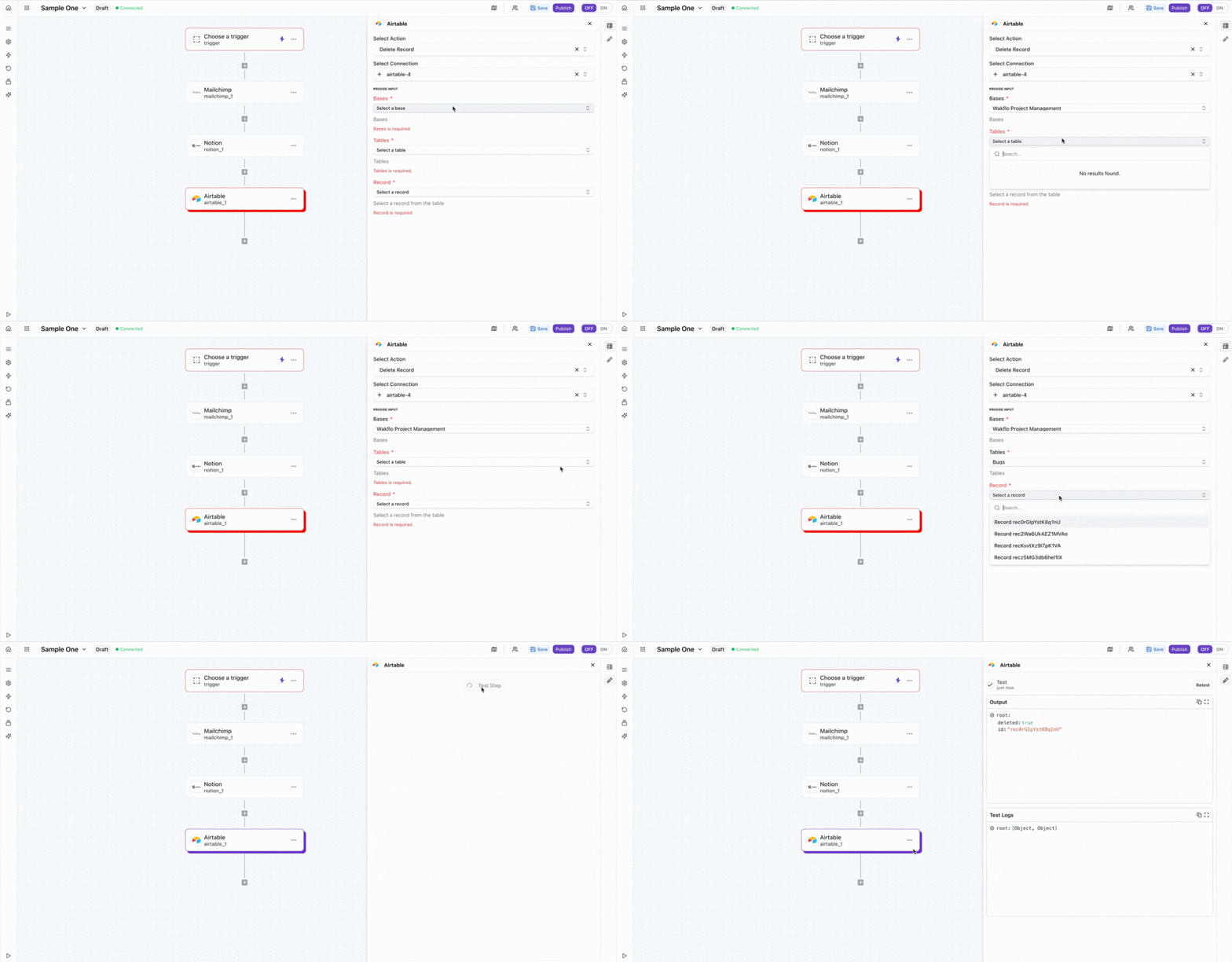
The Airtable integration requires a personal access token with appropriate permissions. Make sure to grant access to the bases and tables you want to automate in your Airtable workspace.
Additional Resources
Last updated on