Notion Integration
Automate your Notion workspace with Wakflo. Create pages, update content, retrieve page details, and build powerful documentation and knowledge management workflows.
OAuth 2.0
Secure Notion authentication
Page Triggers
Respond to new pages
Content Management
Create and update pages
Requirements
- •Notion workspace account
- •Administrator access to your Notion workspace
- •Notion integration permissions configured
Available Triggers
Start workflows automatically when pages are created in your Notion workspace.
Page Triggers
- •New Page Created: Triggered when a new page is created in your Notion workspace
Available Actions
Manage your Notion pages programmatically through your workflows.
Page Operations
- •Create Page: Create a new page in your Notion workspace
- •Update Page: Modify an existing page in your Notion workspace
- •Retrieve Page: Get page details and content from your Notion workspace
Setup Guide
Follow these steps to connect your Notion workspace to Wakflo and start automating.
Connect to Notion
From the Integrations page, select Notion and click 'Connect'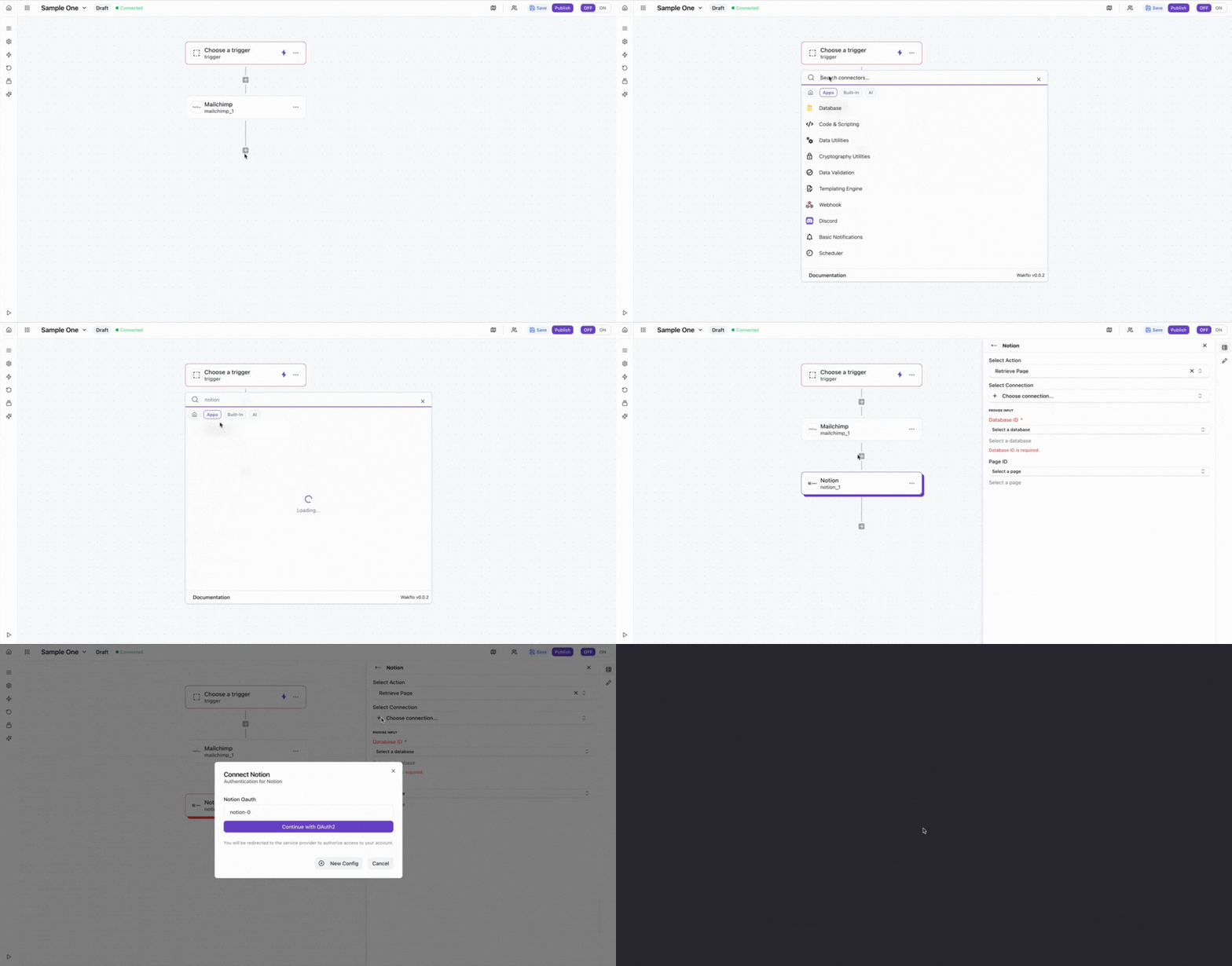
Sign in and Approve Permissions
Log in to your Notion account when prompted, then select the pages you want to share with Wakflo and grant the requested permissions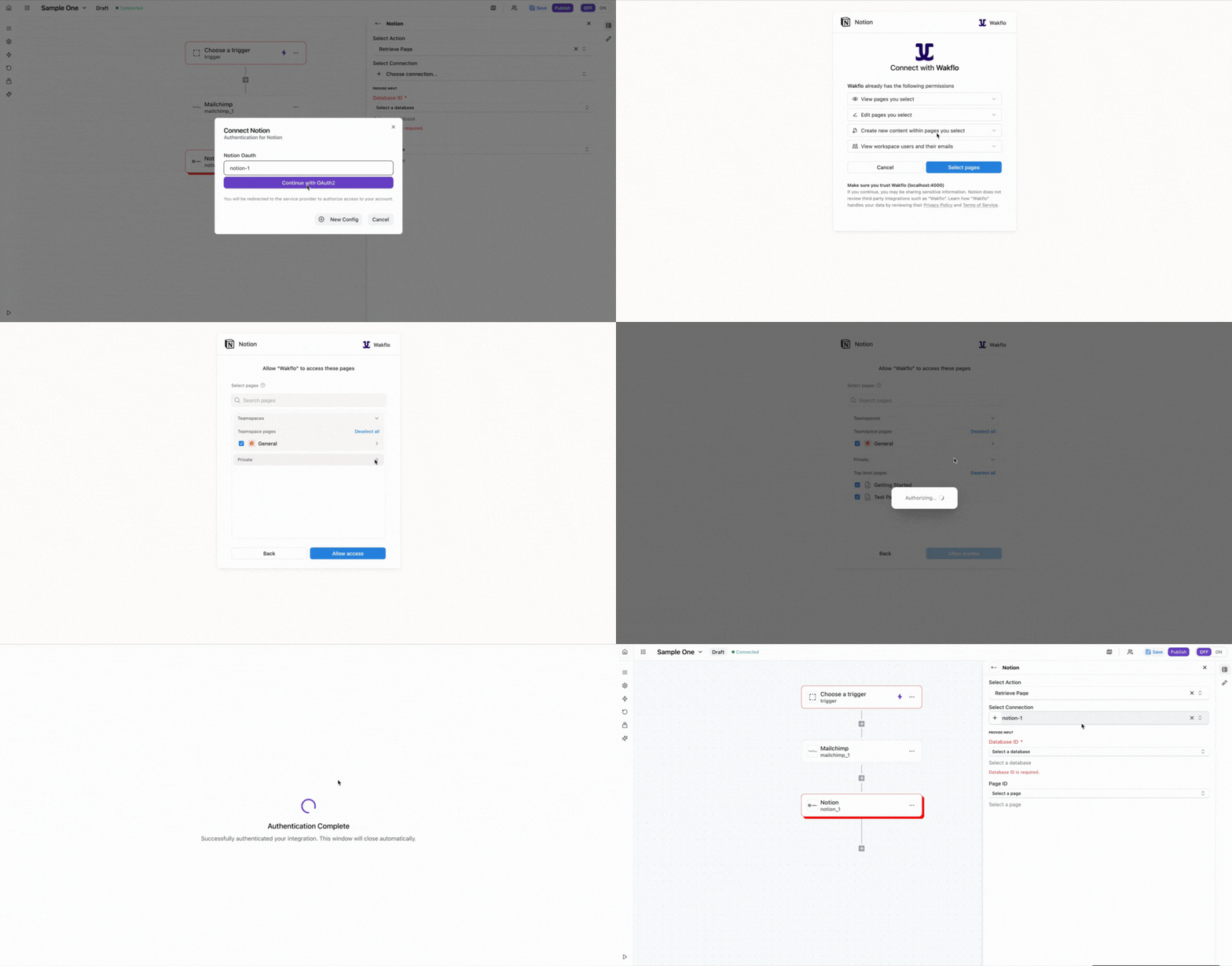
Complete Setup
Finish the connection process and start building workflowsImportant: Make sure to share the pages you want to automate with the Wakflo integration in Notion. You can manage page access at any time from your Notion workspace settings.
Example: Retrieving a Page
Here's a practical example showing how to retrieve a page and work with its content.
Select Action
Search for Notion and add the 'Retrieve Page' action to your workflow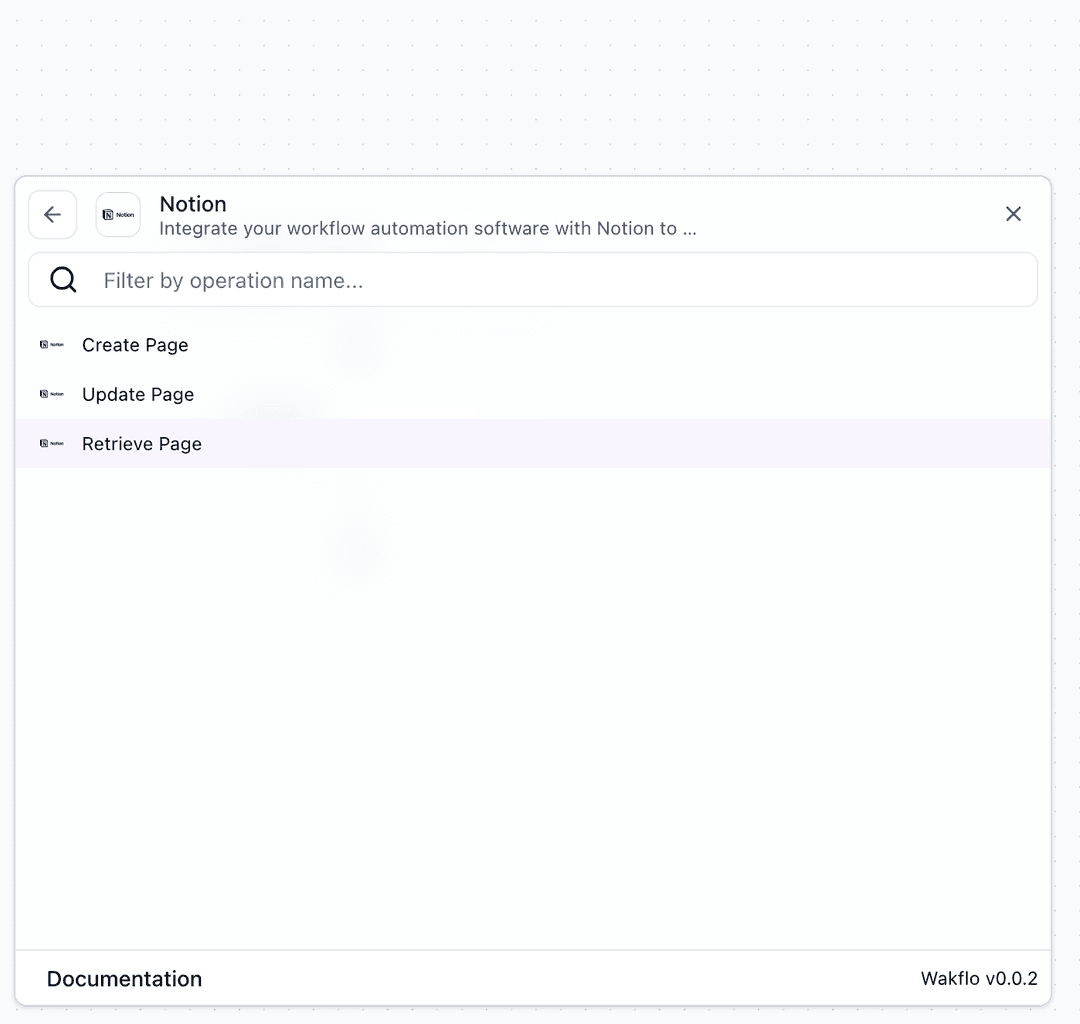
Configure Node
Select your Notion connection and enter the Page ID you want to retrieve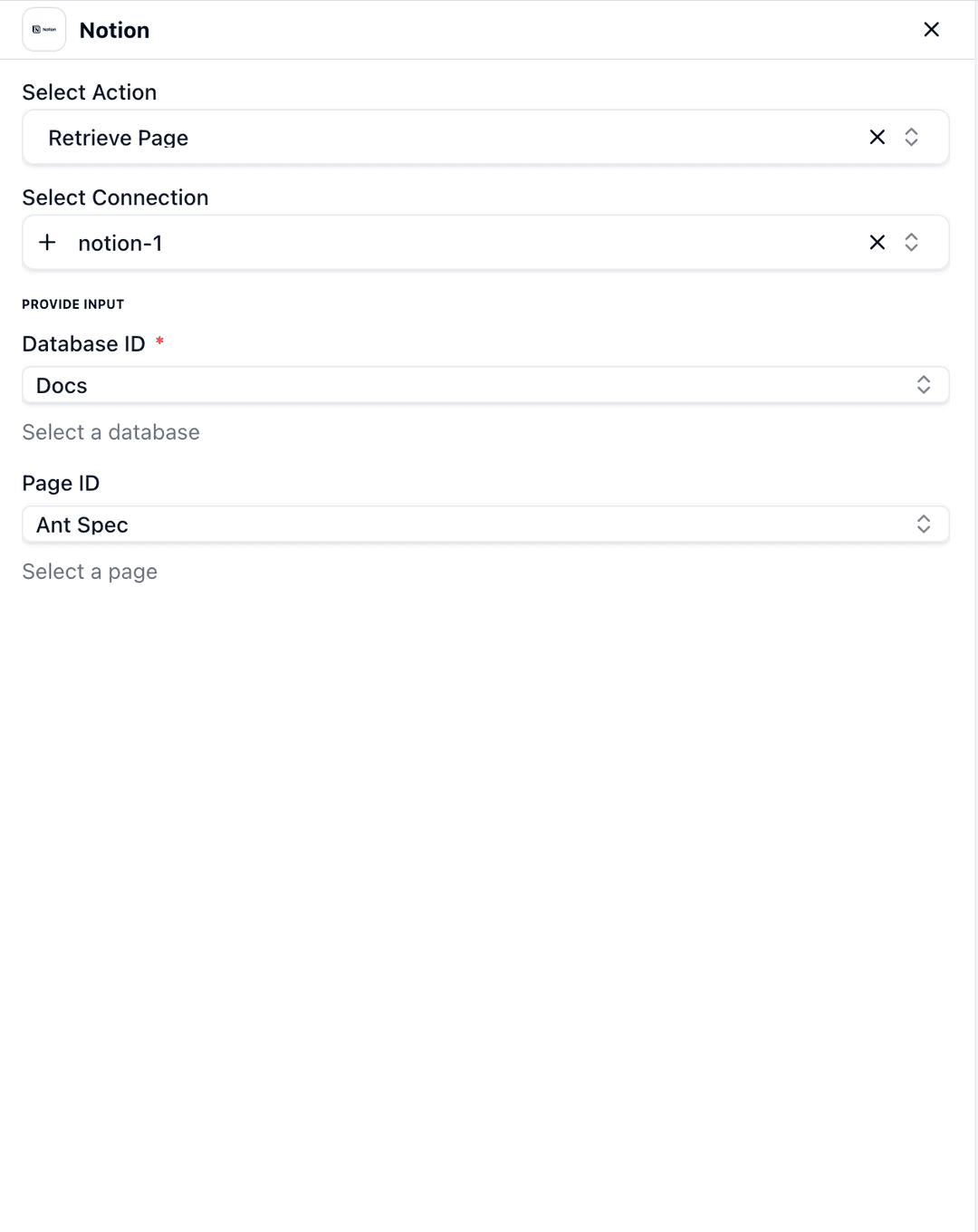
Test Node
Click 'Test Step' to execute and verify the page data is retrieved successfully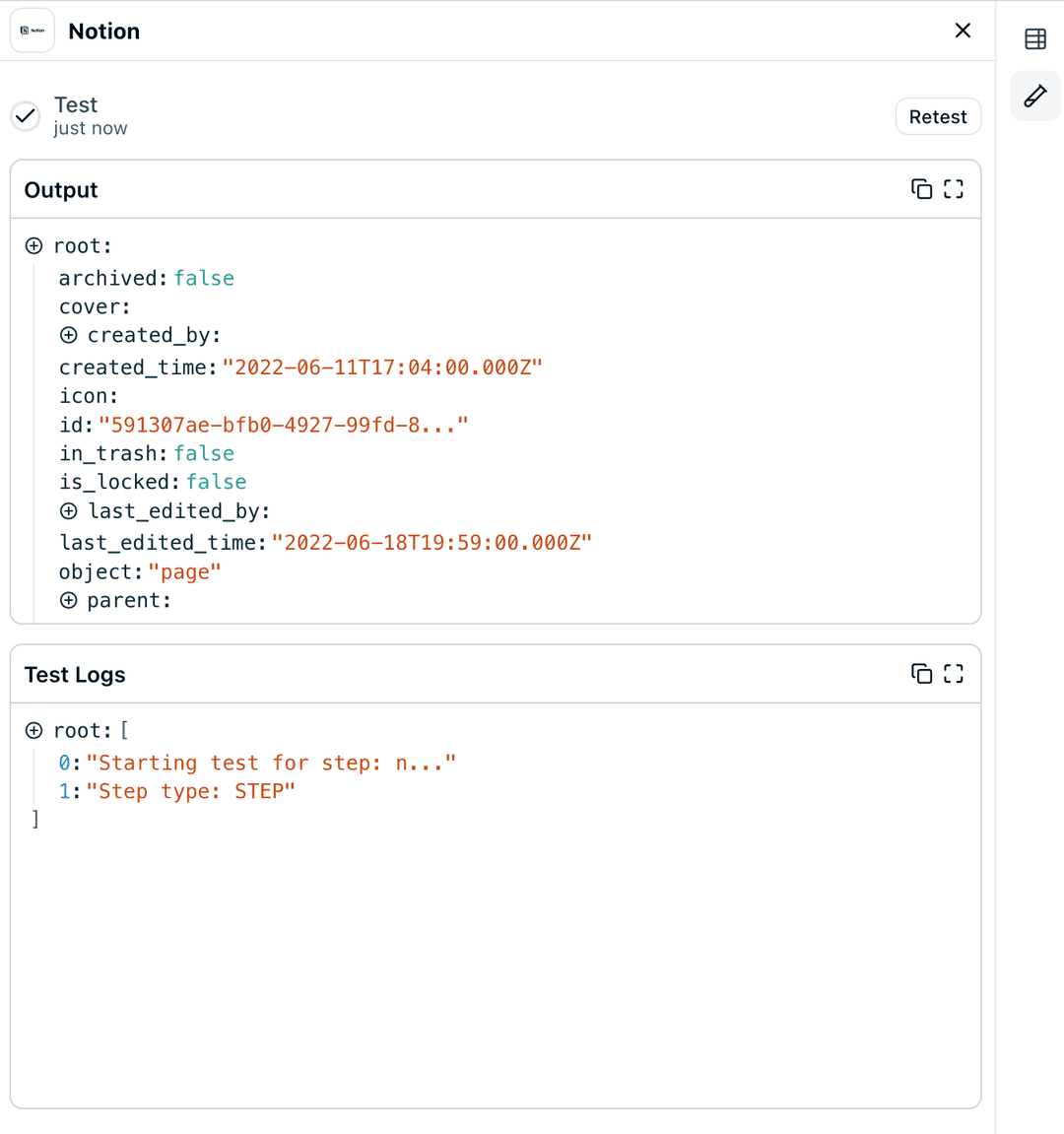
Additional Resources
Last updated on