Typeform Integration
Connect your Typeform account to Wakflo and automate form response management, data collection, and feedback workflows. Build powerful integrations to streamline your form data processing and analysis.
Authentication
OAuth 2.0
Features
1 Trigger • 1 Action
Available Triggers
Typeform Triggers
Response Triggers
Response Triggers
- •New Form Response: Triggered when a new response is submitted to a Typeform form
Available Actions
Typeform Actions
Response Actions
Response Actions
- •Retrieve Form Response: Get responses from a specific Typeform form with detailed submission data
Setup Guide
Connect to Wakflo
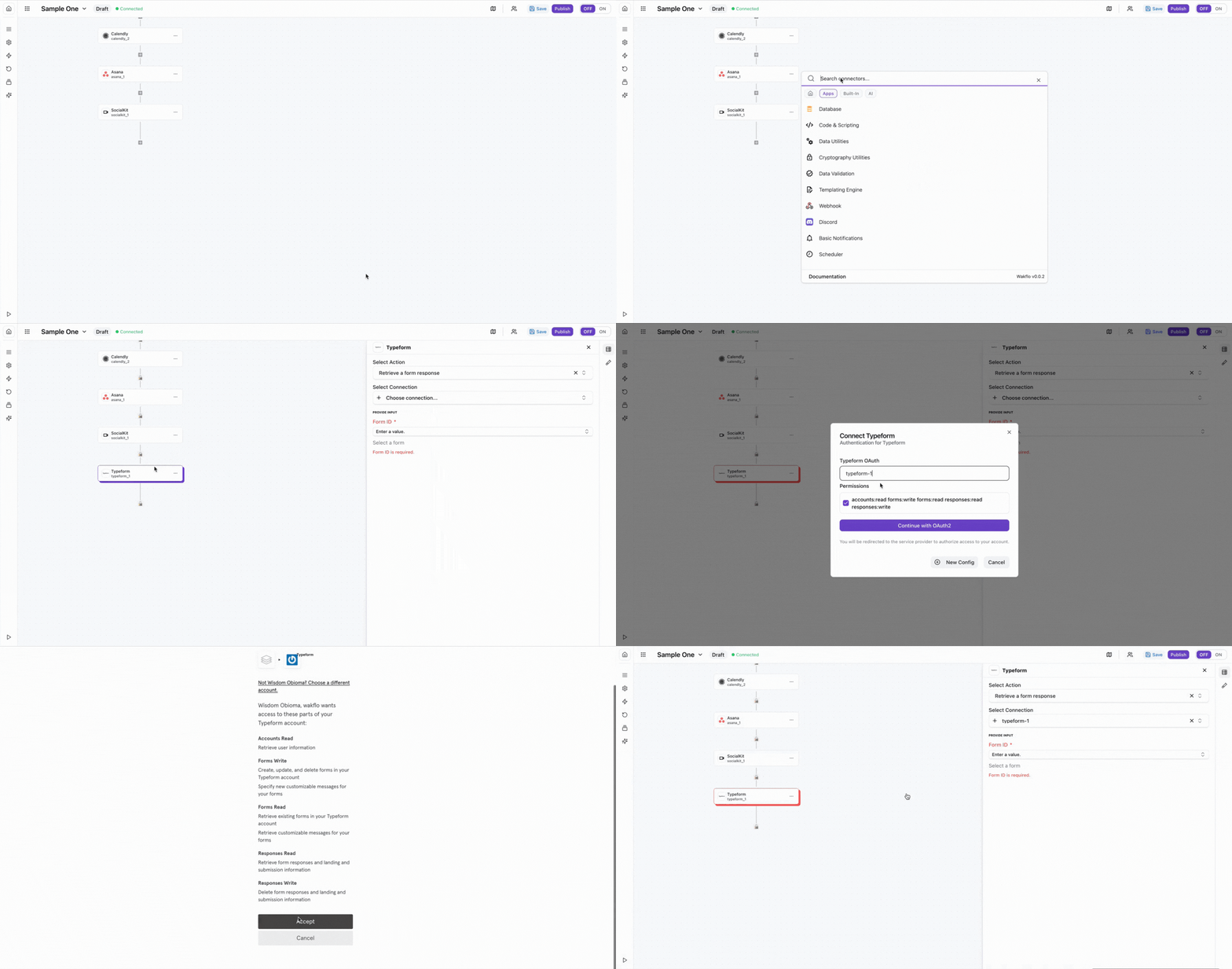
In Wakflo, select Typeform integration and complete the OAuth authorization flow. You'll be redirected to Typeform to authorize access to your forms and responses.
The Typeform integration uses OAuth 2.0 for secure authentication. Make sure your Typeform account is active and you have access to the forms you want to retrieve responses from.
Test Connection
Verify the connection by retrieving test data to ensure everything is working properly.
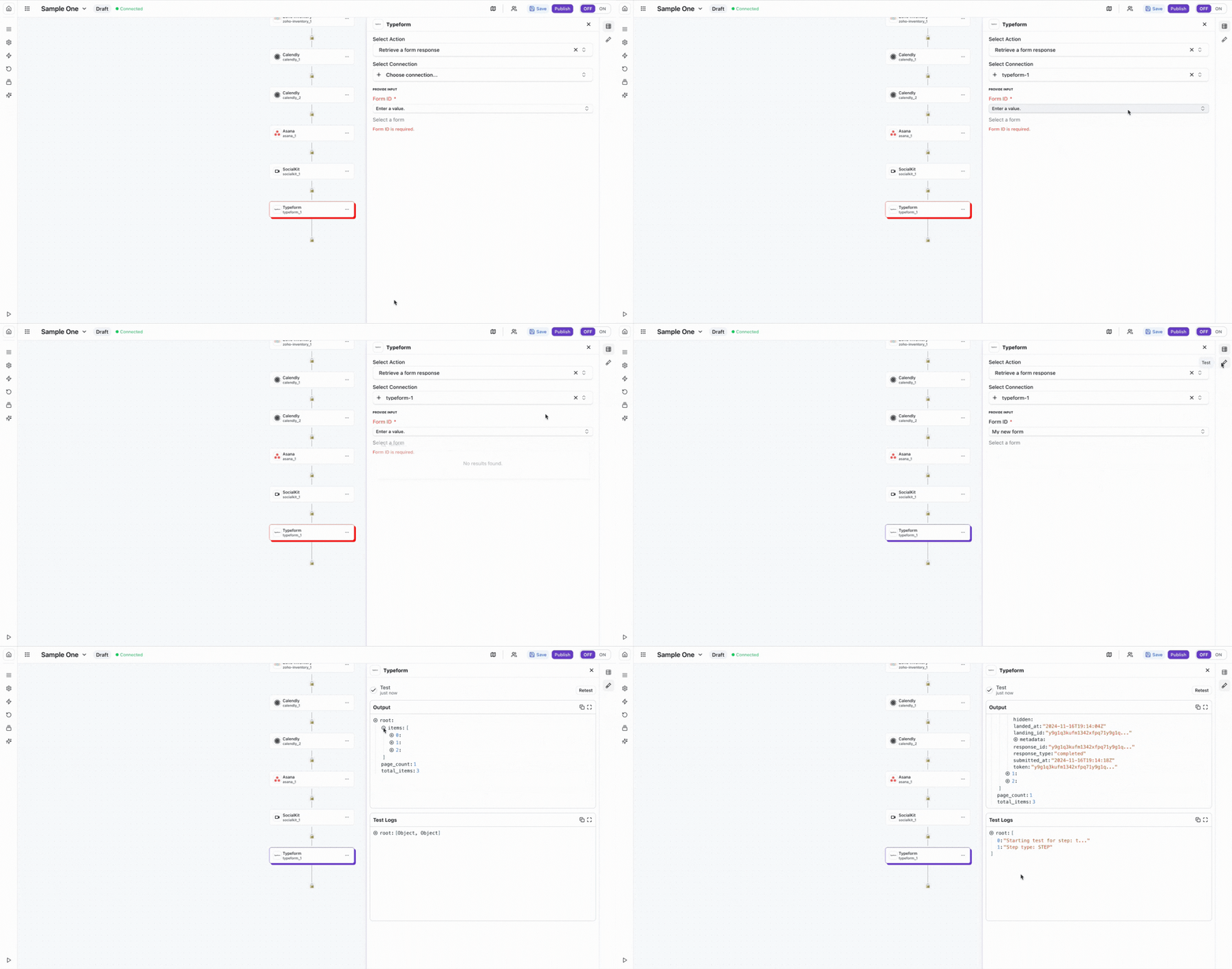
The Typeform integration uses OAuth 2.0 for secure authentication. You'll be able to access all forms and responses in your Typeform account once connected.
Best Practices
Form Response Management Best Practices
- •Use webhooks for real-time response notifications instead of polling to reduce API calls
- •Handle incomplete responses gracefully - users may abandon forms before completion
- •Implement data validation to ensure response data meets your quality standards
- •Store response metadata (timestamps, submission IDs) for audit trails and tracking
- •Respect API rate limits to ensure consistent service availability
- •Cache form structure data to minimize unnecessary API calls
- •Implement proper error handling for token expiration and refresh scenarios
- •Consider data privacy regulations (GDPR, CCPA) when handling form responses
Troubleshooting
Authentication Issues
- •Verify that you've completed the OAuth authorization flow successfully
- •Check if your access token has expired and needs to be refreshed
- •Ensure your Typeform account is active and in good standing
- •Try disconnecting and reconnecting the integration if issues persist
Permission and Scope Issues
- •Ensure the OAuth authorization included the correct scopes for your operations
- •Some operations may require higher-tier Typeform plans - verify your account level
- •Check that you have access to the specific forms you're trying to retrieve data from
- •If you need additional permissions, re-authorize the connection with updated scopes
Response Trigger Not Firing
- •Verify that the form is published and accepting responses
- •Check webhook configuration if using webhooks for triggers
- •Ensure your workflow is properly configured and activated in Wakflo
- •Test with a sample response to verify the trigger is functioning correctly
Rate Limiting
- •Typeform enforces rate limits based on your account plan
- •Implement exponential backoff when receiving 429 (Too Many Requests) errors
- •Monitor rate limit headers in API responses to track your usage
- •Consider caching form and response data to reduce API calls
Additional Resources
Last updated on