Mailjet Integration
Connect your Mailjet account to Wakflo and automate email marketing, contact management, and transactional email workflows. Build powerful integrations that streamline your email campaigns and customer communications.
Authentication
API Key & Secret
Features
2 Triggers • 4 Actions
Available Triggers & Actions
Available Triggers & Actions
Mailjet Triggers
Contact & Email Triggers
Contact & Email Triggers
- •Contact Updated: Triggered when a contact's information is modified
- •Email Sent: Triggered when an email is successfully sent
Mailjet Actions
Contact Management
Contact Management
- •Create Contact: Add a new contact to your Mailjet account
- •Get Contact: Retrieve a specific contact from your Mailjet account
- •List Contacts: Retrieve all contacts from your Mailjet account
Email Operations
Email Operations
- •Send Email: Send a transactional email via Mailjet
Setup Guide
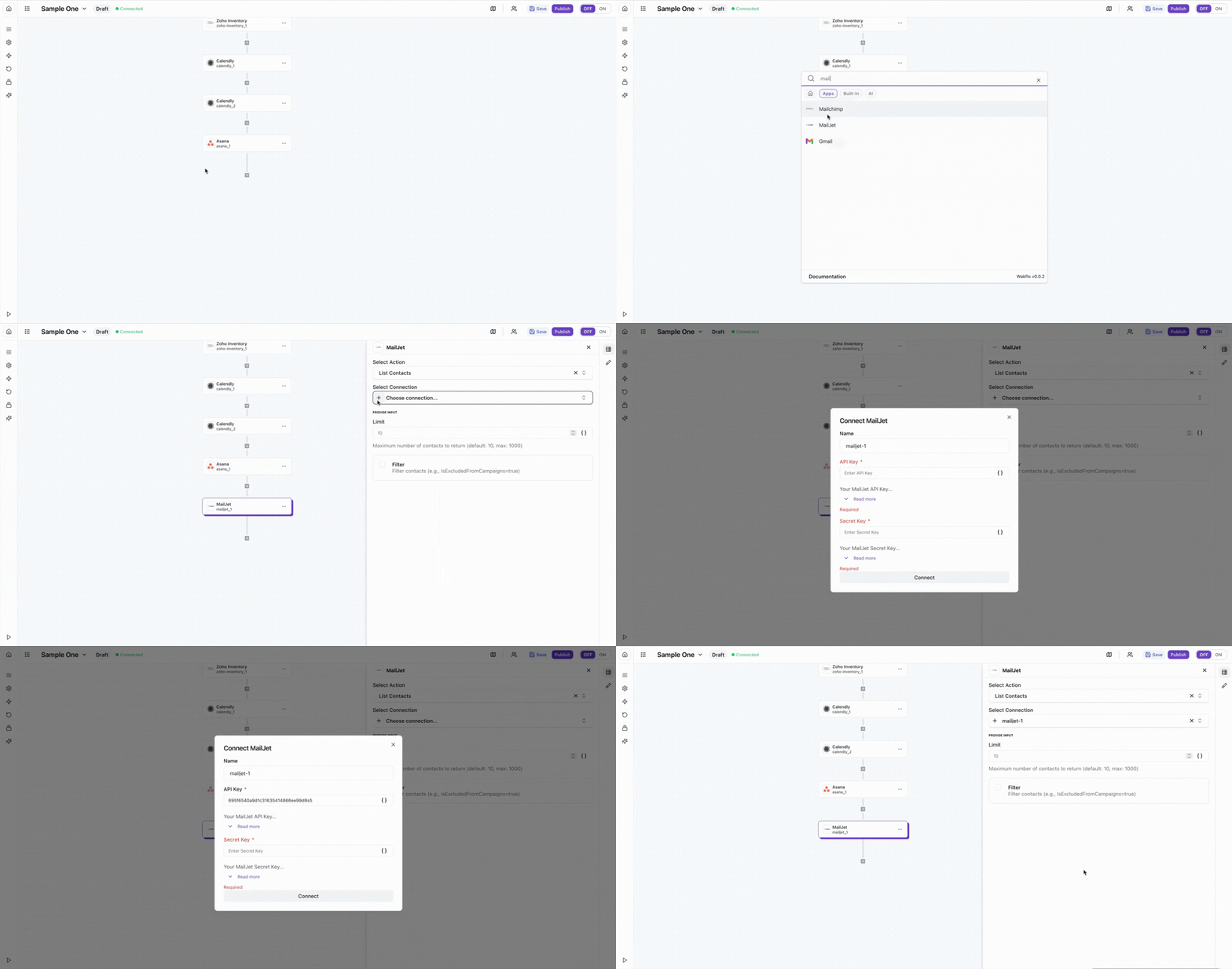
Connect to Wakflo
In Wakflo, select Mailjet integration and enter your API key and API secret to establish the connection. You can find your API credentials in your Mailjet account under Account Settings > REST API > API Key Management.
Keep your API key and secret secure. Ensure your API credentials have the necessary permissions for contact and email management in your Mailjet account.
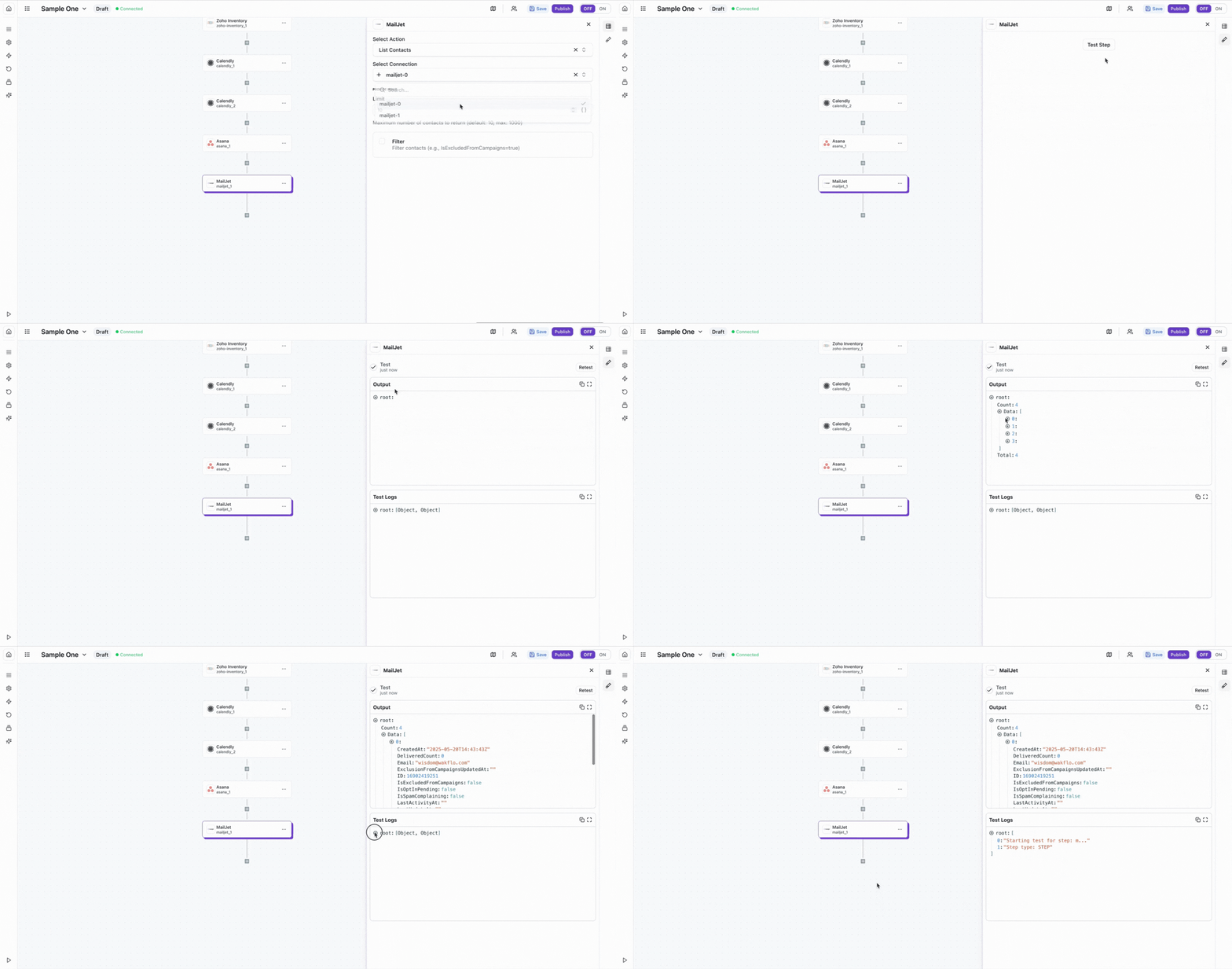
Test Connection
Verify the connection by retrieving test data to ensure everything is working properly.
The Mailjet integration requires both an API Key and Secret Key for authentication. Make sure you have administrator access to your Mailjet account to generate and manage API credentials.
Best Practices
Email Marketing Best Practices
- •Segment your contact lists for targeted email campaigns
- •Use personalization variables to customize email content
- •Implement proper error handling for failed email deliveries
- •Monitor email delivery rates and engagement metrics
- •Respect rate limits to avoid API throttling
- •Always include unsubscribe options in marketing emails
Troubleshooting
Authentication Issues
- •Verify that both API key and secret key are correct
- •Ensure your API credentials haven't been revoked or expired
- •Check that your Mailjet account has API access enabled
Email Delivery Issues
- •Validate email addresses before sending to reduce bounce rates
- •Check spam score and sender reputation in Mailjet dashboard
- •Ensure your sender domain is properly verified in Mailjet
- •Review Mailjet's sending limits based on your account plan
Rate Limiting
- •Mailjet enforces rate limits based on your account plan
- •Implement delays between bulk operations to avoid throttling
- •Monitor API usage in your Mailjet account dashboard
Additional Resources
Last updated on