Monday.com Integration
Connect your Monday.com workspace to Wakflo and automate board management, item creation, and workflow automation. Build powerful integrations that keep your teams aligned and productive.
Authentication
OAuth 2.0
Features
4 Actions
Available Actions
Monday.com Actions
Available Actions
- •Create Column: Add a new column to a board
- •Create Group: Create a new group in a board
- •Create Item: Add a new item to a board
- •Create Update: Create an update on an item
Setup Guide
Connect to Wakflo
In Wakflo, navigate to the Monday.com integration and click connect. You'll be redirected to Monday.com to authorize Wakflo to access your workspace.
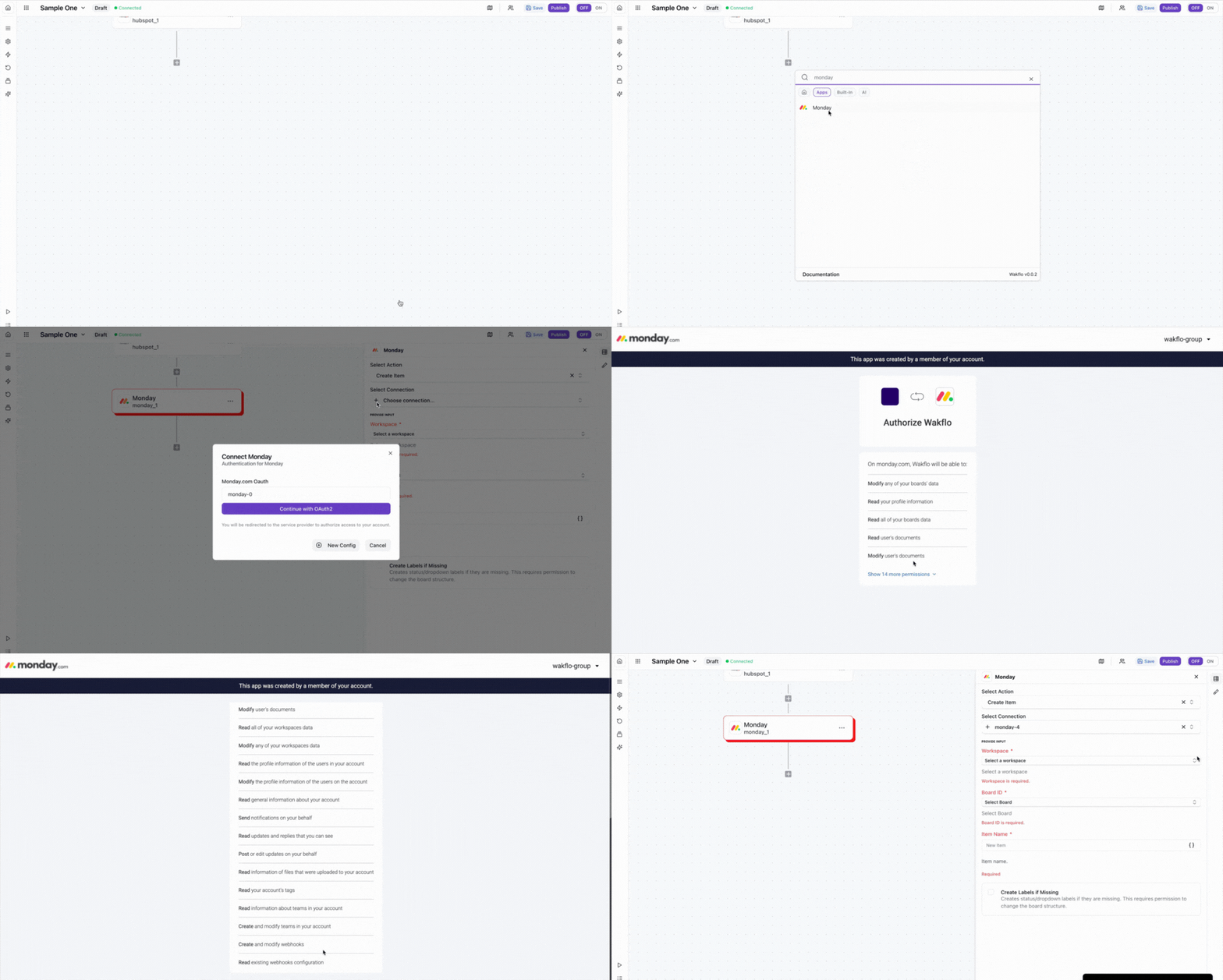
Authorize Permissions
Grant Wakflo full access to your Monday.com workspace. You'll need to authorize all permissions for the integration to work properly.
Make sure to grant full permissions when prompted. Do not deselect any permissions as this may prevent the integration from functioning correctly.
Test Connection
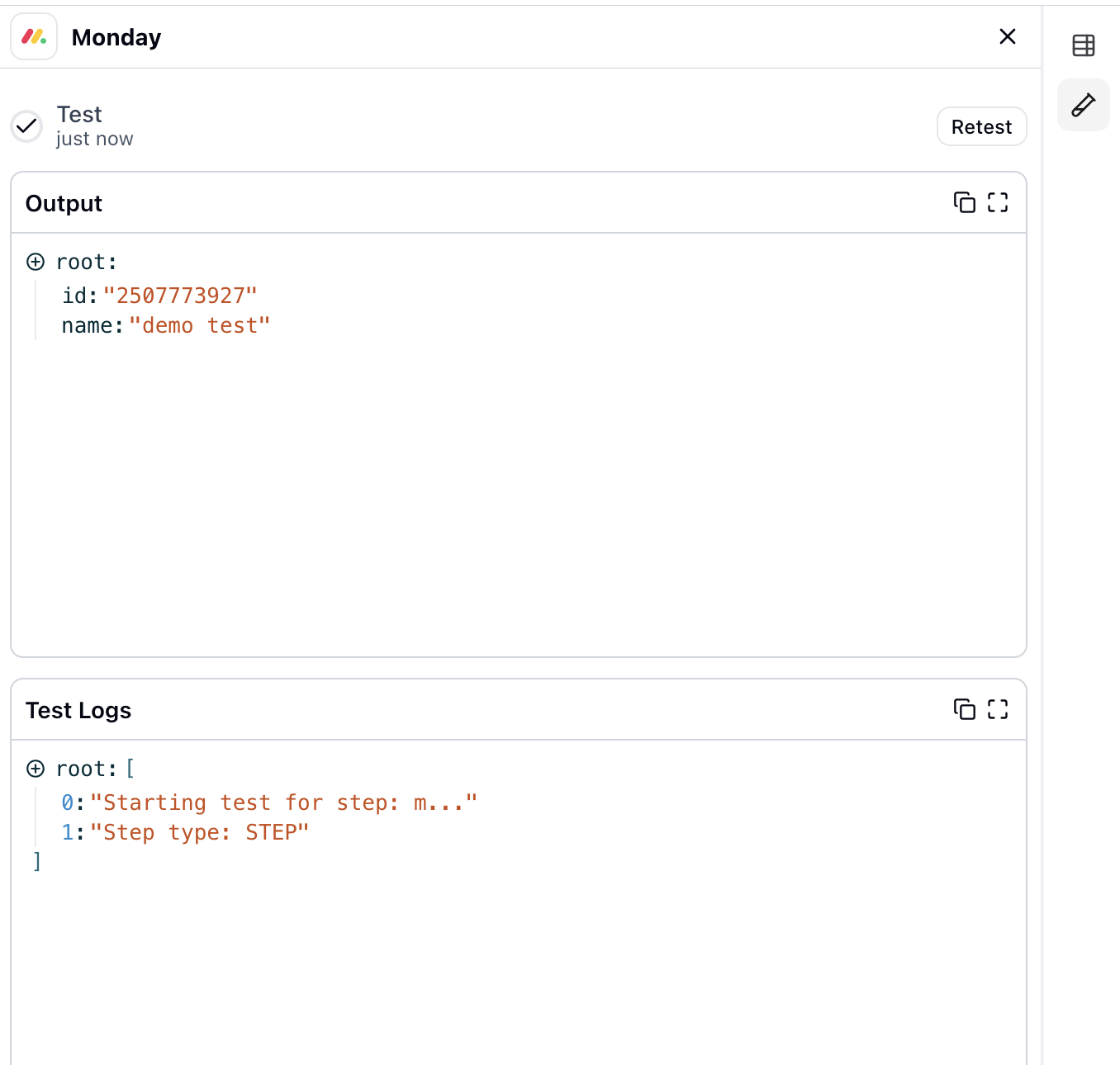
Verify the connection by retrieving test data to ensure everything is working properly.
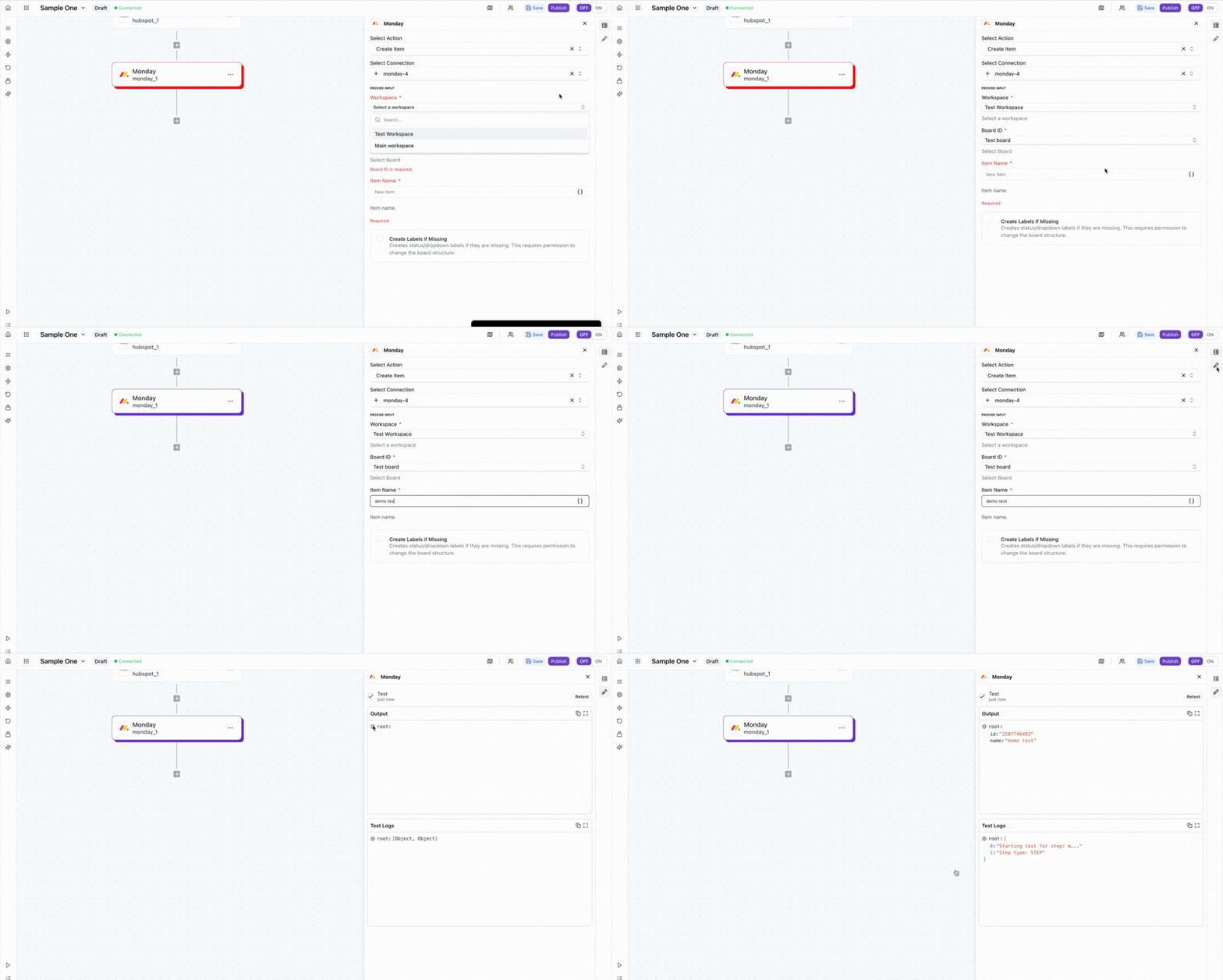
Usage Example: Create Item
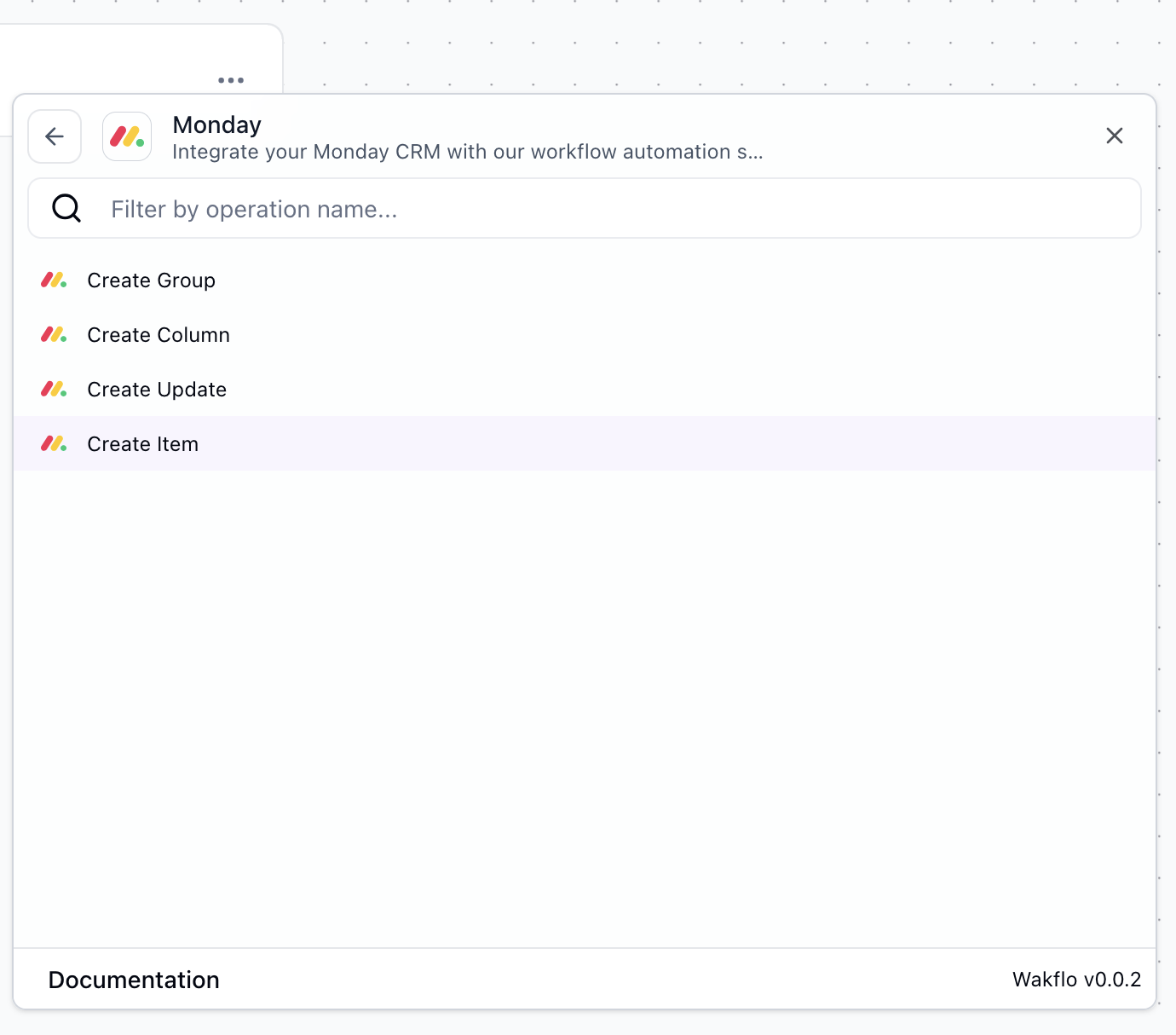
Select the Action
In your Wakflo workflow, add a new action and select Monday.com as the integration, then choose Create Item from the available actions.
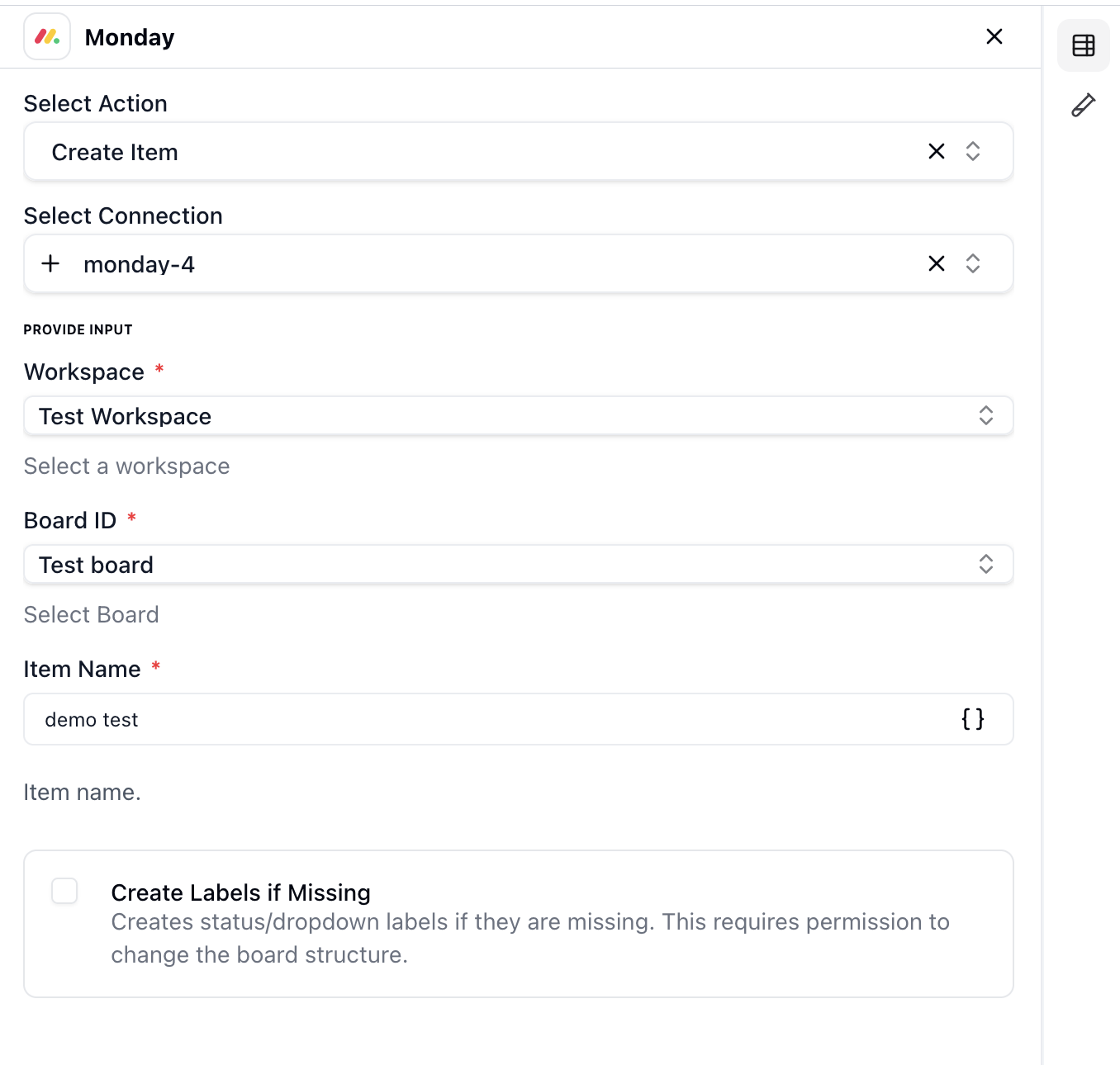
Configure Item Details
Select the board and group where you want to create the item, then enter the item name and any column values. You can use dynamic values from previous workflow steps.
Run and Create Item
Execute the action to create the item on your Monday.com board. The created item details will be returned in the action output and can be used in subsequent workflow steps.
Best Practices
Working with Monday.com Data
- •Use meaningful item names and descriptions for better board organization
- •Leverage column values to store structured data and enable better filtering
- •Implement error handling for board operations to manage API limits
- •Use groups to categorize items logically within your boards
- •Add updates to items for better tracking and collaboration
Troubleshooting
Authentication Issues
- •Ensure your Monday.com account has access to the workspace you're trying to connect
- •Check if your OAuth token has expired and reconnect if needed
- •Verify that you granted all required permissions during authorization
Rate Limiting
- •Monday.com enforces rate limits based on your plan type
- •Implement delays between bulk operations to avoid hitting rate limits
- •Monitor API usage to stay within your plan's limits
Board & Item Issues
- •Ensure board and group IDs are correctly formatted when creating items
- •Verify that the user has permission to access and modify the specified boards
- •Check that column types match the values you're trying to set