Ghost CMS Integration
Connect your Ghost publishing platform to Wakflo and automate content management, member operations, and blog post workflows. Build powerful publishing automation with Ghost CMS.
Authentication
API Key & Admin URL
Features
1 Trigger • 4 Actions
Requirements
- •Ghost CMS instance (self-hosted or Ghost Pro)
- •Admin API key from your Ghost admin panel
- •Your Ghost site URL
Available Triggers
Post Triggers
Post Triggers
- •New Post: Triggered when a new post is published on your Ghost site
Available Actions
Member Actions
Member Actions
- •Create Member: Add a new member to your Ghost site
Post Actions
Post Actions
- •Create Post: Create a new post on your Ghost site
- •List Posts: Retrieve all posts from your Ghost site
- •Update Post: Modify an existing post on your Ghost site
Setup Guide
Connect to Wakflo
In Wakflo, select Ghost CMS integration and enter your Admin API Key and Admin URL. You can get these credentials from your Ghost admin panel under Settings > Integrations.
Make sure to use the Admin API credentials (not the Content API). Create a custom integration in your Ghost admin panel to generate the Admin API Key.
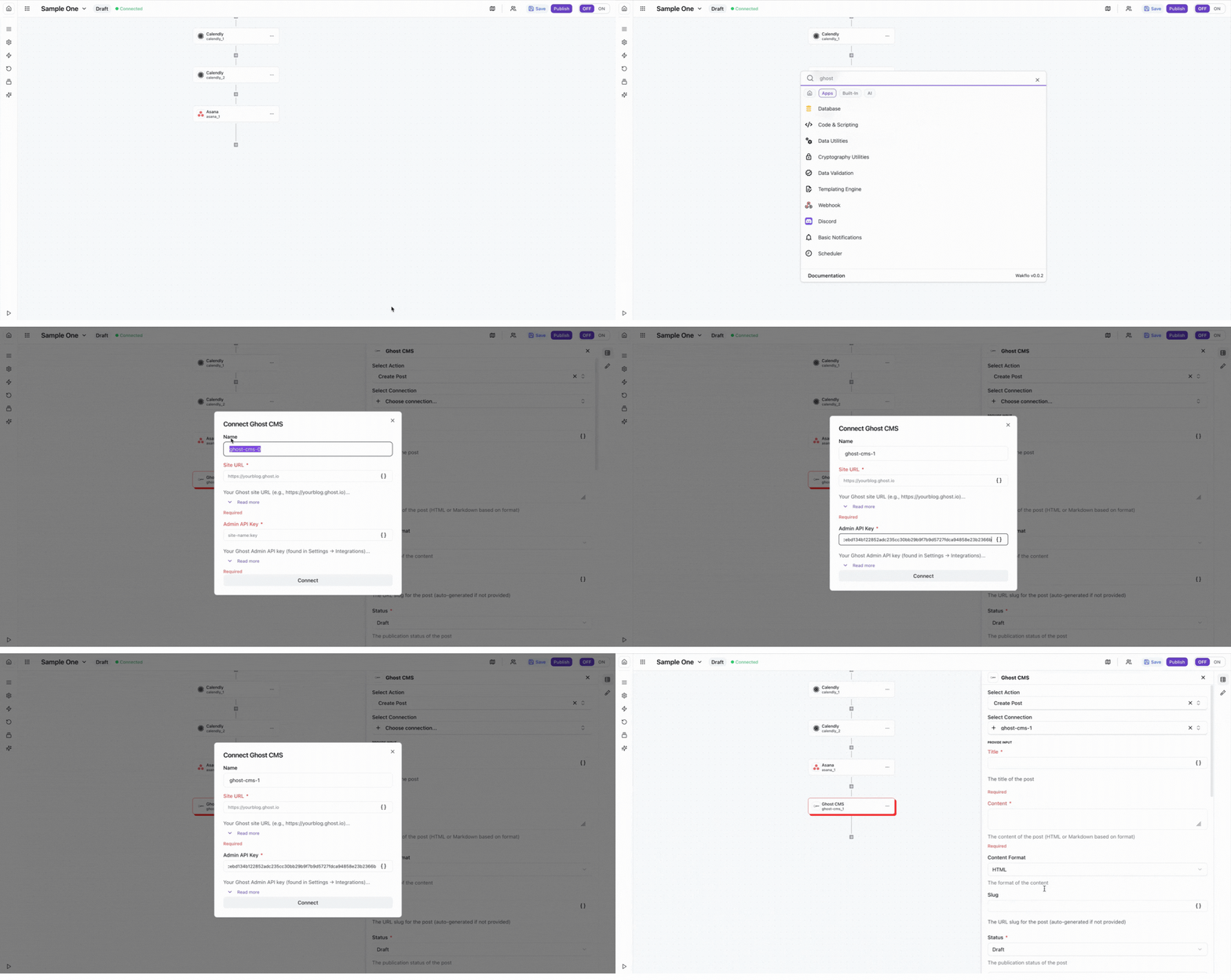
Test Connection
Verify the connection by retrieving test data to ensure everything is working properly.
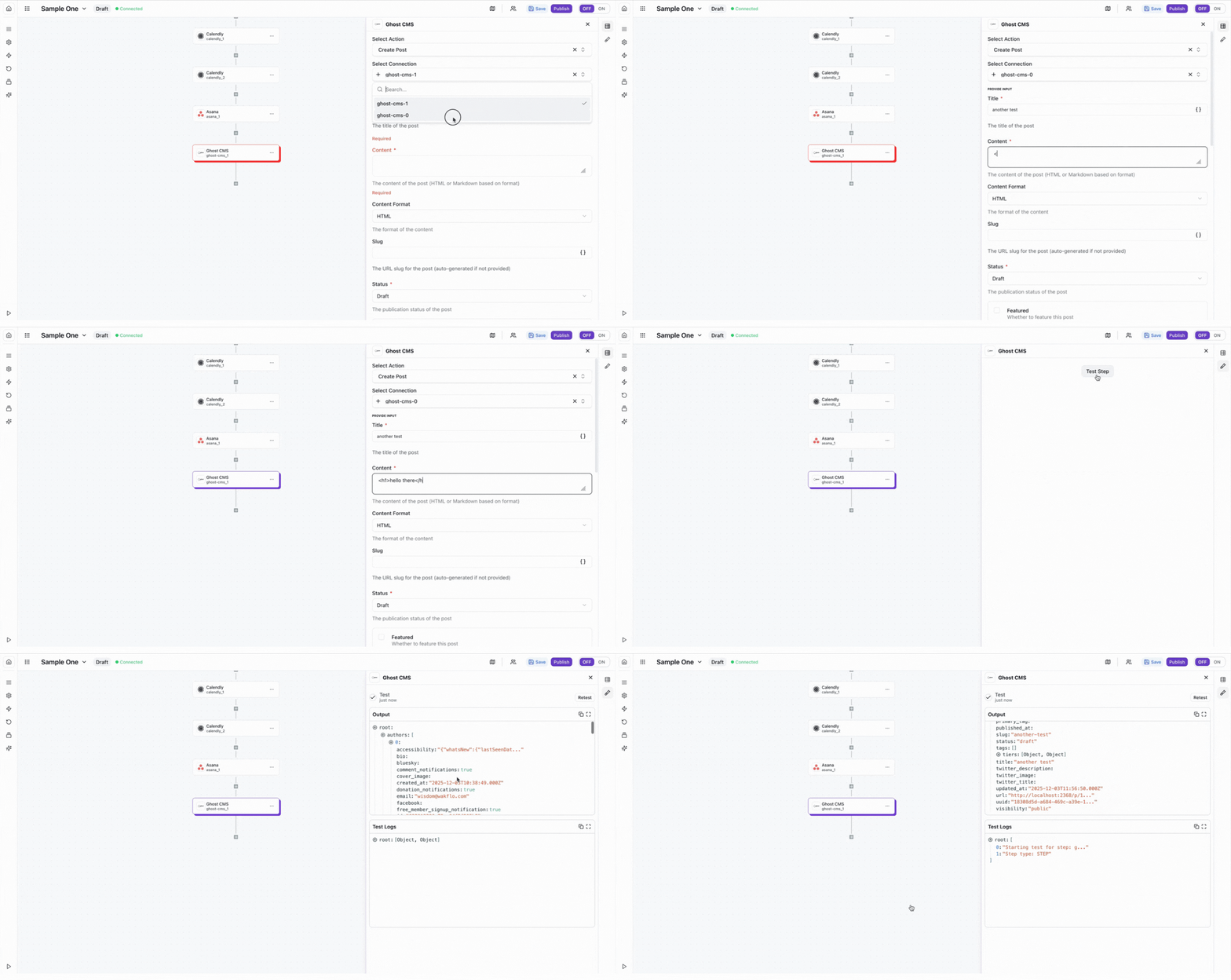
The Ghost CMS integration requires an Admin API Key. Make sure you create a custom integration in your Ghost admin panel and use the Admin API credentials (not the Content API).
Best Practices
Working with Ghost CMS
- •Use webhooks in combination with Ghost triggers for real-time content updates
- •Always test post creation in draft mode before publishing automatically
- •Use tags and custom fields to organize and automate content workflows
- •Monitor API rate limits to avoid service disruptions
- •Keep your Admin API key secure and rotate it regularly
Troubleshooting
Authentication Failed
- •Verify you're using the Admin API key (not Content API key)
- •Ensure the Admin API URL is correct and includes the version path
- •Check that your API key hasn't been revoked or regenerated
- •Confirm your Ghost instance is accessible and running
Post Creation Issues
- •Ensure all required fields are populated (title, content)
- •Check that tags exist before assigning them to posts
- •Verify HTML content is properly formatted and escaped
- •Test with draft posts before publishing automatically
Rate Limit Errors
- •Implement retry logic with exponential backoff for API calls
- •Batch operations when possible to reduce API requests
- •Monitor your API usage through Ghost admin analytics
- •Consider upgrading your Ghost plan if hitting limits frequently
Additional Resources
Last updated on