WhatsApp Integration
Connect your WhatsApp Business account to Wakflo and automate messaging, media sharing, and customer communication workflows. Build powerful integrations that enhance your customer engagement.
Authentication
System User Access Token
Features
2 Actions
Available Actions
WhatsApp Actions
Available Actions
- •Send Media: Send media files (images, videos, documents) via WhatsApp
- •Send Message: Send a text message via WhatsApp
Setup Guide
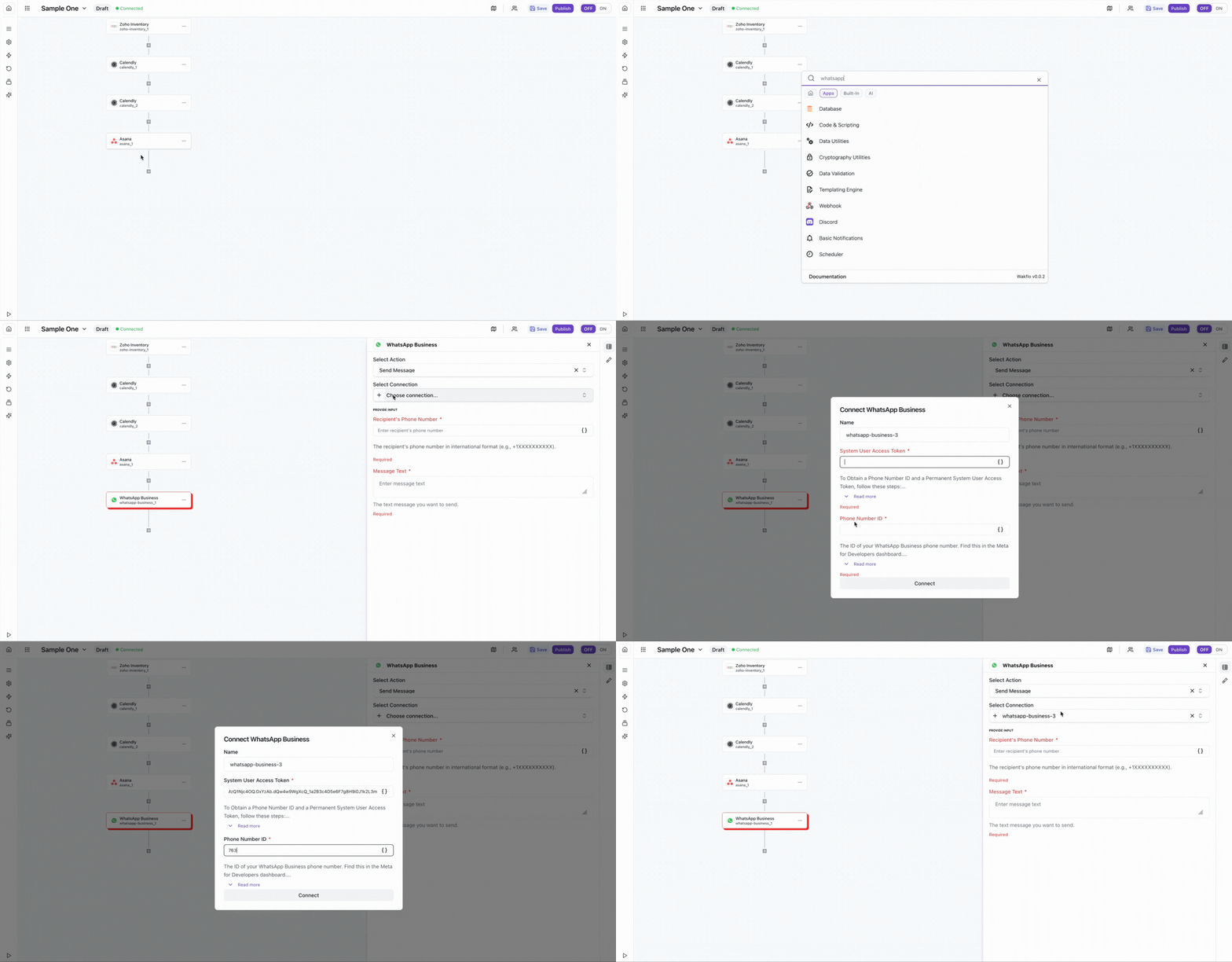
Connect to Wakflo
In Wakflo, select WhatsApp integration and enter your System User Access Token and Phone Number ID to establish the connection.
How to get your System User Access Token and Phone Number ID:
1. Set Up WhatsApp Business API:
- Go to Meta for Developers
- Create a new app or select an existing app
- Add "WhatsApp" product to your app
- Complete the business verification process
2. Get Phone Number ID:
- Navigate to WhatsApp > API Setup in your Meta app dashboard
- Find your test phone number or add a business phone number
- Copy the Phone Number ID (not the phone number itself)
3. Generate System User Access Token:
- Go to Business Settings > System Users
- Create a new system user or select an existing one
- Click "Generate New Token"
- Select your app and grant "whatsapp_business_messaging" and "whatsapp_business_management" permissions
- Copy and save the generated token (shown only once)
Important: Keep your access token secure and never share it publicly! Message templates may need to be approved by WhatsApp before use.
Test Connection
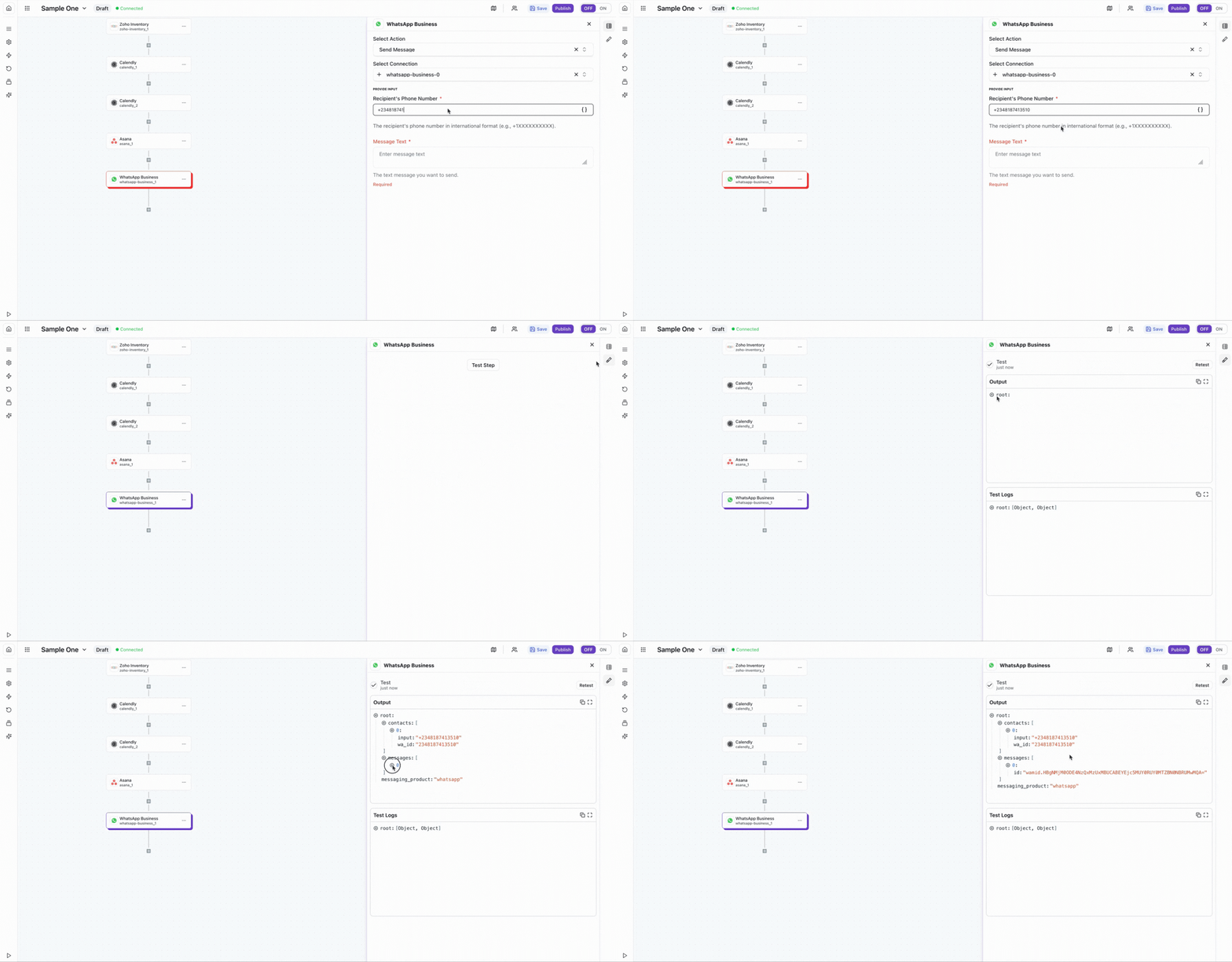
Verify the connection by sending a test message to ensure everything is working properly.
Best Practices
Working with WhatsApp Business API
- •Get message templates approved before using them in production
- •Respect user opt-ins and opt-outs for messaging
- •Use media messages strategically to enhance engagement
- •Monitor message delivery rates and adjust accordingly
- •Keep your access token secure and rotate it periodically
Troubleshooting
Authentication Issues
- •Verify that your access token is valid and hasn't expired
- •Ensure your WhatsApp Business account is verified
- •Check that your phone number ID is correct
Message Delivery Issues
- •Ensure message templates are approved by WhatsApp
- •Verify that recipient phone numbers are correctly formatted
- •Check that you're within the 24-hour messaging window for non-template messages
Rate Limiting
- •WhatsApp enforces messaging limits based on your quality rating
- •Implement delays between bulk message operations
- •Monitor your messaging tier and quality rating in Meta Business Suite