OpenAI (ChatGPT) Integration
Connect your OpenAI account to Wakflo and leverage advanced AI capabilities including ChatGPT conversations, image analysis, embeddings generation, and intelligent data extraction. Build powerful AI-driven workflows.
Authentication
API Key
Features
4 Actions
Available Actions
OpenAI Actions
Available Actions
Available Actions
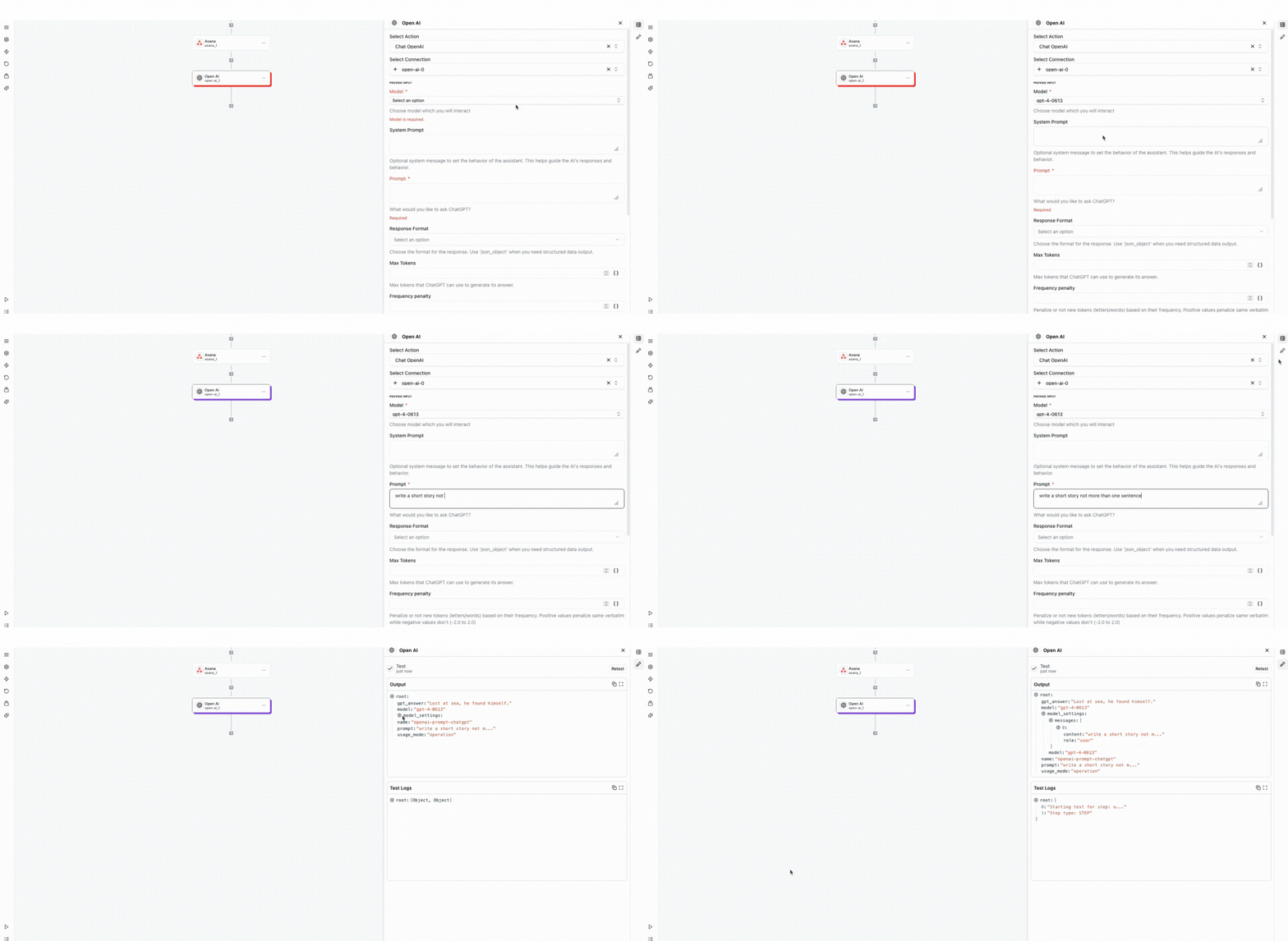
- •Chat OpenAI: Engage in conversations with ChatGPT models for text generation, analysis, and problem-solving
- •Analyze Image Vision: Process and analyze images using GPT-4 Vision to extract information and insights
- •Create Embeddings: Generate vector embeddings for text to enable semantic search and similarity matching
- •Smart Data Extractor: Extract structured data from unstructured text using AI-powered analysis
Setup Guide
Connect to Wakflo
From the Integrations page, select OpenAI and enter your API key to establish the connection. You can get your API key from the OpenAI platform at platform.openai.com/api-keys.
Keep your API key secure and never share it publicly. Consider using environment variables or secure credential storage for production workflows.

Complete Setup
Test the connection and start building AI-powered workflows.
Troubleshooting
Invalid API Key Error
- •Verify your API key is correctly entered without extra spaces
- •Check that your API key hasn't been revoked or expired
- •Ensure your OpenAI account is active with available credits
- •Create a new API key if the current one isn't working
Rate Limit Exceeded
- •Implement retry logic with exponential backoff
- •Consider upgrading your OpenAI tier for higher limits
- •Batch requests when possible
- •Monitor usage through OpenAI dashboard
Token Limit Errors
- •Reduce prompt length or max_tokens parameter
- •Use more concise prompts
- •Consider using models with higher token limits
- •Split long content into multiple requests
Additional Resources
Last updated on