Cryptography Integration
A powerful built-in tool for secure data encryption, decryption, and hashing within your workflows using industry-standard algorithms. Protect sensitive information in transit and at rest with AES, RSA, and SHA-256 cryptographic functions.
Authentication
None Required
Type
Built-in Tool
Available Actions
Cryptography Actions
Hashing Operations
- •Hash Text: Generates a unique digital fingerprint (hash value) from input text using SHA-256 algorithm for data integrity verification
Text Generation
- •Generate Text: Creates dynamic and personalized content based on user-defined templates and variables
Supported Algorithms
- •AES-256: Advanced Encryption Standard with 256-bit key size for secure encryption
- •RSA-4096: Rivest-Shamir-Adleman algorithm with 4096-bit key size for asymmetric encryption
- •SHA-256: Secure Hash Algorithm 256 for one-way hashing and data integrity
Getting Started
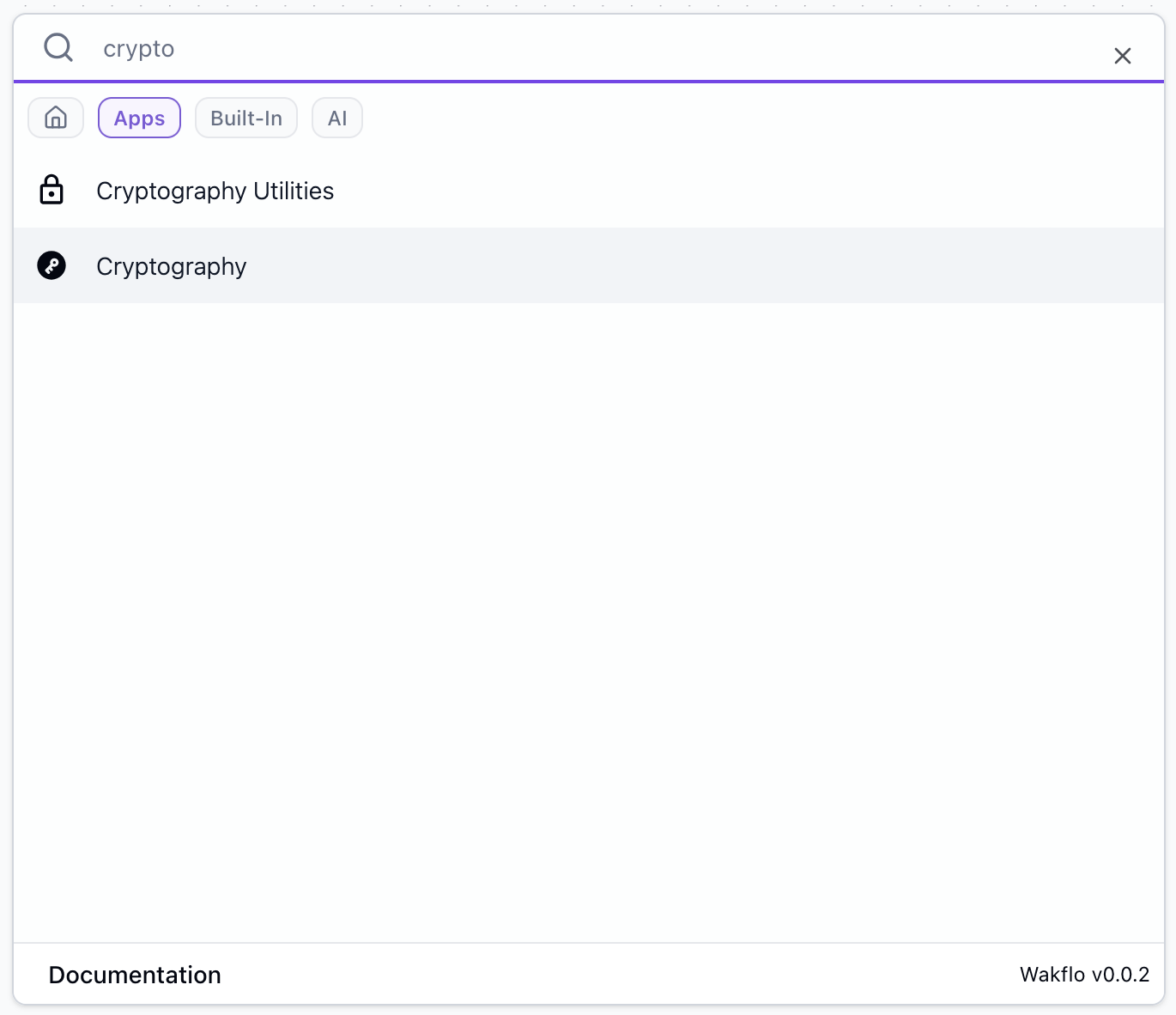
Add Cryptography to Workflow
Drag and drop the Cryptography action into your workflow canvas to begin using it.
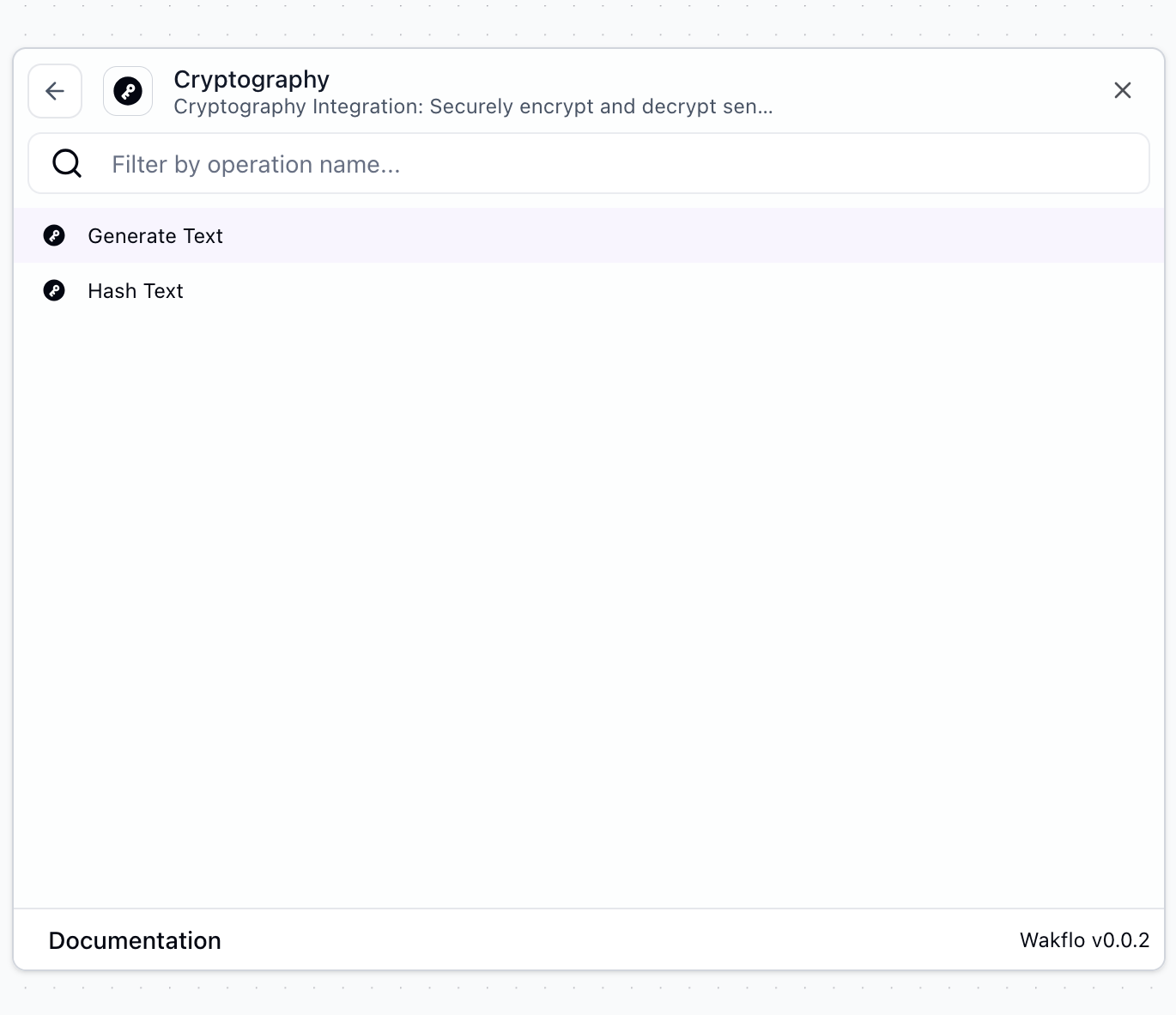
Select Operation
Choose the cryptographic operation you want to perform (Hash Text or Generate Text).
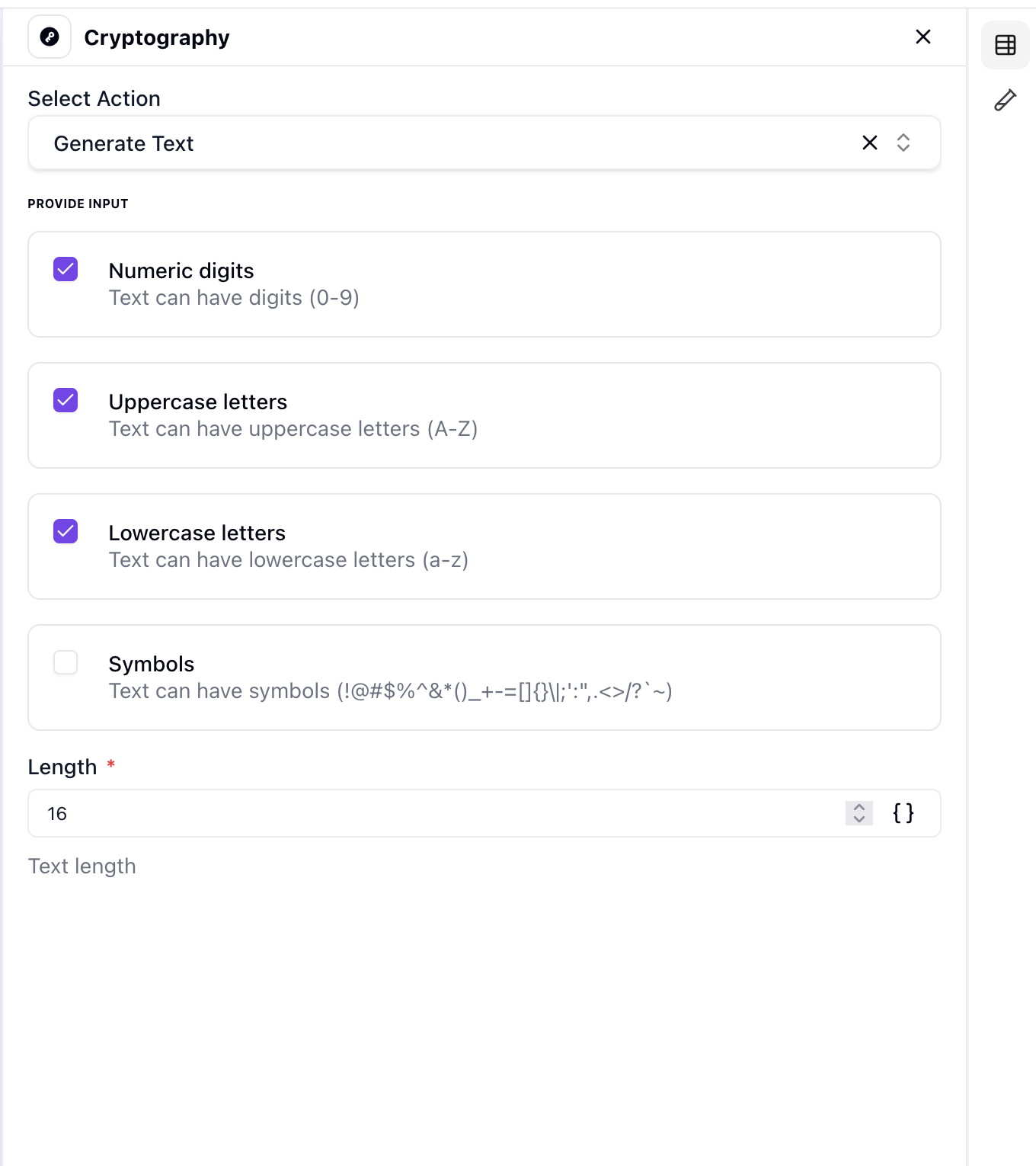
Configure Parameters
Enter or map the text input and any additional parameters required for your operation.
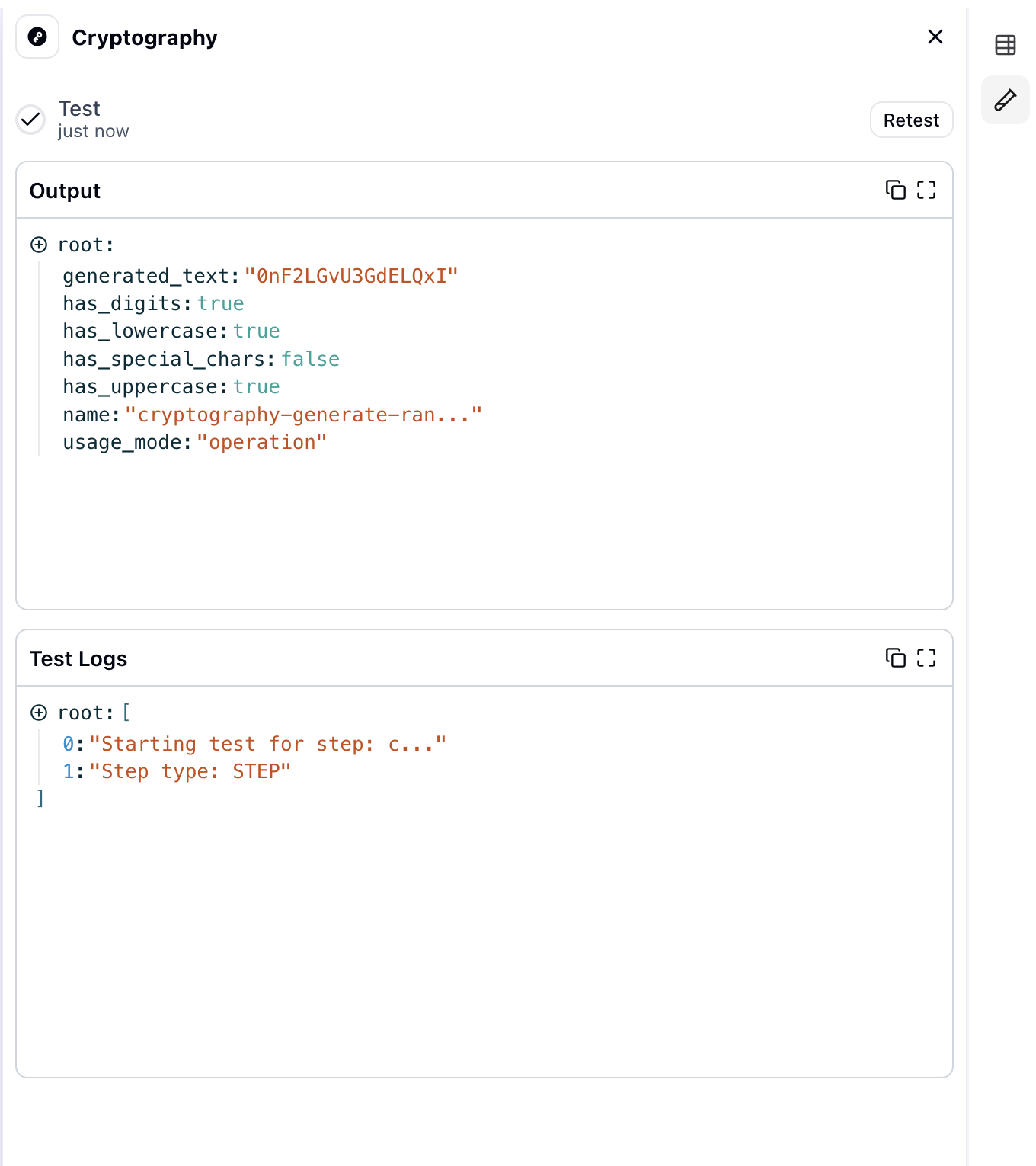
Test Operation
Run the cryptographic operation to verify the result and ensure it's working as expected.
Common Use Cases
Password Hashing
Hash passwords before storing them in databases for enhanced security
Data Integrity Verification
Generate hash values to verify data hasn't been tampered with during transmission
Secure Data Storage
Encrypt sensitive information before storing it in external systems
API Token Management
Hash API tokens and keys for secure storage and validation
Document Verification
Create digital fingerprints of documents to detect unauthorized changes
Template-Based Content
Generate personalized content dynamically using secure templates
Best Practices
Working with Cryptography
- •Always use SHA-256 or stronger algorithms for hashing sensitive data
- •Never store encryption keys in the same location as encrypted data
- •Use salts when hashing passwords to protect against rainbow table attacks
- •Implement key rotation policies for long-term encryption operations
- •Validate hash outputs before using them in critical operations
Security Considerations
- •Hashing is one-way - you cannot reverse a hash to get the original text
- •Use appropriate key lengths for your security requirements (minimum 256-bit)
- •Always test cryptographic operations in a secure environment first
- •Comply with relevant data protection regulations (GDPR, HIPAA, etc.)
Troubleshooting
Common Issues
- •Invalid Input Error: Ensure input text is properly formatted and not empty
- •Hash Mismatch: Verify that the same algorithm and encoding are used for both hashing and verification
- •Unexpected Output: Check that input parameters match the expected format for your chosen operation
- •Template Generation Failed: Ensure all template variables are properly defined and mapped