Prisync Integration
Connect your Prisync price tracking platform to Wakflo and automate competitive pricing, product management, and smart pricing workflows. Build powerful integrations that optimize your pricing strategy.
Authentication
API Key
Features
0 Triggers • 6 Actions
Available Actions
Available Actions
Prisync Actions
Product Management
Product Management
- •Add Batch Product: Add multiple products to Prisync for price tracking
- •Add Product: Add a single product to Prisync for monitoring
- •Edit Product: Modify an existing product's tracking settings
- •Get Product: Retrieve details of a specific product
- •List Products: Retrieve all products from your Prisync account
Smart Pricing
Smart Pricing
- •Get Product SmartPrice: Retrieve AI-powered smart pricing recommendations for a product
Setup Guide
Connect to Wakflo
In Wakflo, select Prisync integration and enter your API key to establish the connection. You can generate your API key from your Prisync account under Settings > API.
Keep your API key secure and never share it publicly. Ensure your API key has the necessary permissions for product management and pricing intelligence features.
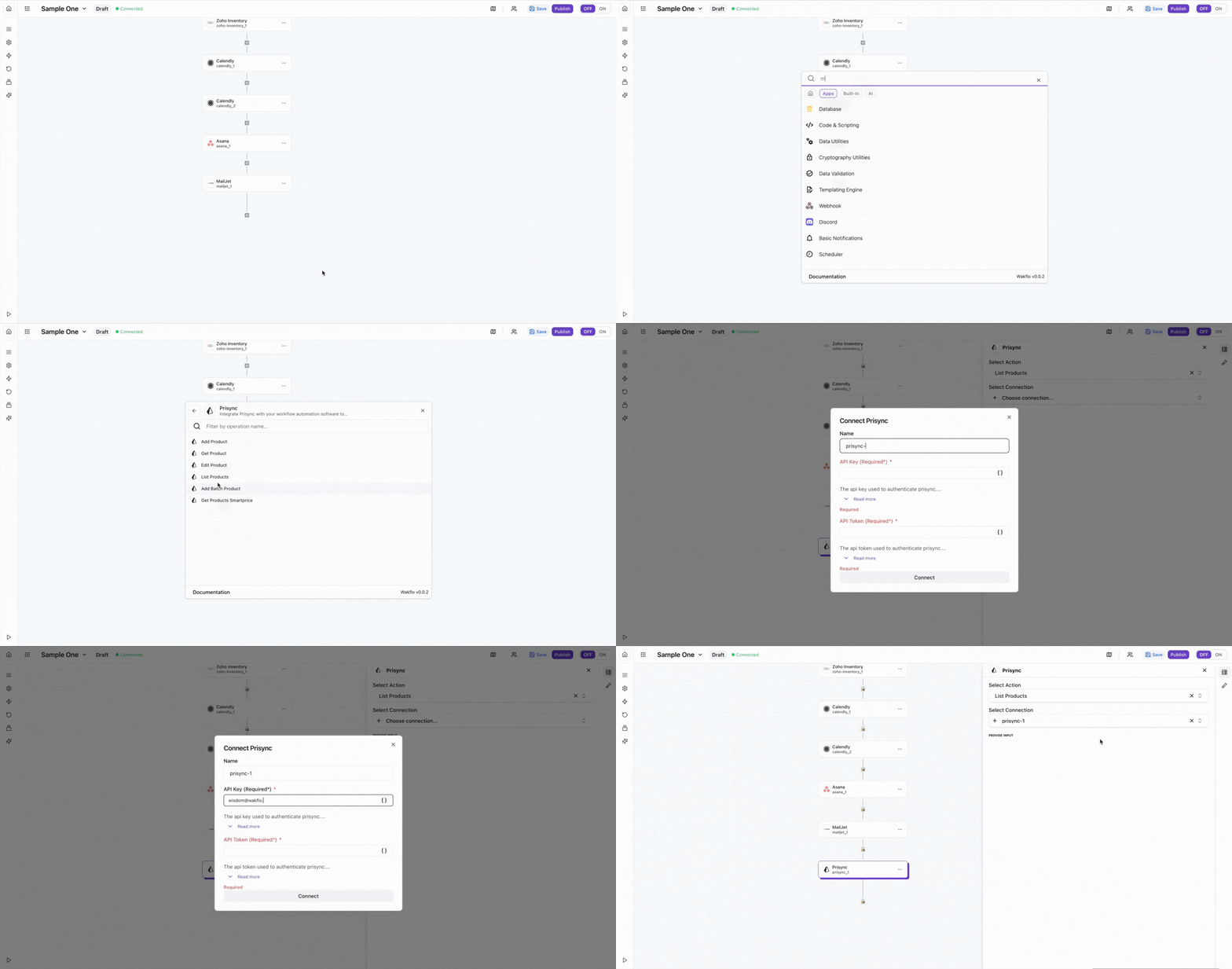
Test Connection
Verify the connection by retrieving test data to ensure everything is working properly.
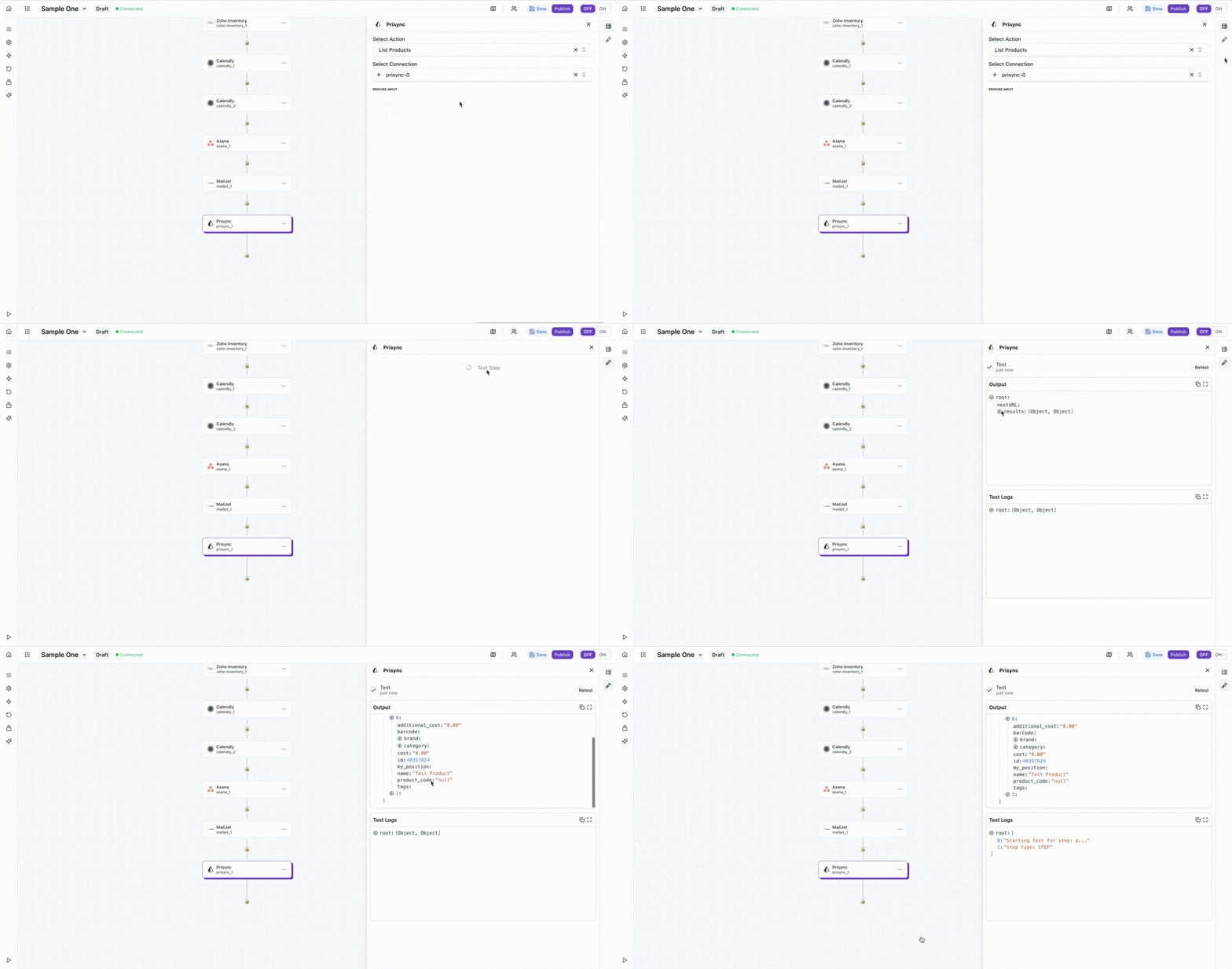
The Prisync integration requires an active subscription and API key. Make sure you have administrator access to your Prisync account to generate and manage API credentials.
Best Practices
Competitive Pricing Best Practices
- •Use batch product operations when adding multiple products to improve efficiency
- •Monitor SmartPrice recommendations regularly to optimize your pricing strategy
- •Keep product information up-to-date for accurate price tracking
- •Implement error handling for product operations to avoid data inconsistencies
- •Respect API rate limits to ensure consistent service availability
- •Set up automated workflows to sync pricing data across your e-commerce platforms
Troubleshooting
Authentication Issues
- •Verify that your API key is valid and hasn't been revoked
- •Ensure your Prisync subscription is active and in good standing
- •Check that your API key has the required permissions for product management
Product Management Issues
- •Ensure product URLs are valid and accessible when adding products
- •Verify that product IDs are correct when retrieving or editing products
- •Check that batch operations don't exceed the maximum allowed products per batch
- •Ensure product data meets Prisync's requirements and format specifications
Rate Limiting
- •Prisync enforces rate limits based on your subscription plan
- •Implement delays between bulk operations to avoid rate limiting
- •Monitor API usage and consider upgrading your plan if needed
Additional Resources
Last updated on