Jira Cloud Integration
Connect your Atlassian Jira Cloud instance to Wakflo and automate issue management, project tracking, and agile workflows. Build powerful integrations that streamline your team's productivity.
Authentication
API Token & Domain
Features
2 Triggers • 6 Actions
Available Triggers & Actions
Jira Cloud Triggers
Issue Triggers
Issue Triggers
- •Issue Created: Triggered when a new issue is created in Jira
- •Issue Updated: Triggered when an issue's information is modified
Jira Cloud Actions
Available Actions
Available Actions
- •Add Comment: Add a comment to an existing issue
- •Create Issue: Create a new issue in a Jira project
- •Get Issue: Retrieve details of a specific issue
- •List Issues: Retrieve all issues from your Jira projects
- •Transition Issue: Move an issue through workflow states
- •Update Issue: Modify an existing issue's information
Setup Guide
Connect to Wakflo
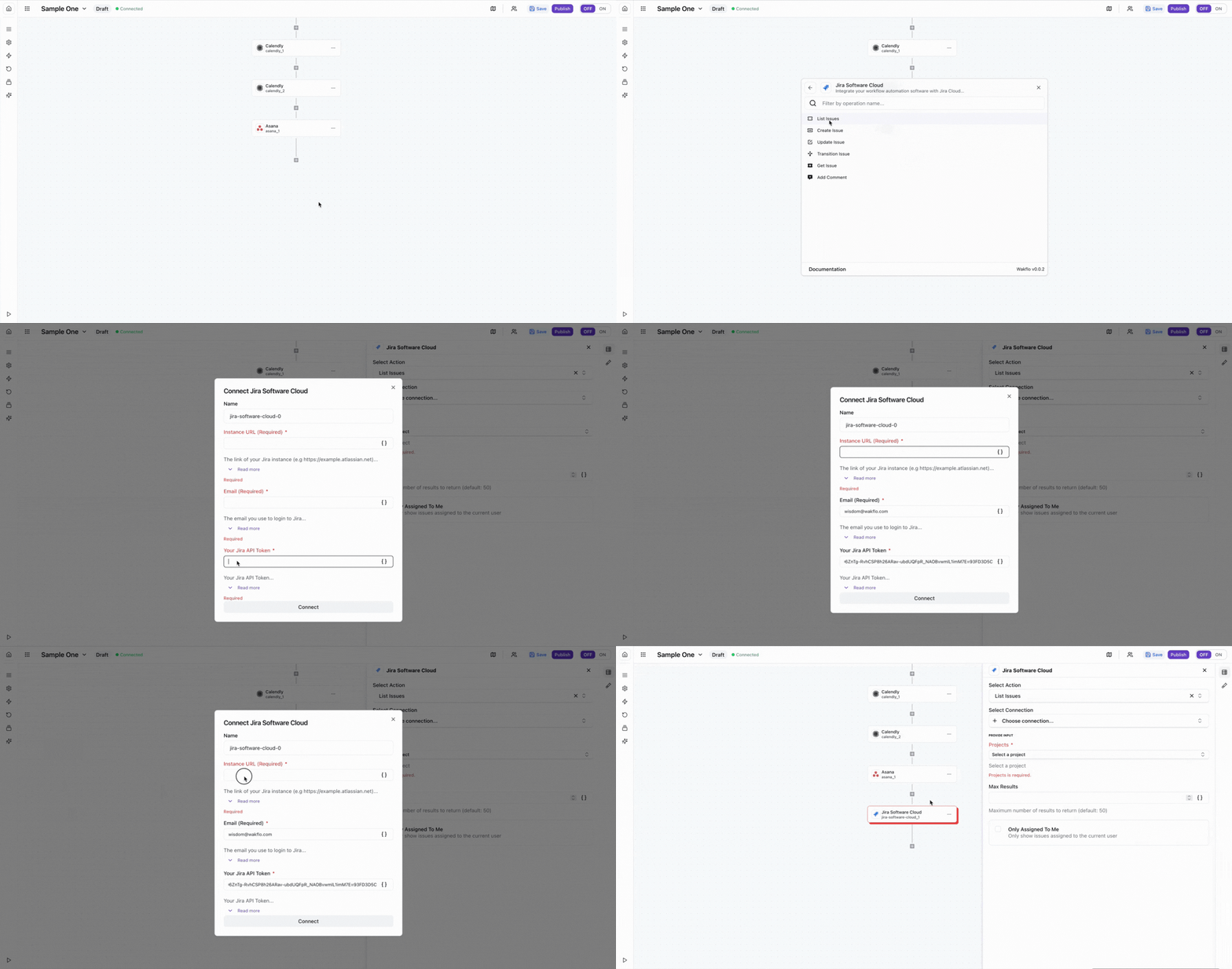
In Wakflo, select Jira Cloud integration and enter your email, API token, and domain to establish the connection. You can generate an API token from your Atlassian account under Security > API tokens.
You'll need your email address, API token, and Jira Cloud domain (e.g., yourcompany.atlassian.net) to complete the connection. Keep your API token secure.
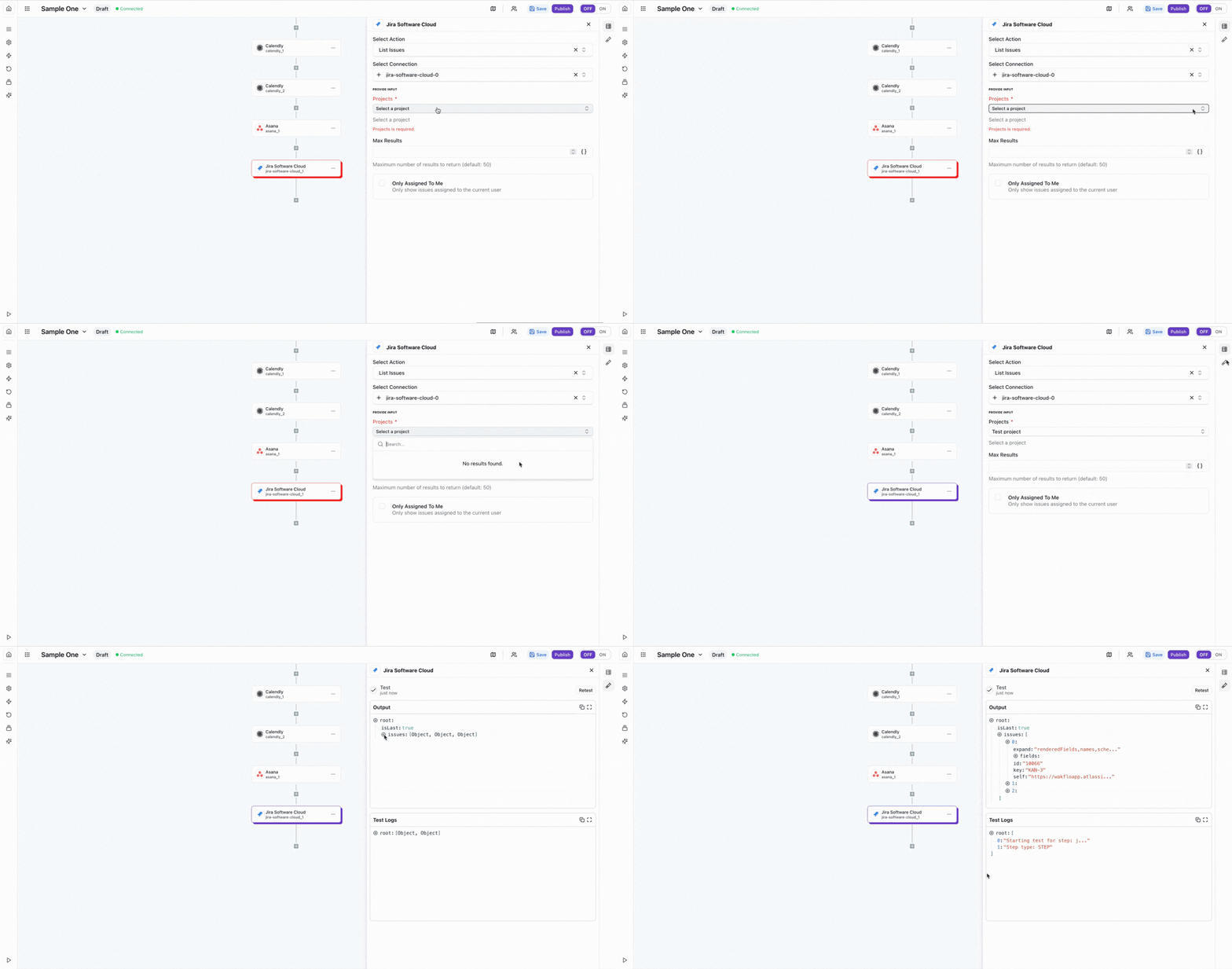
Test Connection
Verify the connection by retrieving test data to ensure everything is working properly.
The Jira Cloud integration requires an API token and your Jira Cloud domain. Make sure you have the appropriate permissions to access and manage issues in your Jira projects.
Best Practices
Working with Jira Data
- •Use JQL (Jira Query Language) for advanced issue filtering and searching
- •Set up custom fields to capture project-specific information
- •Use issue transitions to automate workflow state changes
- •Implement error handling for issue creation to avoid duplicates
- •Leverage labels and components for better issue organization
Troubleshooting
Authentication Issues
- •Verify that your API token is valid and hasn't been revoked
- •Ensure your email address matches your Atlassian account
- •Check that your Jira Cloud domain is correctly formatted
Issue Operation Issues
- •Ensure project keys and issue IDs are correctly formatted
- •Verify that required fields are populated when creating issues
- •Check that you have permission to perform the action in the project
Rate Limiting
- •Jira Cloud enforces rate limits based on your account plan
- •Implement delays between bulk operations to avoid rate limits
- •Monitor API usage through your Atlassian admin console
Additional Resources
Last updated on