Gumroad Integration
Connect your Gumroad account to Wakflo and automate digital product management, sales tracking, and order fulfillment workflows. Build powerful integrations for your digital storefront.
Authentication
OAuth 2.0
Features
8 Actions
Available Actions
Gumroad Actions
Available Actions
Available Actions
Product Management
- •Delete Product: Remove a product from your Gumroad account
- •Disable Product: Temporarily disable a product from being sold
- •Enable Product: Re-enable a previously disabled product
- •Get Product: Retrieve details of a specific product
- •List Products: Retrieve all products from your Gumroad account
Sales Management
- •Get Sale: Retrieve details of a specific sale
- •List Sales: Retrieve all sales from your Gumroad account
- •Mark as Shipped: Mark a physical product order as shipped
Setup Guide
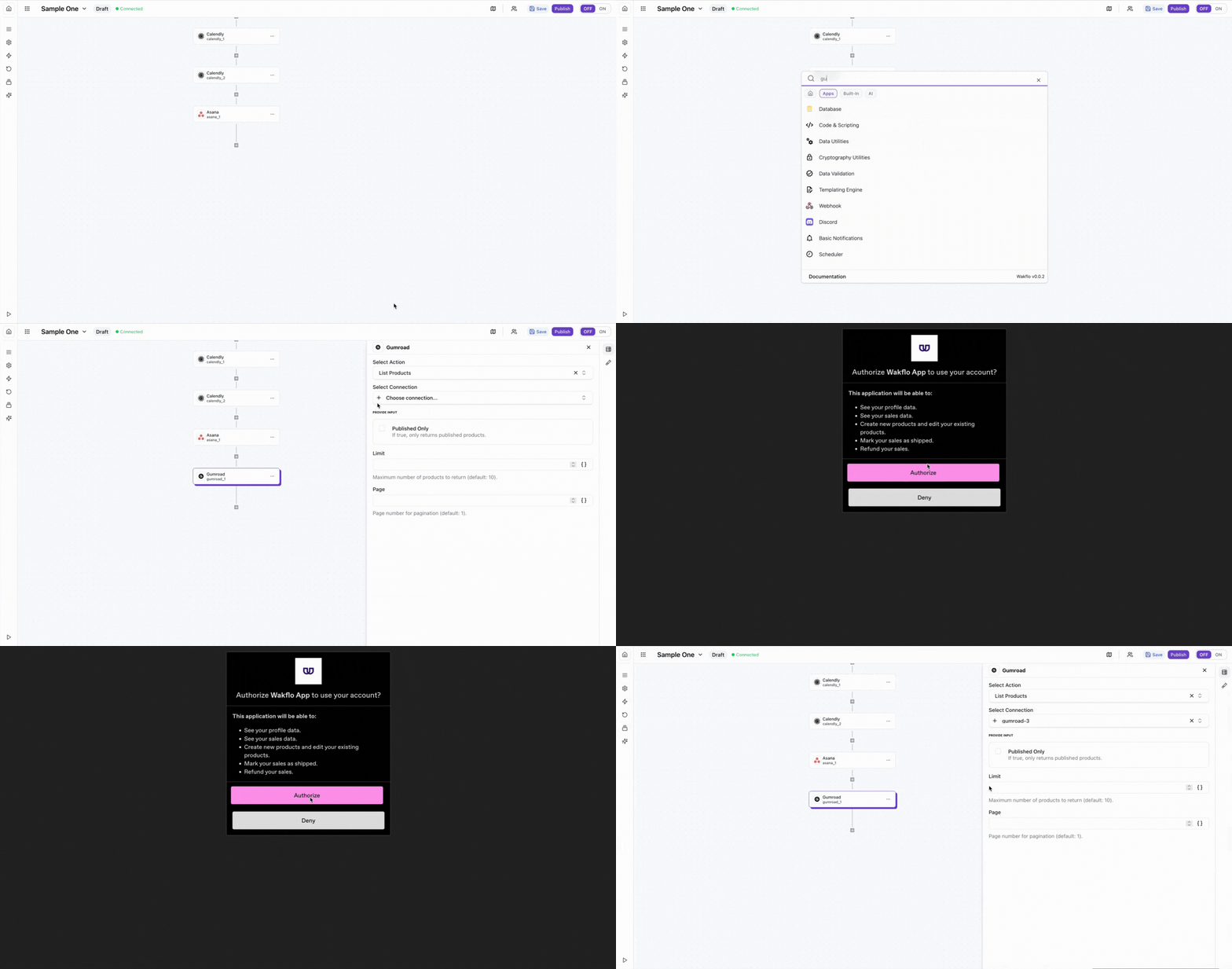
Connect to Wakflo
In Wakflo, select Gumroad integration and complete the OAuth authorization flow to connect your Gumroad account.
The integration uses OAuth 2.0 for secure authentication. Make sure to grant the required permissions to manage products and access sales data during the authorization process.
Test Connection
Verify the connection by retrieving test data to ensure everything is working properly.
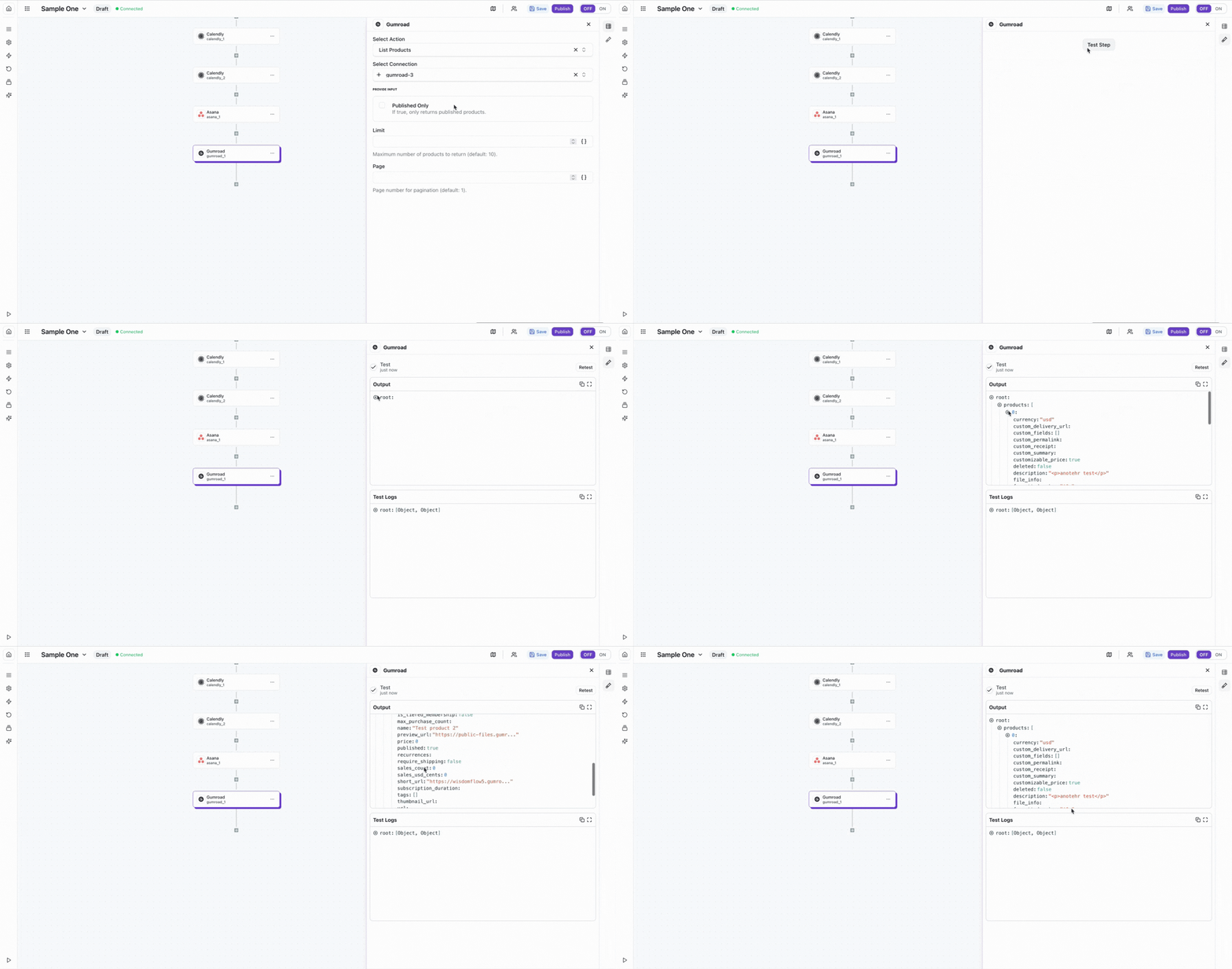
The Gumroad integration uses OAuth 2.0 for secure authentication. You can connect directly using Wakflo's existing integration. Make sure to grant the appropriate permissions to manage products and access sales data.
Best Practices
Working with Gumroad Data
- •Use webhooks for real-time sales notifications when possible
- •Implement error handling for product management operations
- •Monitor sales data regularly to track performance
- •Keep your OAuth credentials secure and refresh tokens regularly
- •Use product enable/disable strategically for inventory management
Troubleshooting
Authentication Issues
- •Verify that you've completed the OAuth authorization flow
- •Ensure your Gumroad account has seller permissions enabled
- •Check that you granted all required permissions during setup
Product Operation Issues
- •Ensure product IDs are correct when retrieving or updating products
- •Verify that products haven't been deleted before attempting operations
- •Check that you have permissions to modify the product
Rate Limiting
- •Gumroad enforces rate limits on API requests
- •Implement delays between bulk operations to avoid rate limits
- •Monitor your API usage to stay within limits
Additional Resources
Last updated on