WooCommerce Integration
Connect your WordPress-powered WooCommerce store to Wakflo. Automate order processing, inventory management, customer communications, and more for the world's most popular open-source ecommerce platform.
API Key + Secret
Secure REST API authentication
Event Webhooks
Real-time store notifications
WordPress Platform
Works with any WooCommerce site
Requirements
- •WordPress site with WooCommerce plugin installed
- •Administrator access to your WordPress site
- •WooCommerce REST API access enabled
- •Publicly accessible WordPress site (or whitelisted IP access)
Available Triggers
Automatically start workflows when events occur in your WooCommerce store.
Order Triggers
Order Events
- •New Order: Triggered when a new order is placed
- •Order Status Changed: Triggered when an order's status changes
- •Order Completed: Triggered when an order is marked as completed
- •Order Refunded: Triggered when an order is refunded
- •Order Note Added: Triggered when a note is added to an order
Product Triggers
Product Events
- •Product Created: Triggered when a new product is created
- •Product Updated: Triggered when a product is updated
- •Product Deleted: Triggered when a product is deleted
- •Product Stock Changed: Triggered when product stock changes
- •Product Review: Triggered when a product receives a review
Customer Triggers
Customer Events
- •Customer Created: Triggered when a new customer account is created
- •Customer Updated: Triggered when customer information is updated
- •New Subscription: Triggered when a customer subscribes (requires WooCommerce Subscriptions)
Available Actions
Perform operations in your WooCommerce store through your workflows.
Order Actions
Order Operations
- •Create Order: Create a new order programmatically
- •Update Order: Modify an existing order
- •Update Order Status: Change an order's status
- •Add Order Note: Add a note to an order
- •Generate Invoice: Create an invoice for an order
Product Actions
Product Operations
- •Create Product: Add a new product to your store
- •Update Product: Modify an existing product
- •Update Stock: Change product stock levels
- •Create Coupon: Generate a discount coupon
- •Update Product Categories: Manage product categorization
Customer Actions
Customer Operations
- •Create Customer: Add a new customer account
- •Update Customer: Modify customer information
- •Add Customer Note: Add a note to a customer account
- •Generate Coupon for Customer: Create customer-specific discounts
Setup Guide
Follow these steps to connect your WooCommerce store to Wakflo and start automating.
Create API Credentials
In your WordPress admin, go to WooCommerce > Settings > Advanced > REST API and click 'Add key'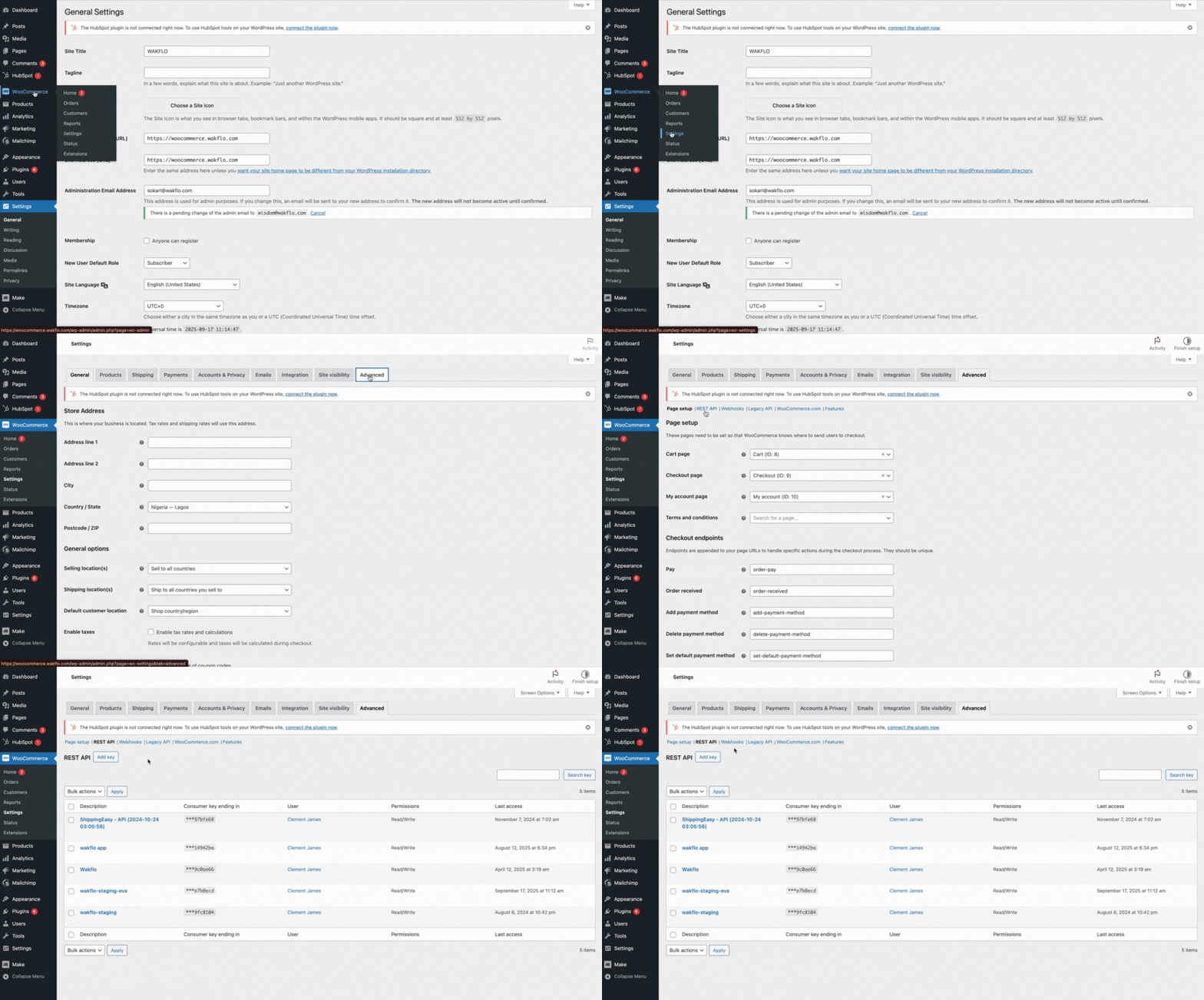
Configure Permissions
Set permissions to 'Read/Write' and generate the keys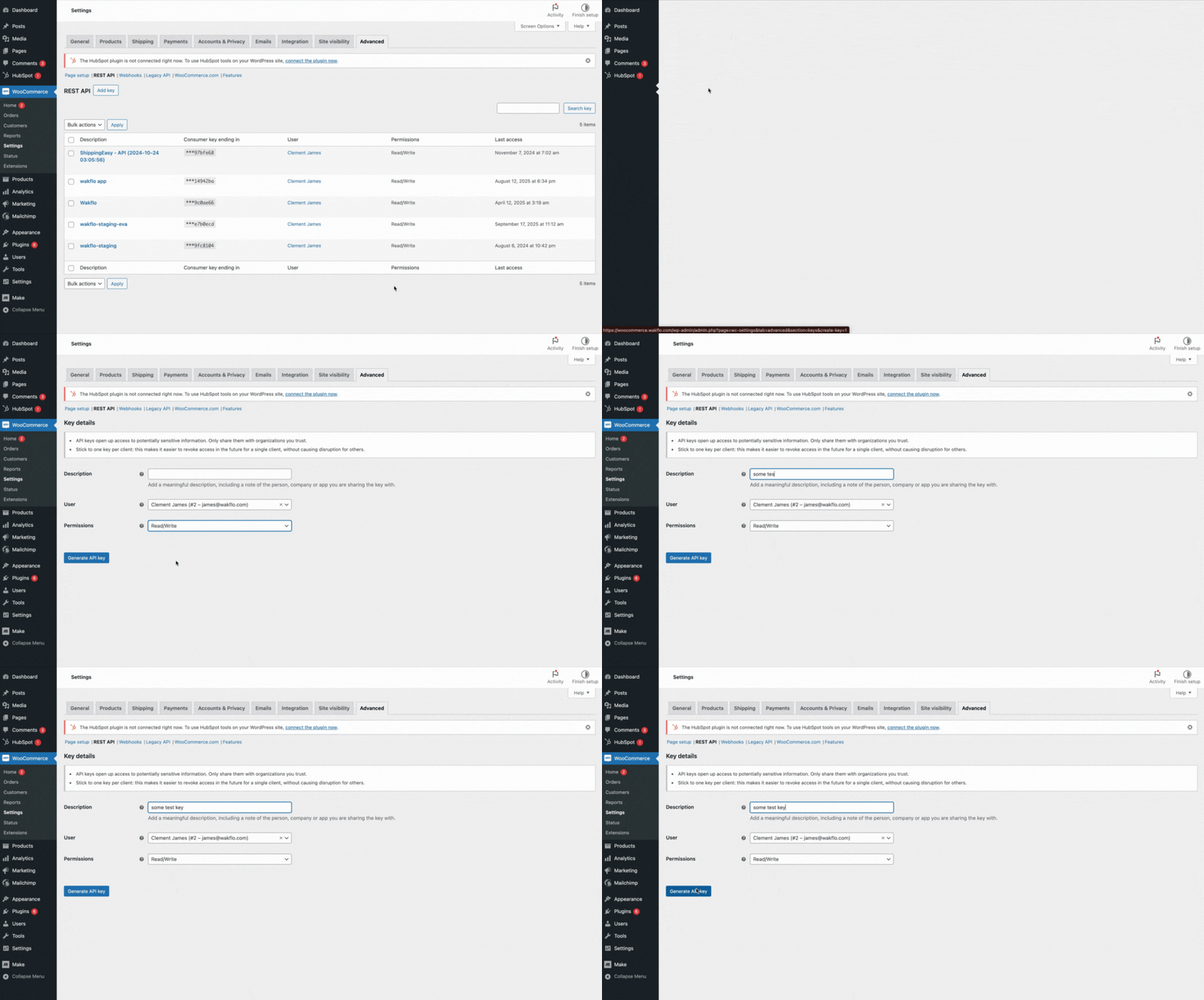
Connect to Wakflo
In Wakflo, select WooCommerce integration and enter your site URL, consumer key, and consumer secret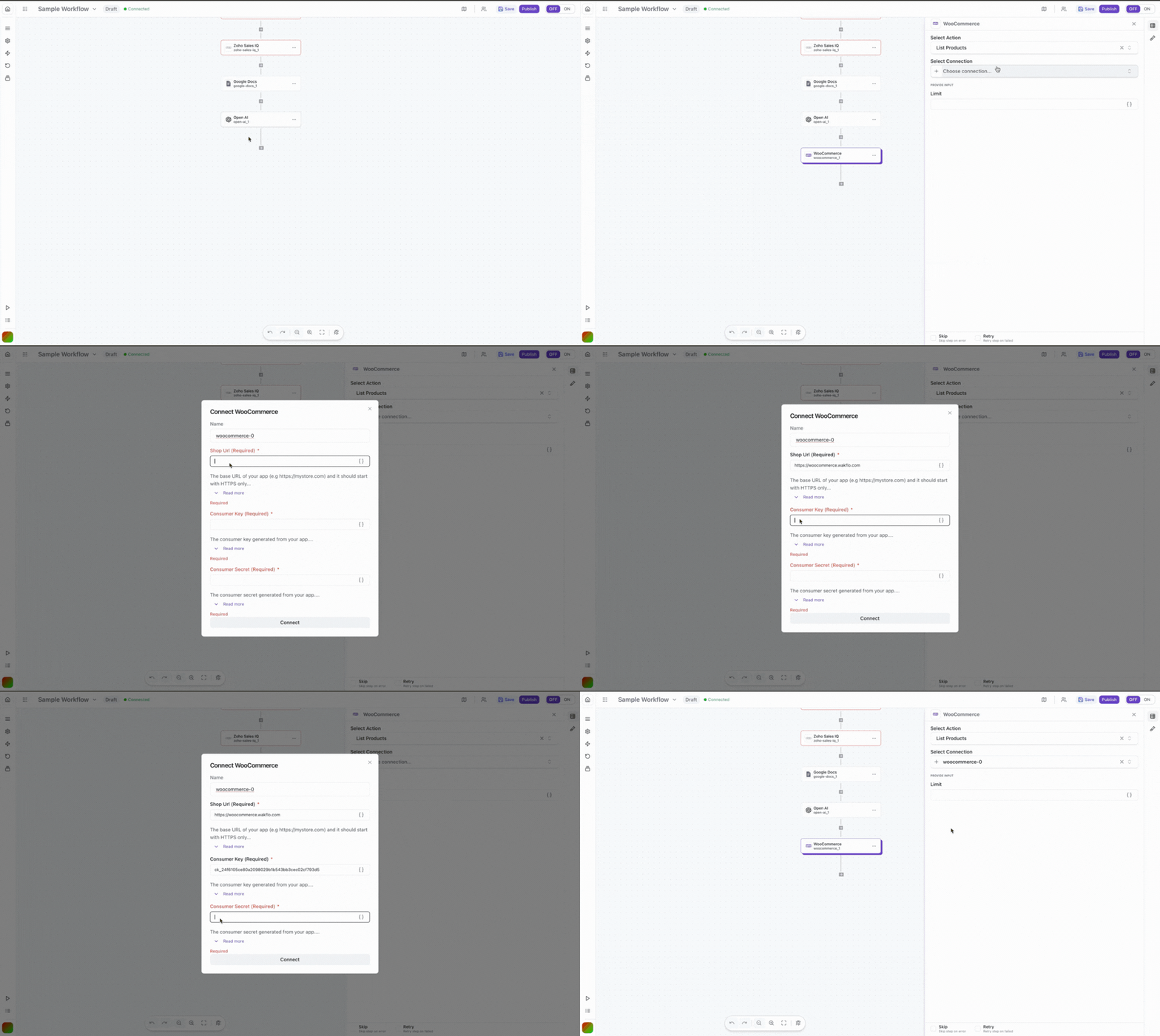
Test Connection
Verify the connection by retrieving test data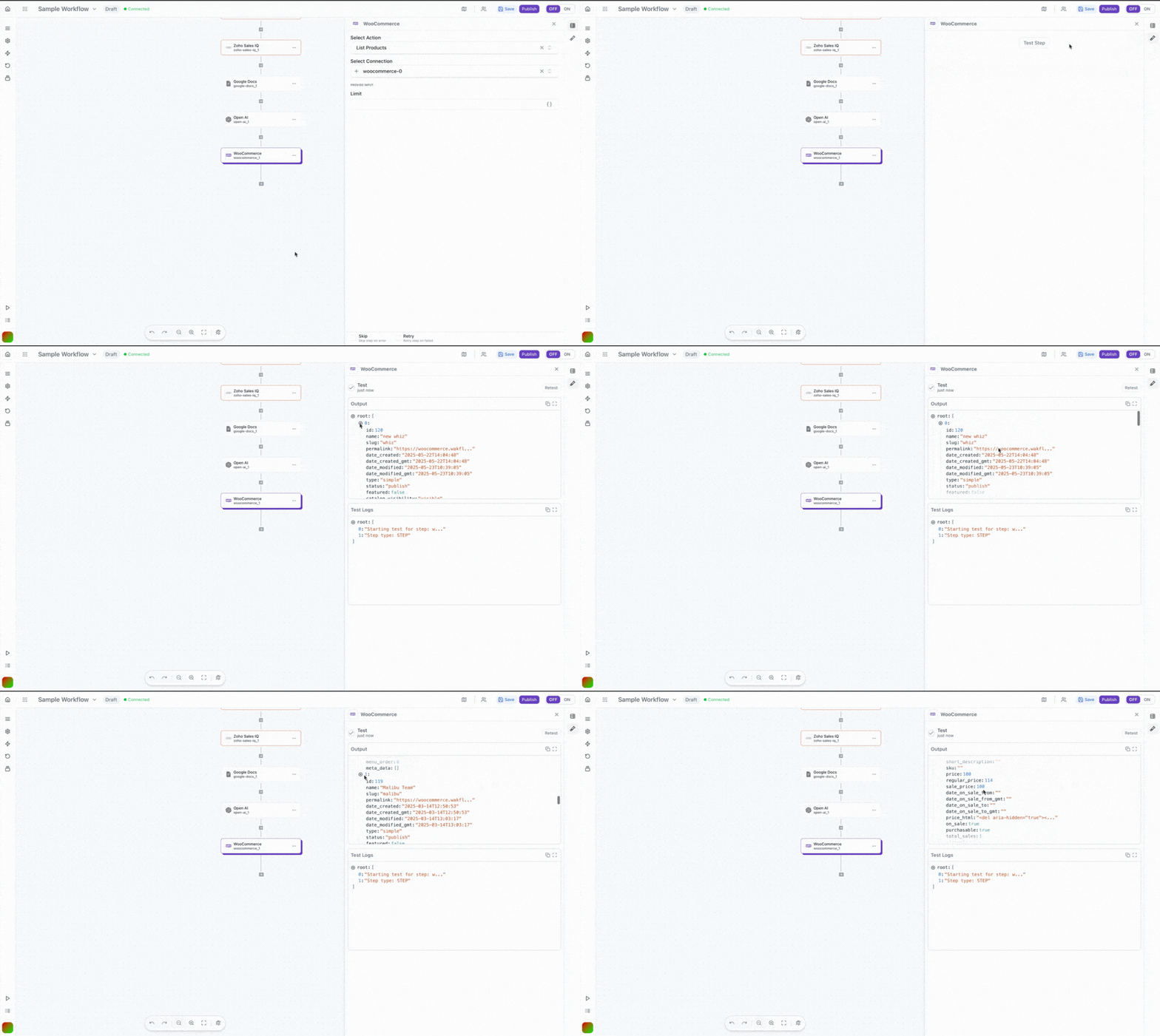
The WooCommerce integration requires your WordPress site to be publicly accessible. If your site is behind a firewall or password protection, you'll need to allow access from Wakflo's IP addresses.
Last updated on