Pinterest Integration
Connect your Pinterest account to Wakflo and automate pin management, content publishing, and analytics workflows. Build powerful integrations that streamline your visual marketing strategy.
Authentication
OAuth 2.0
Features
1 Trigger • 6 Actions
Available Triggers & Actions
Pinterest Triggers
Pin Triggers
- •Pin Created: Triggered when a new pin is created on your Pinterest account
Pinterest Actions
Pin Management
- •Create Pin: Create and publish a new pin to your Pinterest board
- •Delete Pin: Remove a pin from your Pinterest account
- •Get Pin: Retrieve details of a specific pin
- •Update Pin: Modify an existing pin's information
Analytics & Search
- •Get Pin Analytics: Retrieve analytics and performance data for a pin
- •Search Pins: Search for pins based on keywords or criteria
Setup Guide
Connect to Wakflo
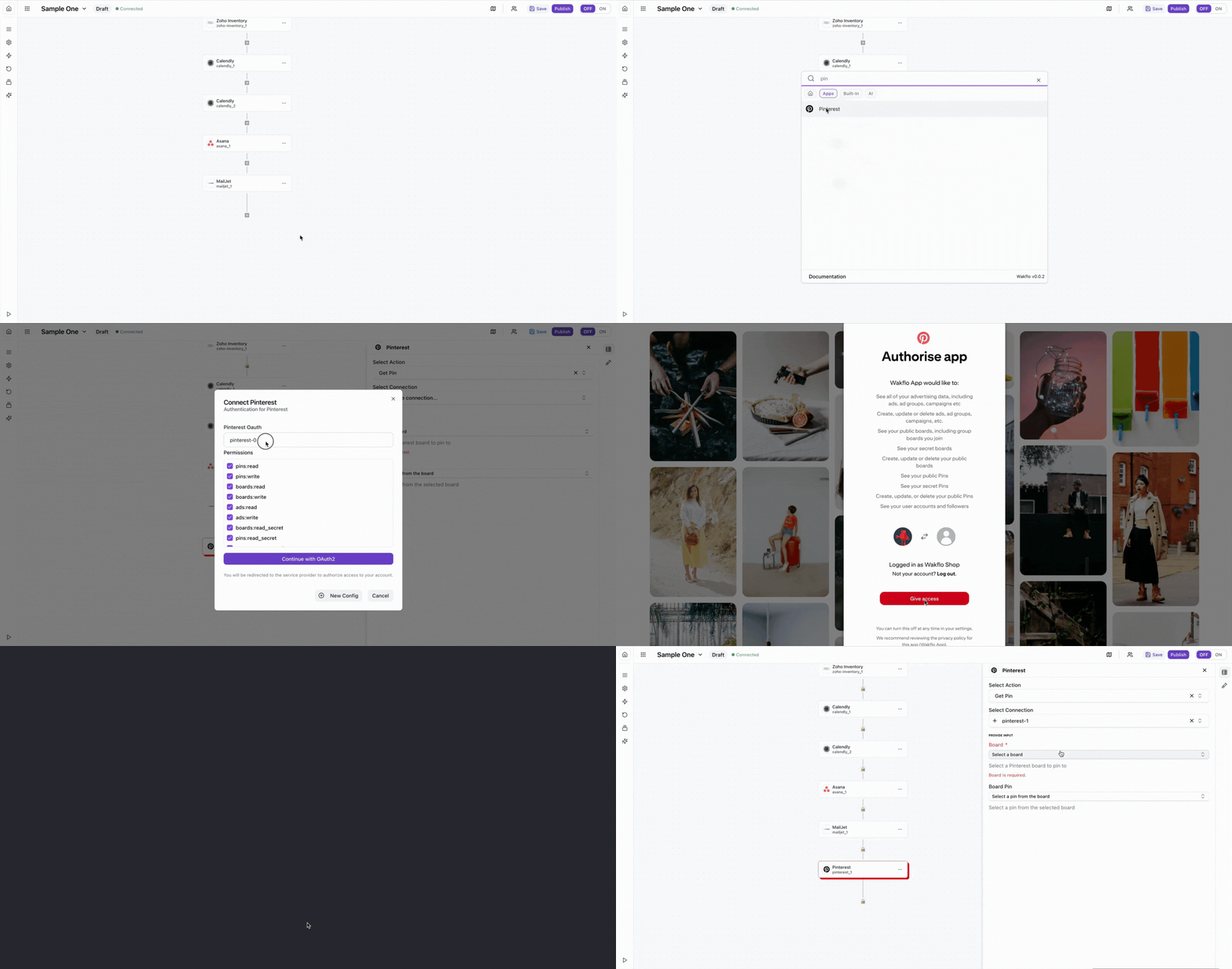
In Wakflo, select Pinterest integration and complete the OAuth 2.0 authorization flow to connect your Pinterest Business account. Wakflo provides a pre-configured Pinterest integration, so you don't need to create your own Pinterest App unless you require a custom connection.
You'll need a Pinterest Business account to use this integration. The OAuth flow will request permissions for pins:read, pins:write, and boards:read scopes.
Test Connection
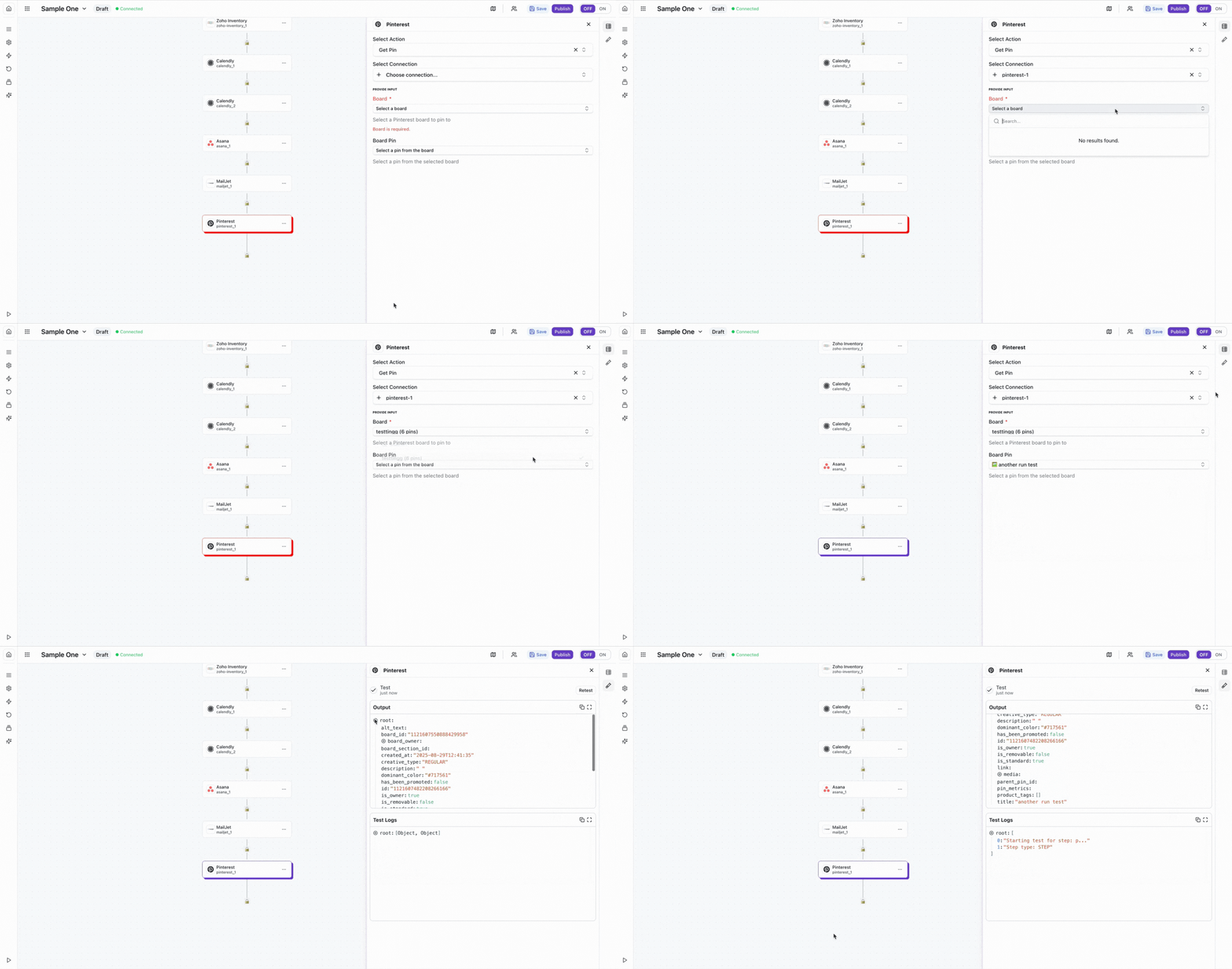
Verify the connection by retrieving test data to ensure everything is working properly.
Best Practices
Pinterest Marketing Best Practices
- •Use high-quality, vertical images (2:3 aspect ratio recommended)
- •Include descriptive titles and keywords in pin descriptions for better discoverability
- •Organize pins into relevant boards for better content organization
- •Monitor pin analytics to understand what content performs best
- •Respect Pinterest's rate limits to avoid API throttling
- •Use rich pins when possible to provide more context and information
Troubleshooting
Authentication Issues
- •Ensure you're using a Pinterest Business account, not a personal account
- •Verify that all required OAuth scopes have been granted during authorization
- •Re-authorize the connection if you've changed account permissions
Pin Creation Issues
- •Ensure images meet Pinterest's size and format requirements
- •Verify that the destination URL is valid and accessible
- •Check that the target board exists and you have permission to post to it
- •Ensure pin descriptions comply with Pinterest's content guidelines
Rate Limiting
- •Pinterest enforces rate limits based on your app and account type
- •Implement delays between bulk pin operations to avoid throttling
- •Monitor API usage and handle rate limit errors gracefully