Trello Integration
Connect your Trello boards to Wakflo and automate card management, list operations, and project tracking workflows. Build powerful integrations that keep your projects organized and moving forward.
Authentication
API Key & Token
Features
4 Actions
Available Actions
Trello Actions
Available Actions
Available Actions
- •Create Card: Add a new card to a Trello list
- •Delete Card: Remove a card from a Trello board
- •Find Card: Search for a specific card in your Trello boards
- •Create List: Add a new list to a Trello board
Setup Guide
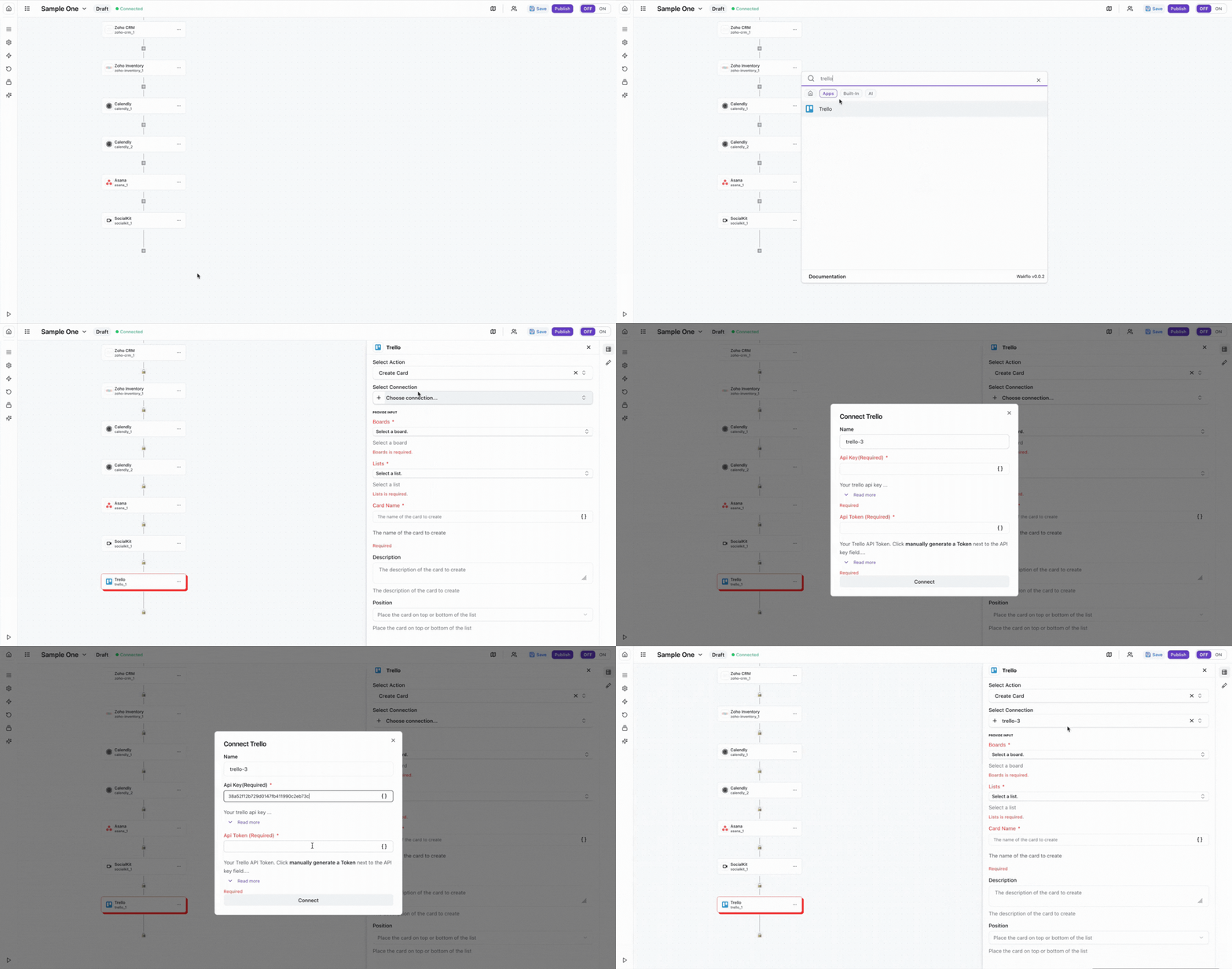
Connect to Wakflo
In Wakflo, select Trello integration and enter your API key and token to establish the connection. You can get these credentials from the Trello Developer API Keys page.
To get your API key and token, go to trello.com/app-key. After generating your API key, authorize the token to grant access to your boards. Ensure your token has permissions to read and write cards and lists on the boards you want to automate.
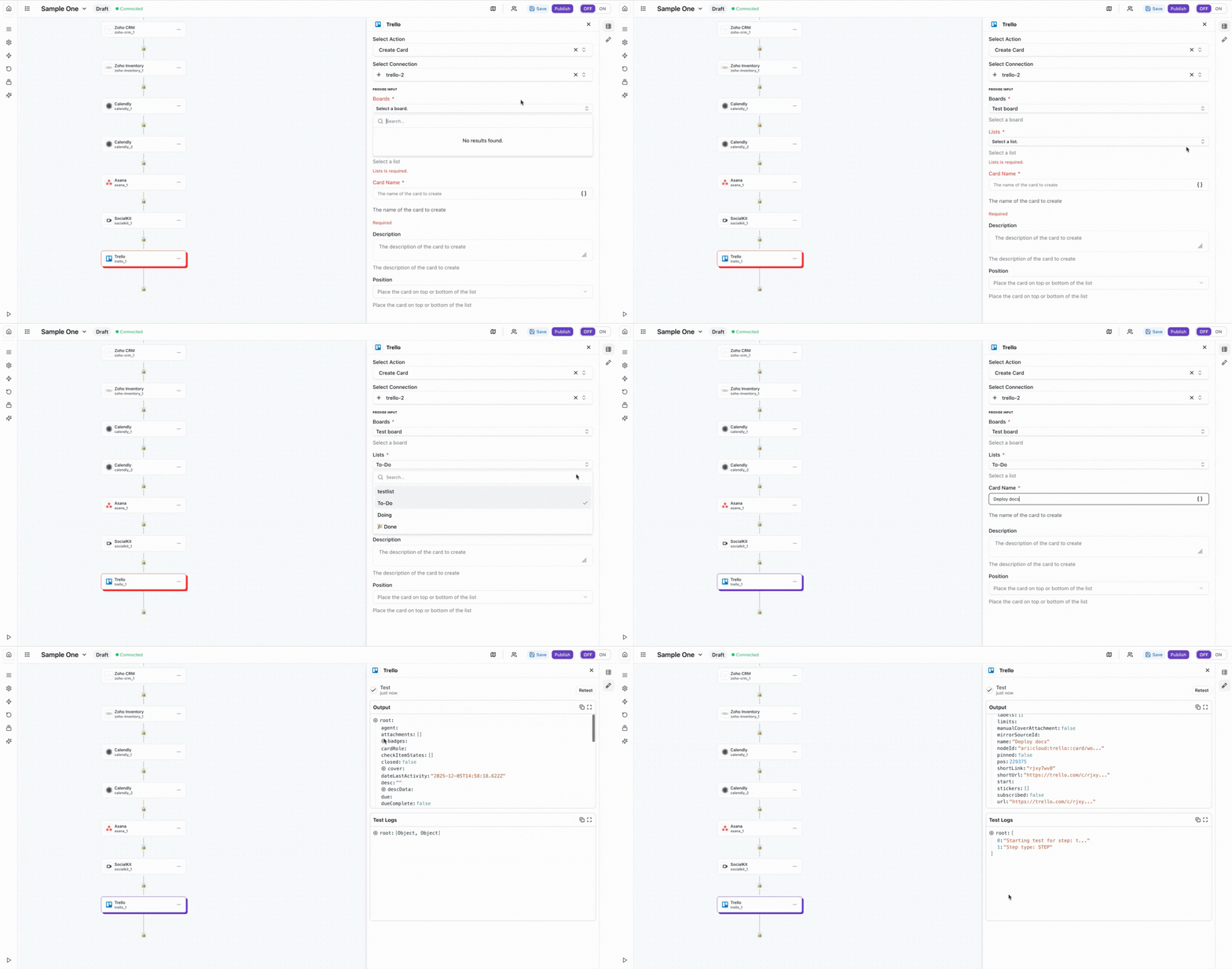
Test Connection
Verify the connection by retrieving test data to ensure everything is working properly.
The Trello integration requires both an API key and token. Make sure to authorize the token with the appropriate permissions for the boards you want to automate.
Best Practices
Working with Trello Data
- •Use descriptive card names and descriptions for better organization
- •Apply labels and due dates when creating cards to track priorities
- •Implement error handling for card creation to avoid duplicates
- •Keep your API credentials secure and rotate them periodically
- •Use board IDs and list IDs consistently across your workflows
Troubleshooting
Authentication Issues
- •Verify that both your API key and token are valid and haven't been revoked
- •Ensure your token has been authorized with the necessary permissions
- •Check that you have access to the boards you're trying to automate
Card Operations Issues
- •Ensure board and list IDs are correctly formatted when creating cards
- •Verify that the list exists on the specified board before creating cards
- •Check that card IDs are valid when attempting to delete or find cards
Rate Limiting
- •Trello enforces rate limits of 300 requests per 10 seconds per token
- •Implement delays between bulk operations to avoid hitting rate limits
- •Monitor API usage to stay within your limits
Additional Resources
Last updated on