Key Concepts
Master the fundamentals of Wakflo. Understanding these core concepts will help you build powerful automations with confidence.
Workflows
A workflow is your automation blueprint—a sequence of steps that execute automatically when triggered by an event. Think of it as a digital assistant that follows your instructions to complete tasks.
The event that starts your workflow
The tasks performed when the workflow runs
Conditions, loops, and error handling for sophisticated automation
Triggers
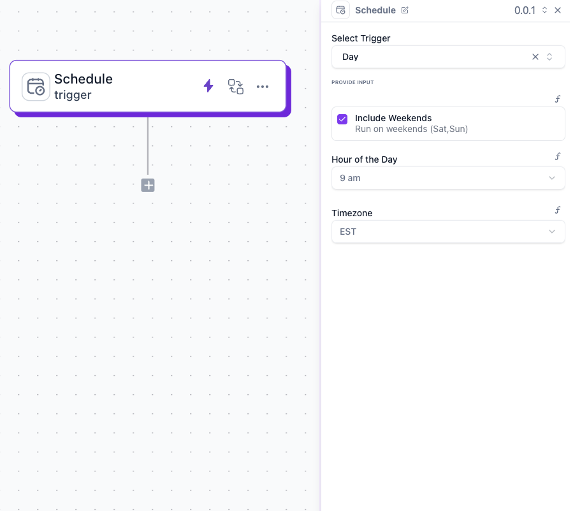
A trigger is the spark that ignites your workflow. Every workflow begins with exactly one trigger—the event that tells Wakflo “it’s time to start.”
Time-based events like “every day at 9 AM” or “every 5 minutes”
Events from connected platforms like “new WooCommerce order” or “customer signed up”
Started by you with a button click or API call
Integrations
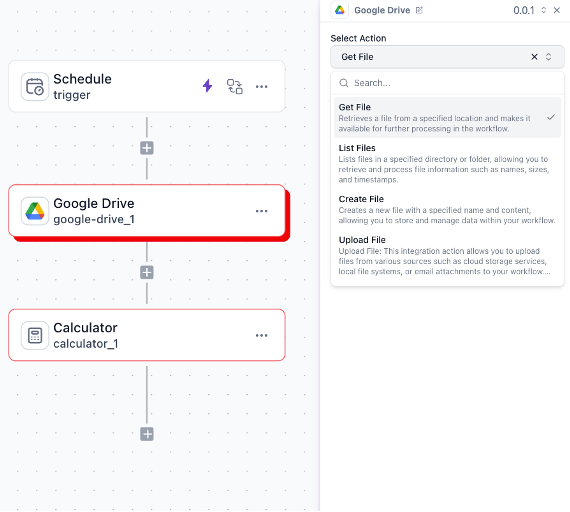
An integration connects Wakflo to external platforms or provides built-in functionality. Each integration comes with specific actions you can perform.
Connect to platforms like Google Drive, Shopify, or Slack
Built-in tools like Calculator, Date Formatter, or Code Runner
Each workflow step can execute only one action from a single integration.
Actions
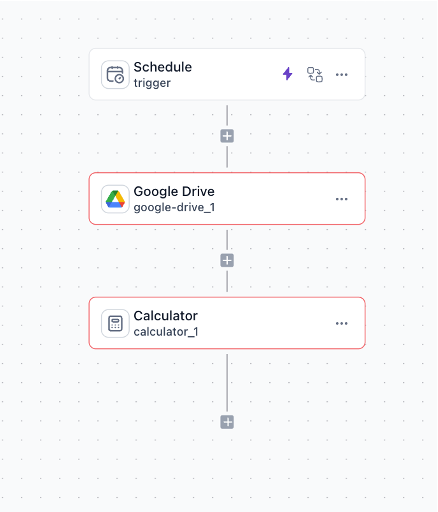
Actions are the workhorses of your automation—the actual tasks your workflow performs. A workflow can chain multiple actions together in sequence.
Create, update, or delete records in connected platforms
Send emails, SMS messages, or Slack alerts
Format data, perform calculations, or manipulate text
Make HTTP calls to external services
Generate reports, upload documents, or process files
Conditions
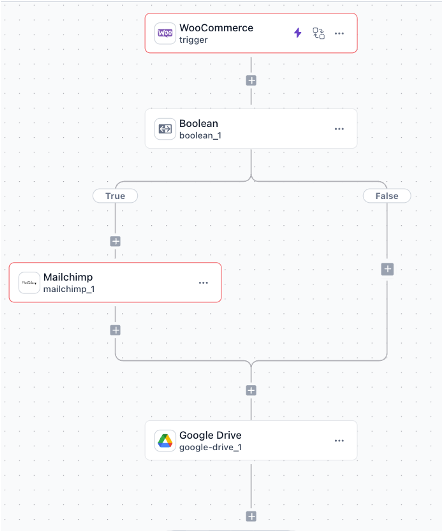
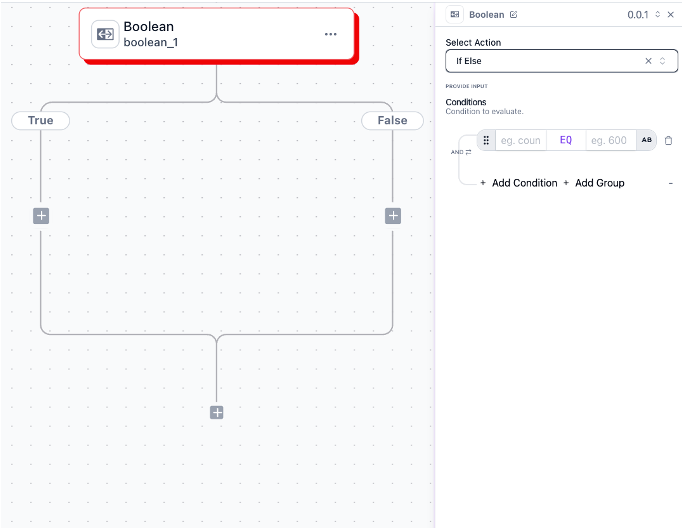
Conditions add intelligence to your workflows by creating decision points. Based on your criteria, the workflow takes different paths—like a choose-your-own-adventure book for automation.
Two types available: Boolean (simple True/False) and Branch (multiple conditions with different outcomes).
Connection Security
Integrations need proper authentication to securely access external platforms. Here’s how Wakflo keeps your connections safe:
Authentication
Secure connection using OAuth, API keys, or other standard protocols
Permissions
Request only the access needed for specific actions
Data Access
Safe, controlled access to your platform data and operations
Templates
Templates are pre-built workflows for common scenarios. Instead of starting from scratch, use a template and customize it to your needs.
Save hours by using proven solutions for common business processes
Modify every aspect to match your specific requirements
Browse by category: inventory, orders, marketing, and more
Executions
An execution is a single run of your workflow. Every time a trigger fires, Wakflo creates a new execution with complete tracking and logging.
Waiting for trigger
Trigger received
Executing now
Success
Error occurred
Stopped manually
Environment Variables & Secrets
Store reusable values and sensitive credentials securely across your workflows.
Organization-level values accessible across all workflows
Configure in Organizations → Settings →Project-level encrypted storage for sensitive credentials
Configure in Project → Settings → SecretsTeams & Permissions
Collaborate safely with role-based access control. Give team members the right level of access for their responsibilities.
Full platform access and control
Create and modify workflows
Read-only access
Set permissions at both the organization level and for individual workflows.
Ready to Build?
You’ve got the fundamentals down. Now it’s time to put them into practice.