Shopify Integration
Automate your Shopify store operations with real-time triggers and powerful actions. Connect your store, sync data, and build workflows that respond to orders, products, customers, and more.
Admin Access Token
Secure authentication via API
Real-Time Webhooks
Instant event notifications
All Store Plans
Basic plan or higher supported
Requirements
- •Shopify store on Basic plan or higher
- •Admin access to your store
- •Admin Access Token (API credentials)
- •Your Shop URL (e.g., yourstore.myshopify.com)
Available Triggers
Triggers start your workflows automatically when events occur in your Shopify store.
Order Triggers
Order Events
- •New Order: Triggered when a new order is created
- •Order Status Changed: Triggered when an order's status changes
- •Order Cancelled: Triggered when an order is cancelled
- •Order Fulfilled: Triggered when an order is fulfilled
- •Order Partially Fulfilled: Triggered when an order is partially fulfilled
- •Order Paid: Triggered when payment is received for an order
- •Abandoned Checkout: Triggered when a customer abandons checkout
Product Triggers
Product Events
- •Product Created: Triggered when a new product is created
- •Product Updated: Triggered when a product is updated
- •Product Deleted: Triggered when a product is deleted
- •Inventory Updated: Triggered when product inventory changes
- •Price Changed: Triggered when a product's price changes
- •Collection Updated: Triggered when a collection is modified
Customer Triggers
Customer Events
- •Customer Created: Triggered when a new customer account is created
- •Customer Updated: Triggered when customer information changes
- •Customer Deleted: Triggered when a customer account is deleted
- •New Subscriber: Triggered when someone subscribes to marketing emails
Available Actions
Actions allow your workflows to perform operations in your Shopify store.
Order Actions
Order Operations
- •Create Order: Create a new order in Shopify
- •Update Order: Modify an existing order
- •Cancel Order: Cancel an order
- •Create Fulfillment: Fulfill an order
- •Add Order Tag: Tag an order for organization
- •Send Order Invoice: Email an invoice to a customer
Product Actions
Product Operations
- •Create Product: Add a new product to your store
- •Update Product: Modify an existing product
- •Update Inventory: Change product inventory levels
- •Set Product Price: Update a product's price
- •Add Product Tag: Apply tags to products
- •Add to Collection: Include products in collections
Customer Actions
Customer Operations
- •Create Customer: Add a new customer to your store
- •Update Customer: Modify customer information
- •Add Customer Tag: Apply tags to customers
- •Send Account Invitation: Invite customers to create an account
- •Create Discount Code: Generate unique discount codes
Setup Guide
Follow these steps to connect your Shopify store to Wakflo and start automating.
Create App in Shopify
In your Shopify admin, go to Settings > Apps and sales channels > Develop apps and click 'Create an app'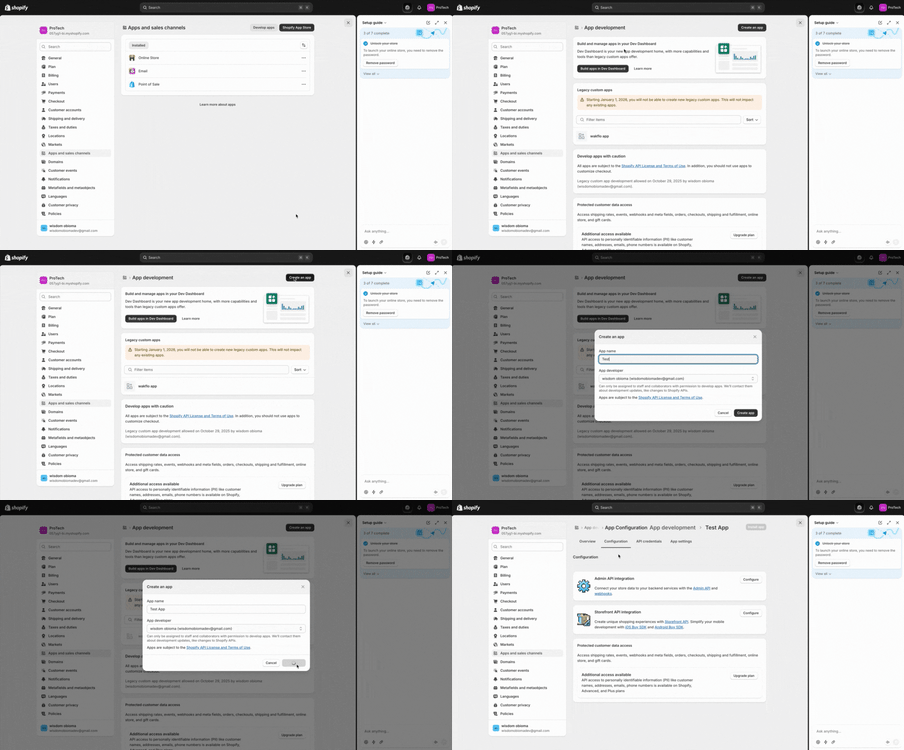
Configure API Scopes
Set the required API scopes for your integration and install the app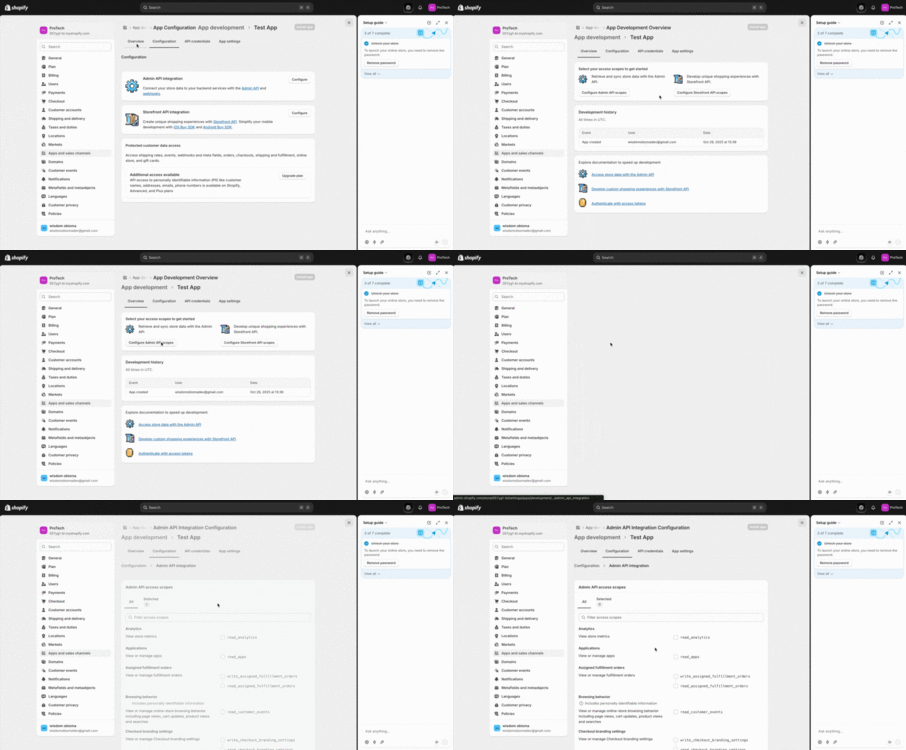
Connect to Wakflo
In Wakflo, select Shopify integration and authorize the connection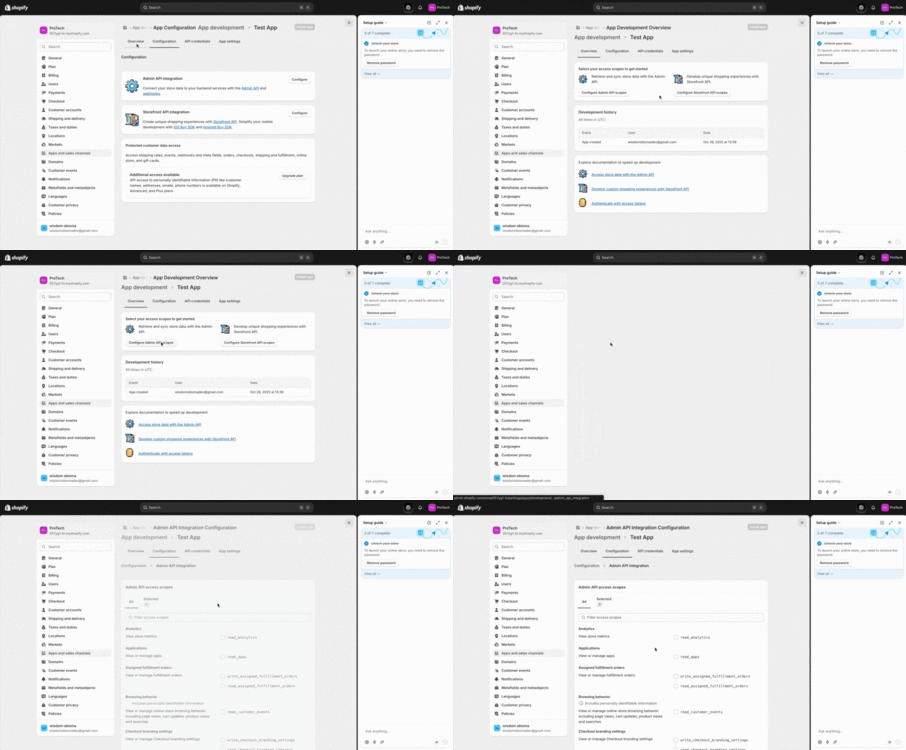
Test Connection
Verify the connection by retrieving test data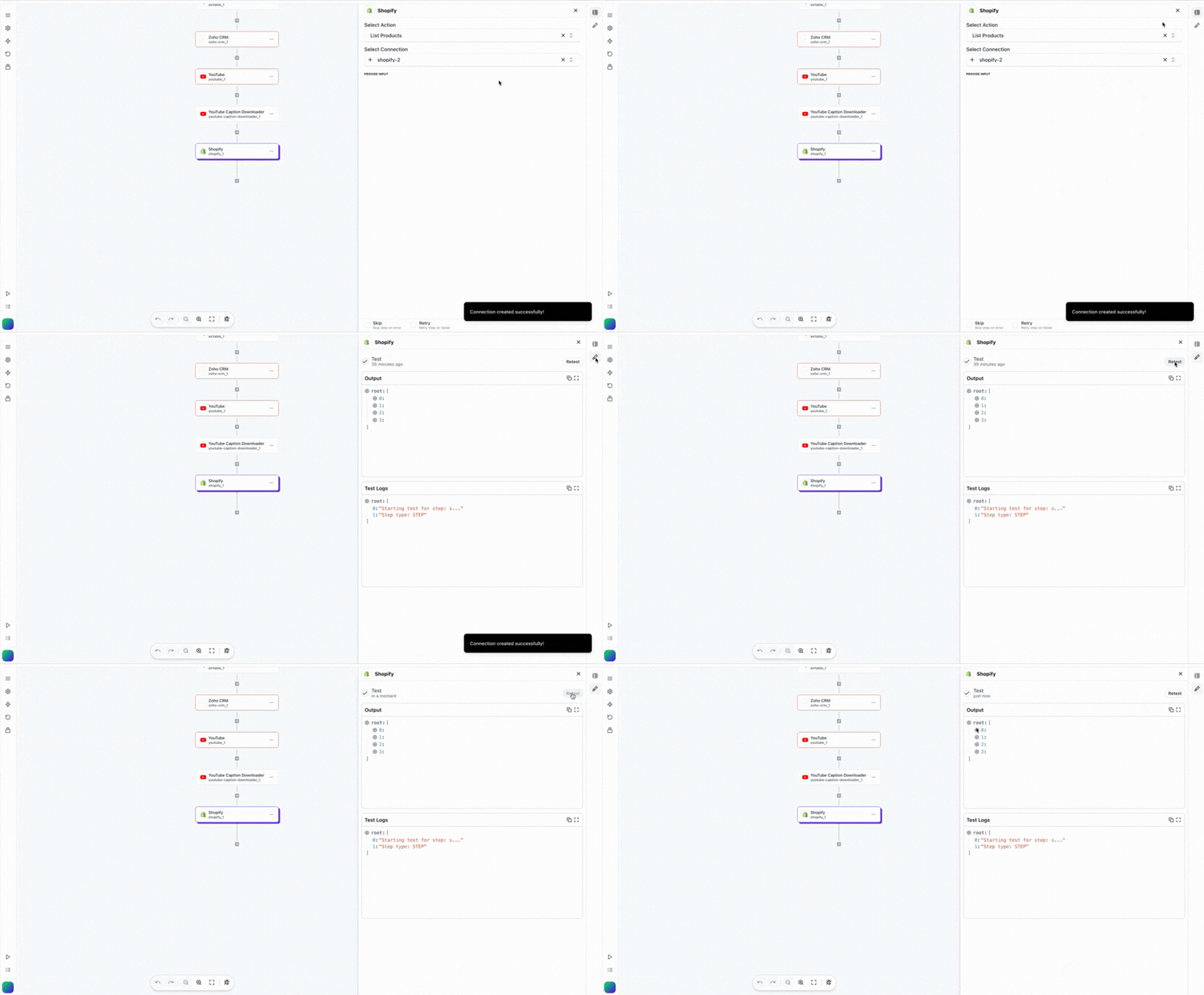
The Shopify integration installs a custom app in your Shopify store. You can find this app in your Shopify admin under Apps > Custom apps.
Last updated on