Claude Integration
Connect Anthropic's Claude AI to Wakflo and leverage powerful AI automation for text analysis, translation, comparison, and conversational workflows. Build intelligent applications with Claude's advanced reasoning capabilities.
Authentication
API Key
Features
5 Actions
Available Actions
Claude Actions
Available Actions
Available Actions
- •Analyze Text: Analyze and extract insights from text content
- •Compare Text: Compare two texts and identify similarities and differences
- •Translate: Translate text between different languages
- •Chat Claude: Have a conversational interaction with Claude AI
- •Chat with Images: Interact with Claude AI using both text and images
Setup Guide
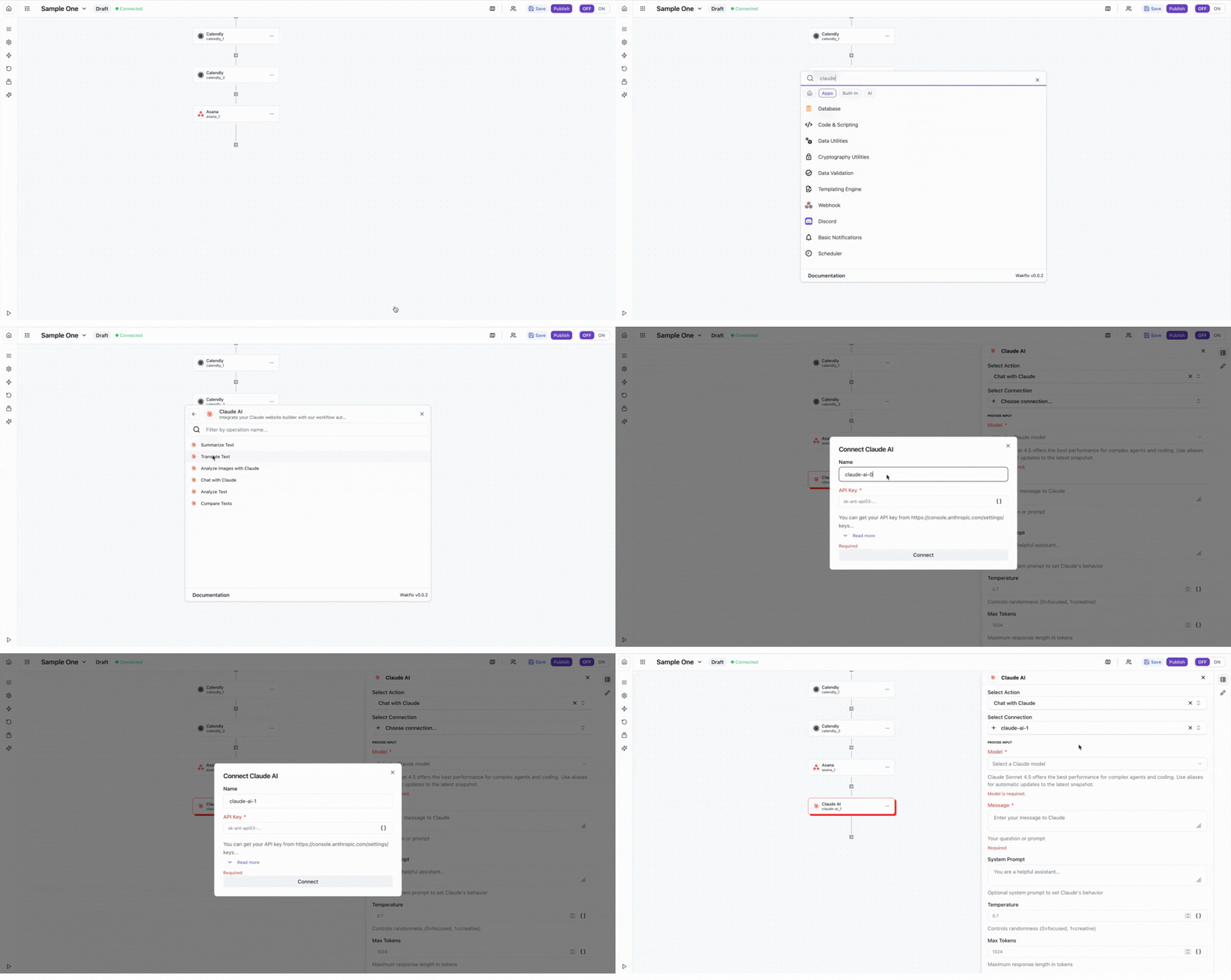
Connect to Wakflo
In Wakflo, select Claude integration and enter your API key to establish the connection. You can get your API key from the Anthropic Console at console.anthropic.com.
Keep your API key secure and never share it publicly. API usage is charged based on the number of tokens processed.
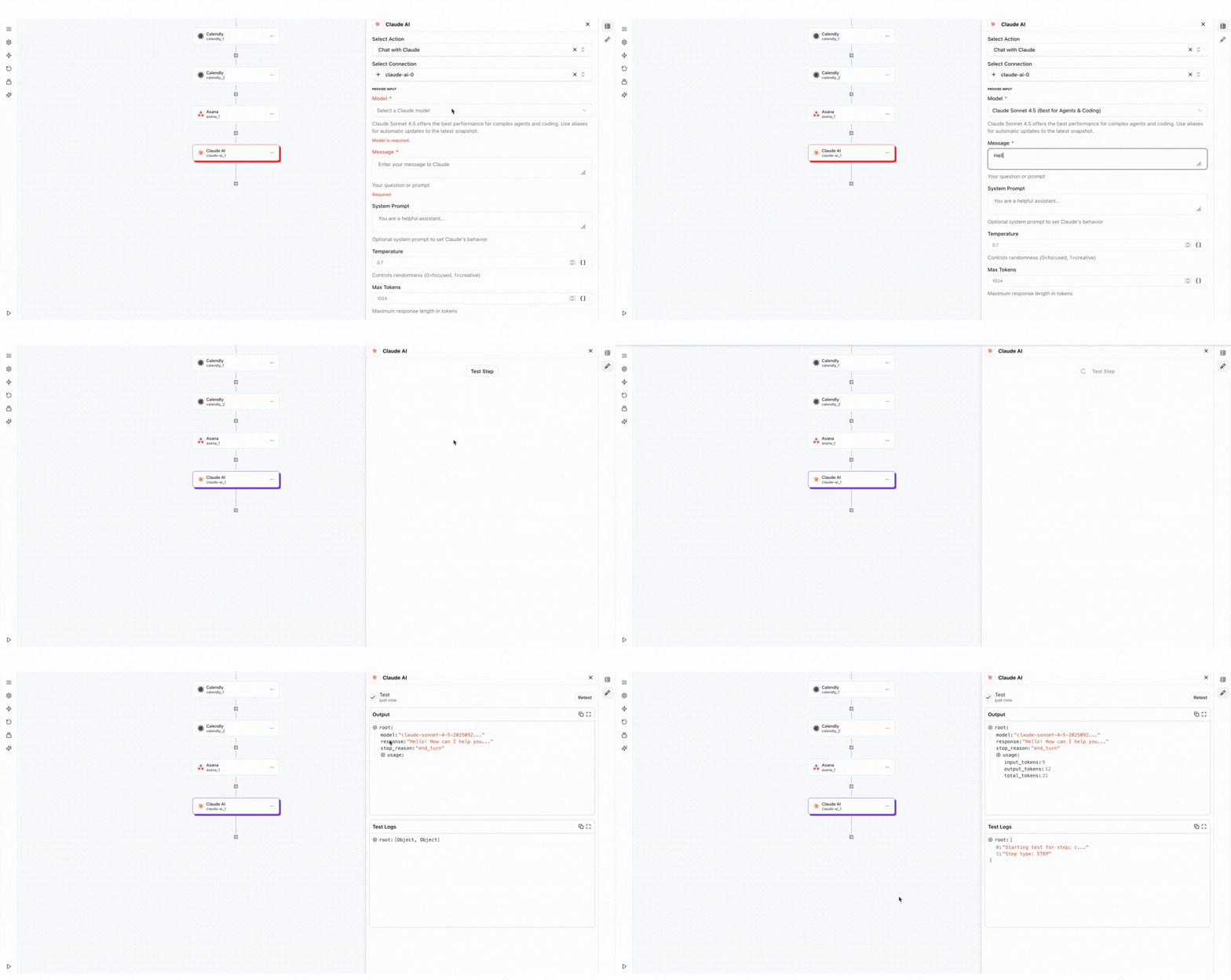
Test Connection
Verify the connection by sending a test message to ensure everything is working properly.
The Claude integration requires an active Anthropic API key with sufficient credits. API usage is charged based on the number of tokens processed. Make sure to monitor your usage in the Anthropic Console.
Best Practices
Working with Claude AI
- •Use clear, specific prompts for better AI responses and accuracy
- •Leverage Claude's strengths in complex reasoning and analysis tasks
- •Monitor token usage to optimize costs and performance
- •Use vision capabilities for document and image analysis workflows
- •Implement error handling for API timeouts and rate limits
Troubleshooting
Authentication Issues
- •Verify that your API key is valid and hasn't been revoked
- •Ensure your Anthropic account has sufficient credits or an active subscription
- •Check that API access is enabled in your Anthropic Console
Rate Limiting
- •Claude enforces rate limits based on your account tier
- •Implement exponential backoff for retry logic when rate limited
- •Monitor API usage through the Anthropic Console
Response Quality Issues
- •Ensure prompts are clear and provide sufficient context
- •Adjust temperature settings for more focused or creative responses
- •Use system prompts to define Claude's role and behavior
Additional Resources
Last updated on