Telegram Bot Integration
Connect your Telegram bot to Wakflo and automate messaging, chat management, and communication workflows. Build powerful integrations that enhance your Telegram presence.
Authentication
Bot Token
Features
1 Trigger • 5 Actions
Available Triggers & Actions
Telegram Bot Triggers
Message Triggers
Message Triggers
- •New Message: Triggered when a new message is received by the bot
Telegram Bot Actions
Available Actions
Available Actions
Chat Management
- •Create Invite Link: Generate an invite link for a chat or channel
- •Get Chat Administrators: Retrieve the list of administrators in a chat
- •Get Chat Member: Get information about a specific chat member
Messaging
- •Send Photo: Send a photo message to a chat
- •Send Text Message: Send a text message to a chat
Setup Guide
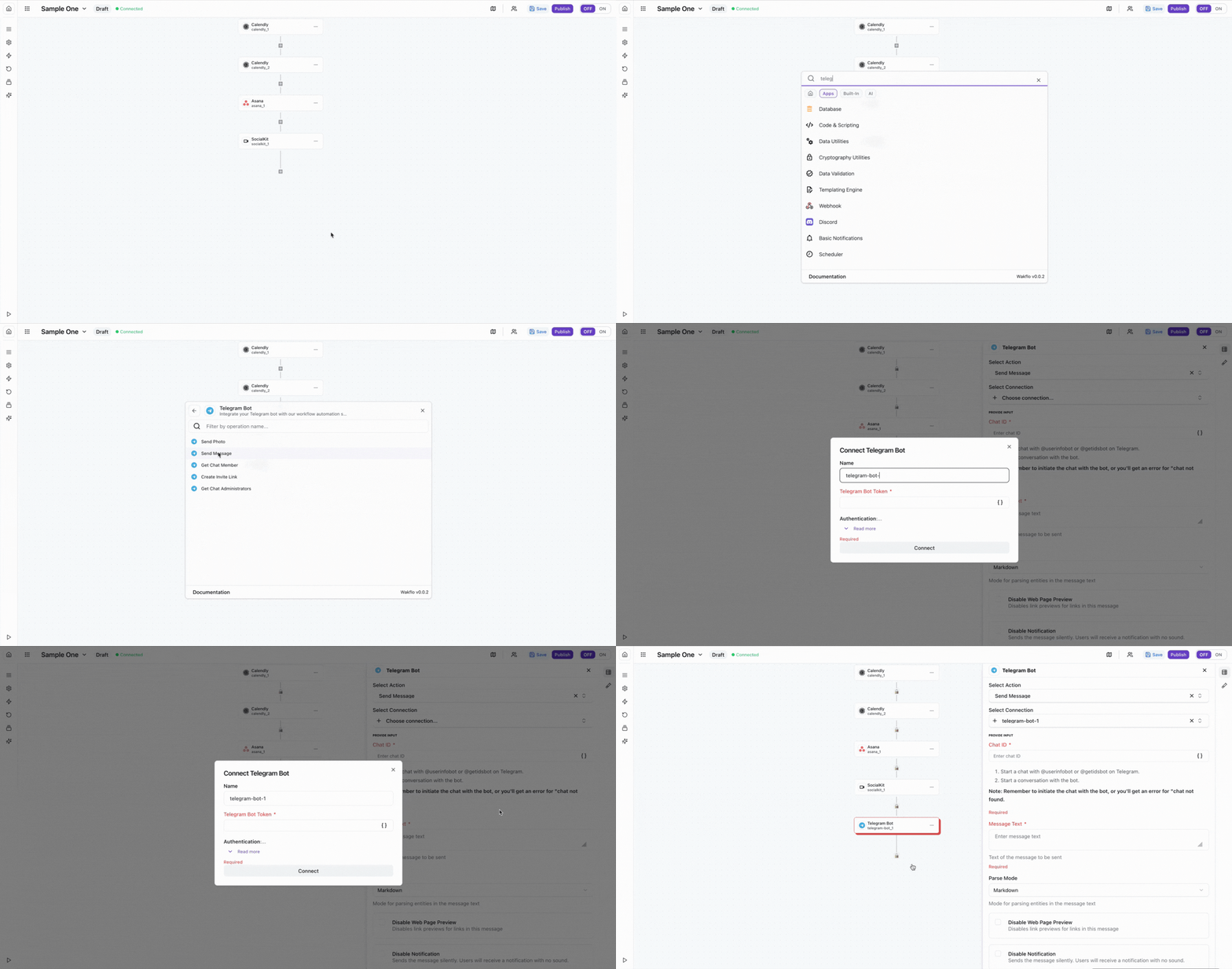
Connect to Wakflo
In Wakflo, select Telegram Bot integration and enter your bot token to establish the connection. If you don't have a bot token yet, you'll need to create a bot using @BotFather in Telegram first.
To create a bot token, open Telegram, search for @BotFather, and use the /newbot command. Keep your bot token secure and never share it publicly.
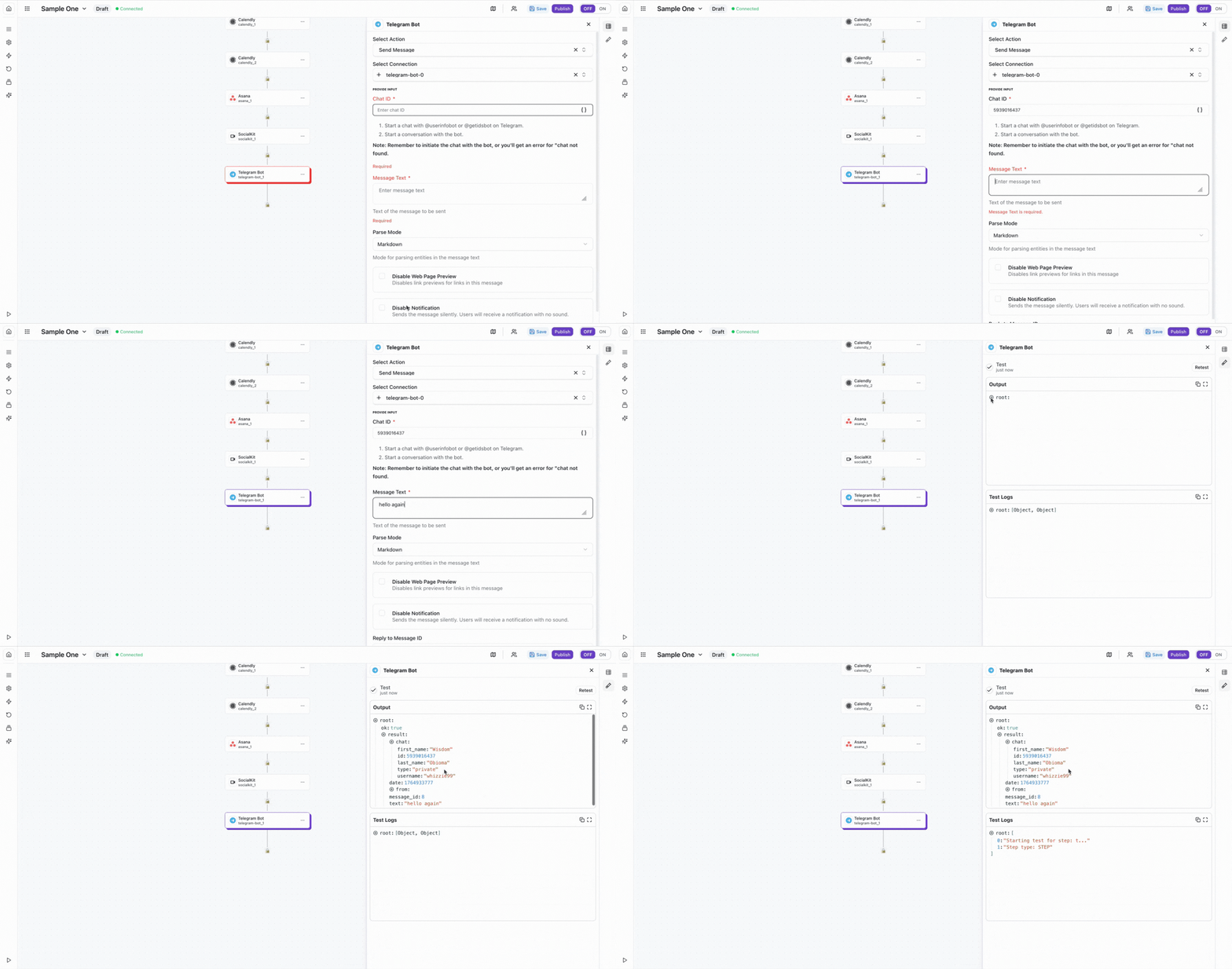
Test Connection
Verify the connection by sending a test message.
The Telegram Bot integration requires a bot token from BotFather. Make sure to keep your bot token secure and never share it publicly.
Best Practices
Working with Telegram Bots
- •Use markdown formatting for rich message content in Telegram
- •Implement command handlers for interactive bot functionality
- •Keep bot responses concise and user-friendly
- •Use inline keyboards for better user interaction
- •Monitor bot performance and message delivery rates
Troubleshooting
Authentication Issues
- •Verify that your bot token is valid and hasn't been revoked
- •Ensure the bot token is correctly copied without extra spaces
- •Check that the bot hasn't been deleted in BotFather
Message Delivery Issues
- •Ensure chat IDs are correctly formatted (negative for groups, positive for users)
- •Verify that the bot has been added to the group or channel
- •Check that message content doesn't exceed Telegram's limits (4096 characters)
Rate Limiting
- •Telegram enforces rate limits of 30 messages per second per bot
- •Implement delays between bulk message operations
- •Use exponential backoff when receiving rate limit errors
Additional Resources
Last updated on