HubSpot Integration
Connect your HubSpot CRM to Wakflo and automate contact management, deal tracking, and customer support operations. Sync data across your entire sales and marketing stack.
Authentication
OAuth 2.0
Features
3 Triggers • 6 Actions
Available Triggers & Actions
HubSpot Triggers
Contact Triggers
- •Contact Update: Triggered when a contact is updated in HubSpot
Deal Triggers
- •Deal Updated: Triggered when a deal is updated in HubSpot
Ticket Triggers
- •Ticket Created: Triggered when a new ticket is created in HubSpot
- •Ticket Updated: Triggered when a ticket is updated in HubSpot
HubSpot Actions
Contact Actions
- •Create Contact: Create a new contact in HubSpot
- •List Contacts: Retrieve a list of contacts from HubSpot
- •Retrieve Contact: Get details of a specific contact
Deal Actions
- •Get Deal: Retrieve details of a specific deal
- •Search Owner: Search for owners in your HubSpot account
Ticket Actions
- •Create Ticket: Create a new support ticket in HubSpot
- •List Tickets: Retrieve a list of tickets from HubSpot
Setup Guide
Connect to Wakflo
In Wakflo, navigate to the HubSpot integration and click connect. You'll be redirected to HubSpot to authorize Wakflo to access your account.
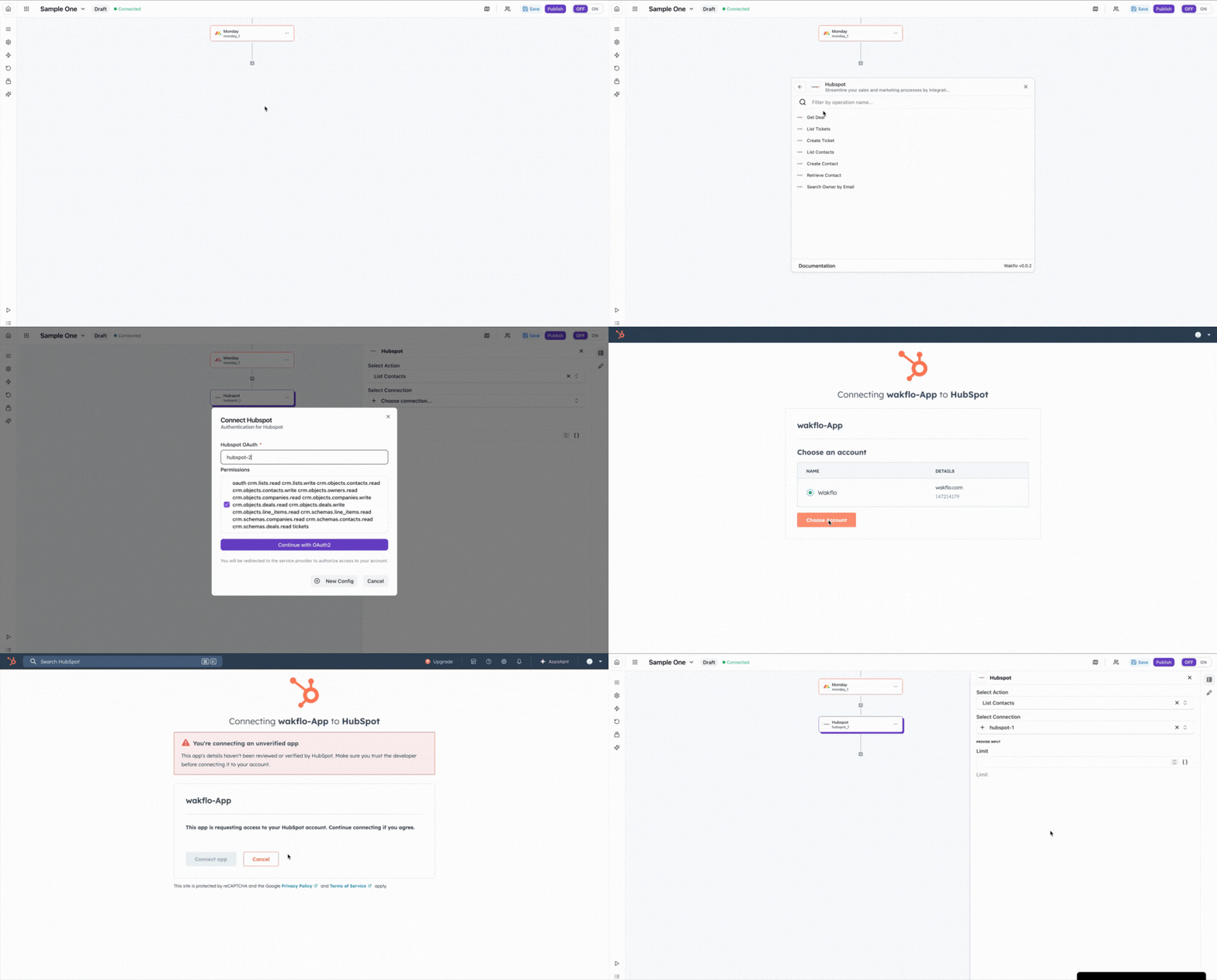
Authorize Permissions
Grant Wakflo access to your HubSpot account. The following permissions are required:
- •Contact management (read/write)
- •Deal tracking (read/write)
- •Ticket operations (read/write)
Test Connection
Verify the connection by retrieving test data to ensure everything is working properly.
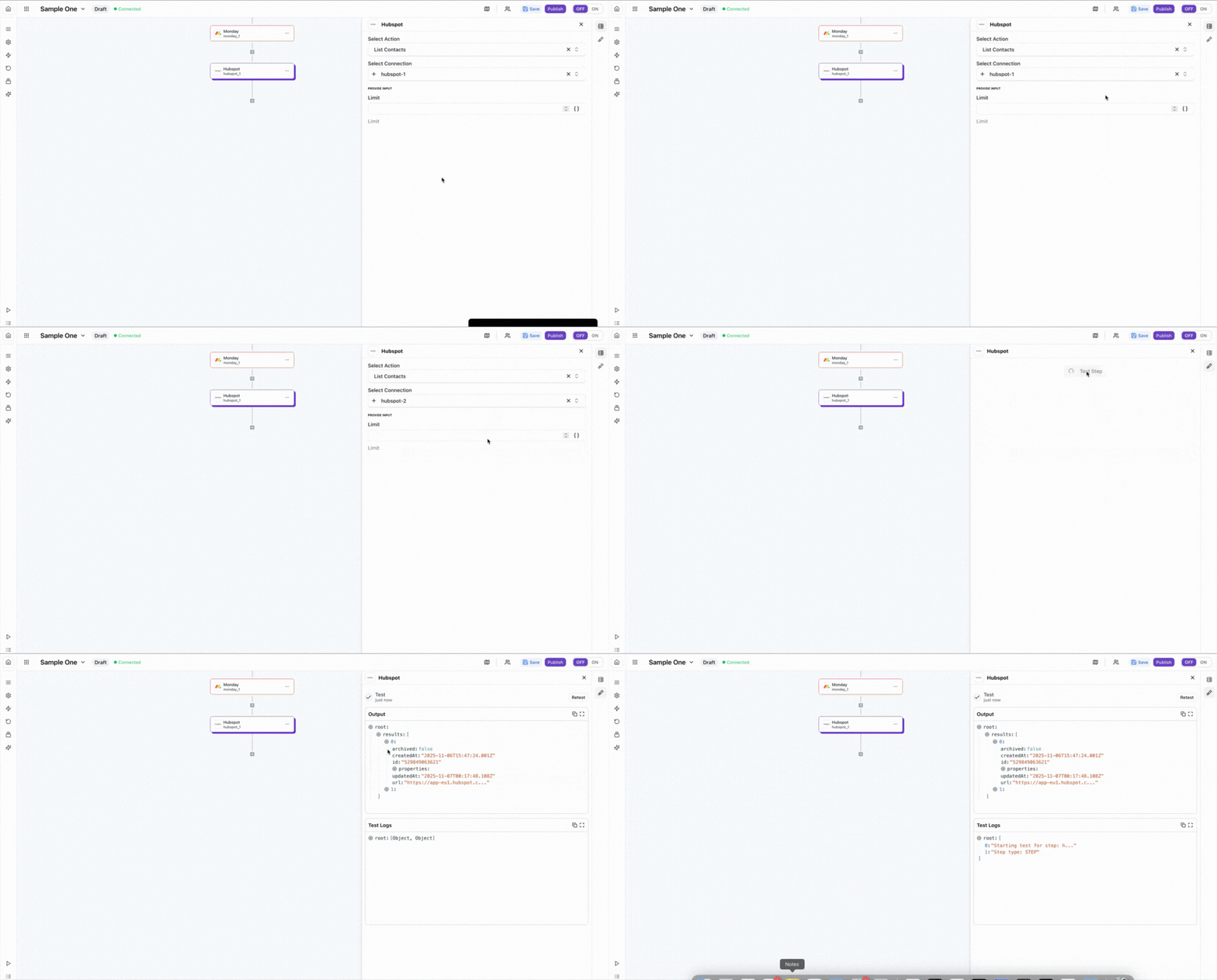
Usage Example: List Contacts
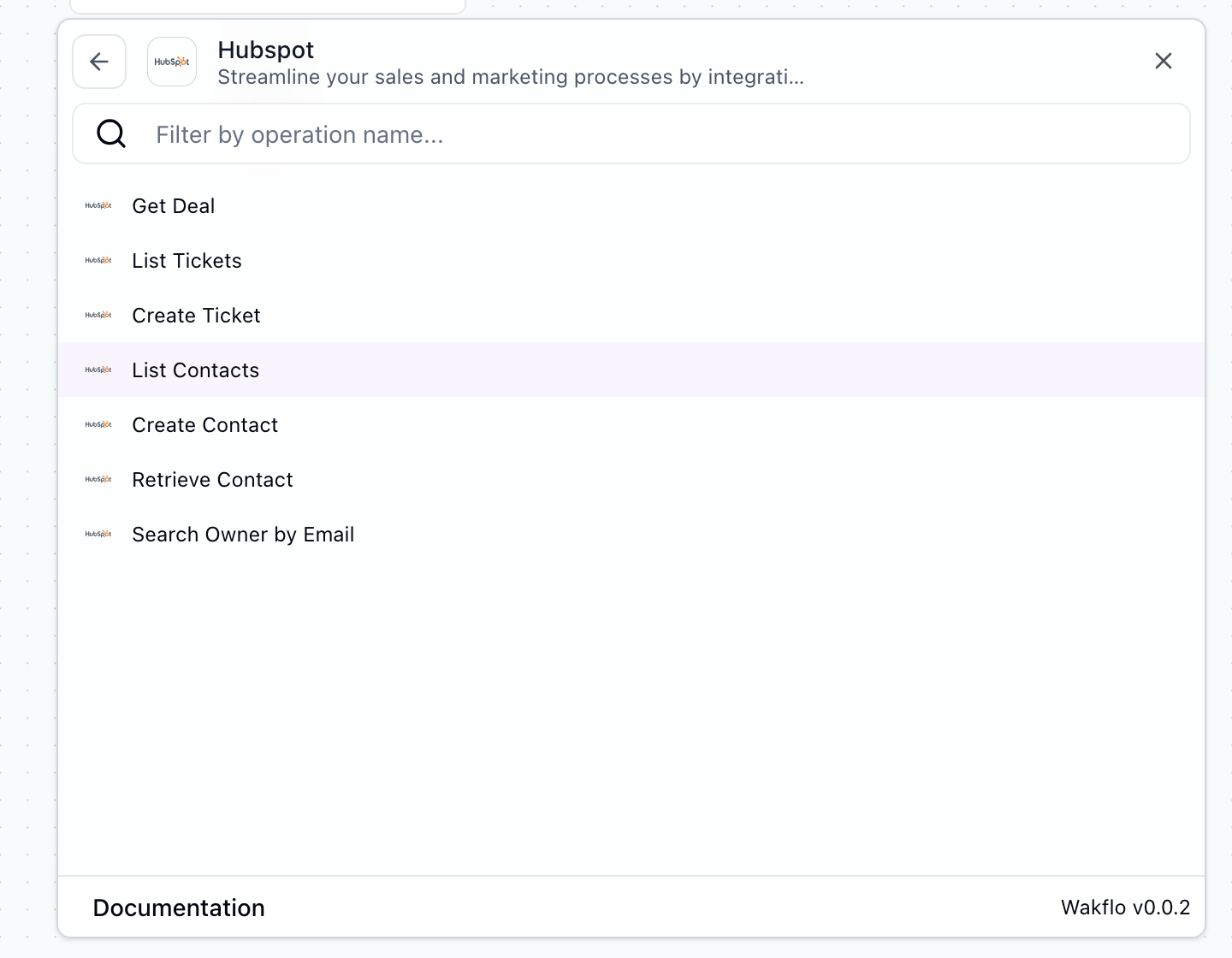
Select the Action
In your Wakflo workflow, add a new action and select HubSpot as the integration, then choose List Contacts from the available actions.
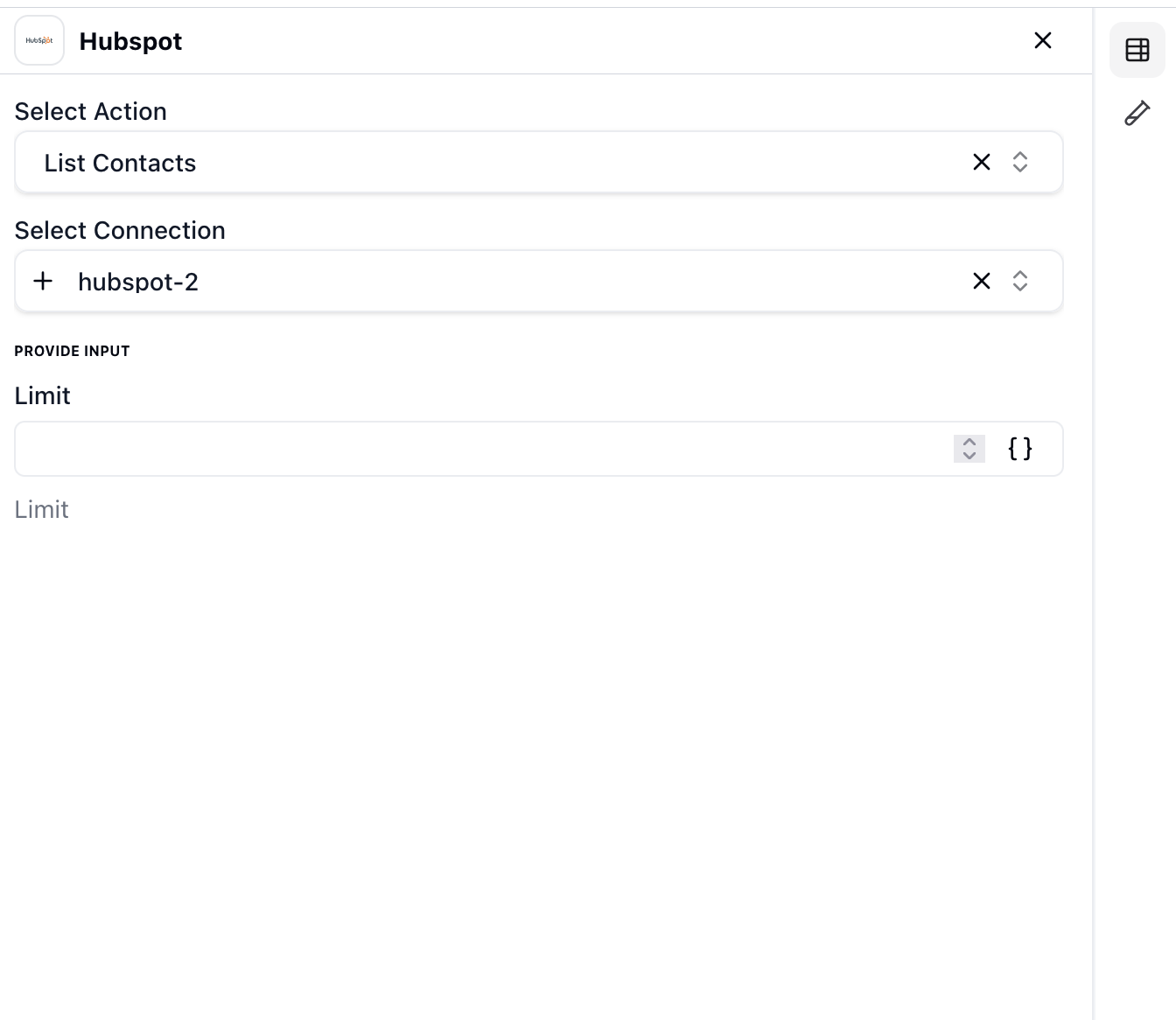
Configure Filters (Optional)
Configure optional filters to narrow down the results based on your requirements.
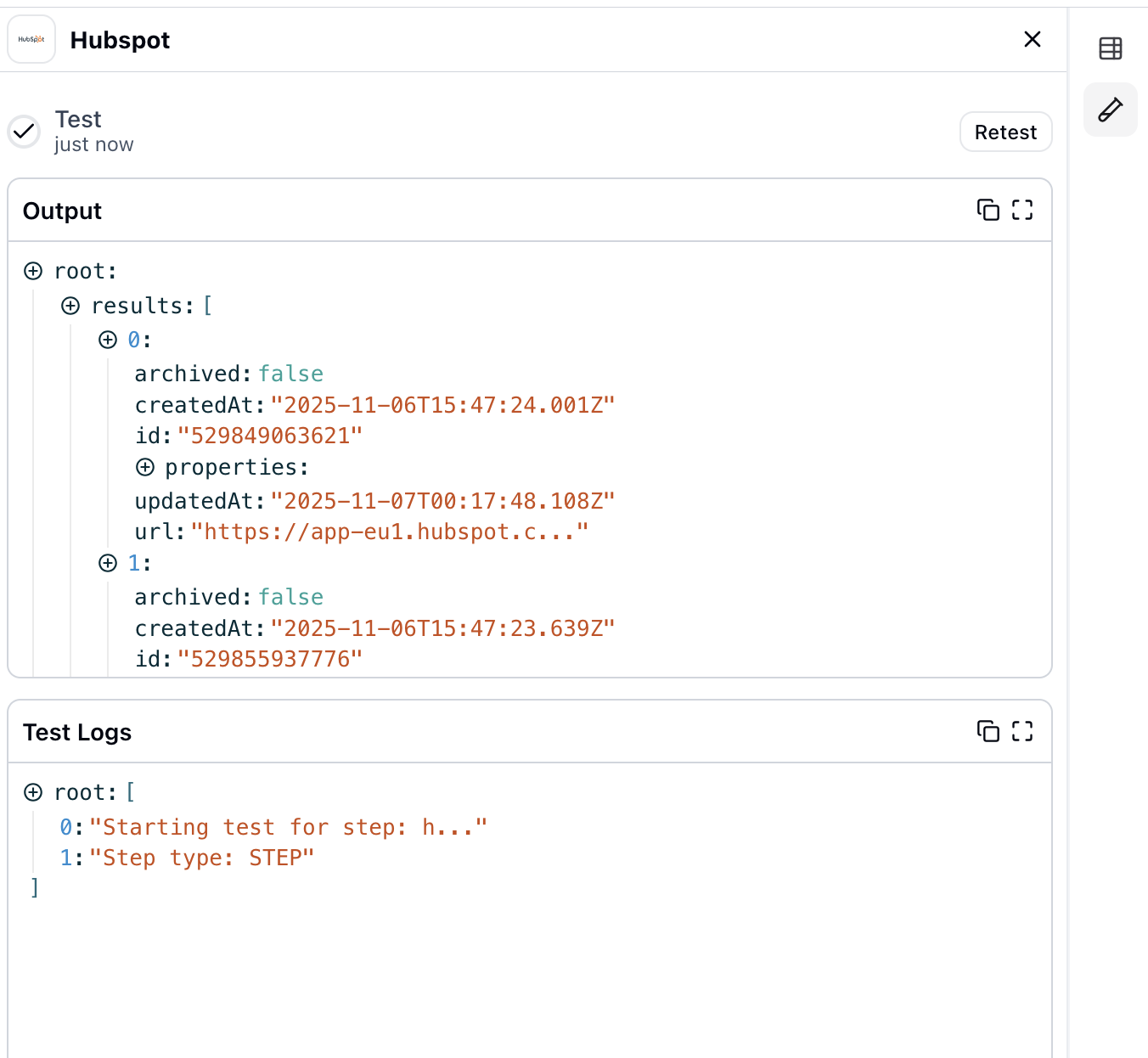
Run and Retrieve Contacts
Execute the action to retrieve the contact list. The contacts will be returned in the action output and can be used in subsequent workflow steps.
Best Practices
Working with HubSpot Data
- •Use property filters to retrieve only the data you need, reducing API calls
- •Implement error handling for rate limit responses from HubSpot's API
- •Batch operations when possible to minimize workflow execution time
- •Keep your HubSpot connection active by regularly testing workflows
- •Map custom properties correctly to ensure data consistency
Troubleshooting
Authentication Issues
- •Ensure your HubSpot account has the necessary permissions for API access
- •Check if your OAuth token has expired and reconnect if needed
- •Verify that third-party app integrations are enabled in HubSpot settings
Rate Limiting
- •HubSpot enforces API rate limits based on your subscription tier
- •Implement delays between batch operations to avoid hitting limits
- •Monitor your API usage in HubSpot's developer dashboard
Data Sync Issues
- •Check if required properties exist in your HubSpot account
- •Verify property types match between Wakflo and HubSpot
- •Ensure workflows are active and triggers are properly configured